Table of Contents
This practical guide walks through Microsoft releases urgent patch for printer error emergency, explains the main requirements, and highlights common issues that may appear along the way.
"After installing the update rolling out July 13 on domain controllers (DCs) in your environment, printers, scanners, and other multifunction devices do not comply with section 3.2.1 of the spec. RFC 4556 technique will not print when using smart-card (PIV) authentication," Microsoft announced.
This issue affects all currently supported versions of Windows and Windows Server.
To fix it, Microsoft has just released an urgent patch for this problem. The patch is rolling out to Windows 10 Enterprise 2019 LTSC, Windows 10 IoT Enterprise 2019 LTSC, Windows 10 IoT Core 2019 LTSC, Windows Server 2019 and of course Windows 7 SP1, Windows Server 2008 R2.
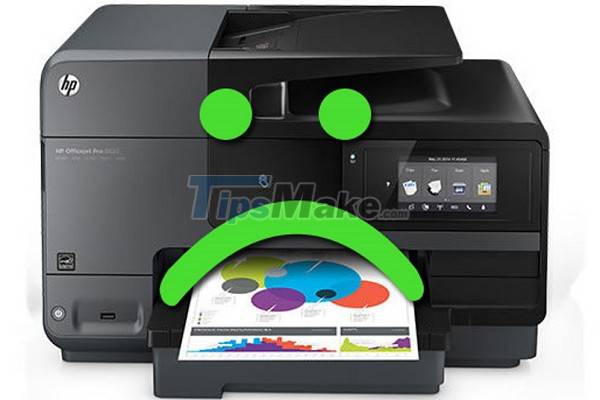
"The update resolves an issue that prevents printers, scanners, and multifunction devices from working. This issue occurs on devices that don't adhere to a certain specification and use smart card authentication. . This update contains only quality improvements and does not include security patches," Microsoft said in a statement.
With Windows 10, the update carries the number KB5005394 while for Windows 7 SP1 and Windows Server 2008 R2 SP1 the update carries the number KB5005408.
On Windows 10, you just need to check for updates then install KB5005394. However, on Windows 7 SP1 and Windows Server 2008 R2 SP1 you need to install some additional updates (if not already installed) before you can install KB5005408.
Key Takeaways
Use the information above as a practical reference for Microsoft releases urgent patch for printer error emergency. Review each step carefully, confirm any requirements, and choose the option that best fits your situation.
FAQ
What does this guide explain about Microsoft Releases Urgent Patch for Printer Error Emergency?
It explains the main concepts, practical considerations, and useful steps related to Microsoft releases urgent patch for printer error emergency without requiring advanced knowledge.
Who can benefit from learning about Microsoft Releases Urgent Patch for Printer Error Emergency?
This information is useful for readers who want a clear overview, practical guidance, and reliable steps related to Microsoft releases urgent patch for printer error emergency.
What should I check before applying this information?
Review the requirements, confirm that your device, software, or situation matches the instructions, and back up important data before making major changes.
Related Articles
 Urgent Update: Complete Guide3 minutes read
 Microsoft Releases an Urgent Patch to Fix Authentication3 minutes read
 Windows Server Has an Urgent Patch to Fix Remote Desktop Errors3 minutes read
 Microsoft Releases New Update for Windows 10 and 11, Fixing VPN Errors3 minutes read
 Microsoft Released Emergency Patch Updates for Windows 103 minutes read
 Do Not Rush to Update Patch Tuesday for November 20213 minutes read
Reader Comments 0
Sign in with email or Google to join the discussion.