Table of Contents
The following guide provides a clear overview of Microsoft, with the most relevant background, details, and practical takeaways.
Microsoft Overview
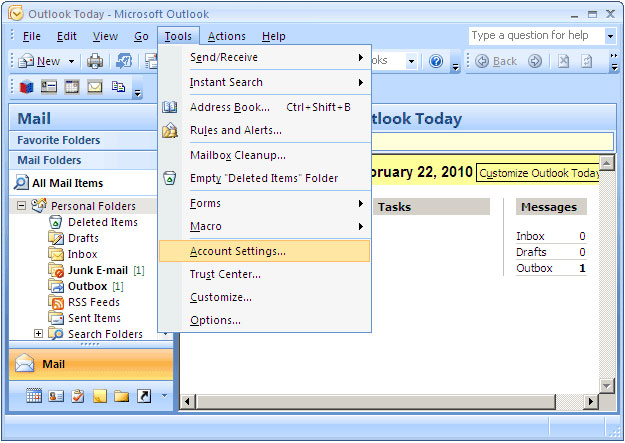 Image for illustrative purposes.
The update is released mid December 14, 2010 as part of Patch Tuesday monthly. Within hours, users reported problems with downloading e-mails and major delays when converting folders.
Many others said that they could not send or receive e-mail (including Gmail) through Outlook after installing the update.
Ironically, Microsoft has advertised this update (which doesn't fix any security holes) as the update has " many improvements for stability and performance ".
By Thursday, December 16, 2010, support forum coordinators have notified users to uninstall (uninstall) the update.
At the end of Friday, in an Outlook group blog post, Microsoft officially confirmed the incident. " We have detected some issues with the update and on December 16, 2010, this Outlook 2007 update has been removed from Microsoft Update."
Microsoft urged users who installed the update to remove it. The company has yet to give a timetable for the release of a patch for Outlook 2007.
FAQ
What does Microsoft Has Just Released the 2007 Outlook 2007 Update explain?
The following guide provides a clear overview of Microsoft, with the most relevant background, details, and practical takeaways.
Who is most affected by Microsoft?
Microsoft Overview Image for illustrative purposes.
What are the key takeaways from this topic?
The update is released mid December 14, 2010 as part of Patch Tuesday monthly.
Related Articles
 Microsoft Re-Released the Outlook 2007 Update: Updates2 minutes read
 How to Use the Outlook. Com Beta Version: Outlook Beta6 minutes read
 Microsoft Confirms Update KB5008212 Breaks Outlook's Search Feature3 minutes read
 Microsoft Will Also Make Major Updates to Outlook After Google Reforms Gmail4 minutes read
 How to Update Outlook on PC or Mac: Clear Instructions5 minutes read
 Microsoft Outlook Windows Is About to Receive 'Biggest4 minutes read
Reader Comments 0
Sign in with email or Google to join the discussion.