Table of Contents
LibreOffice is a useful open source office suite for those who want to 'escape' from Microsoft's Office ecosystem but still have a full range of alternative tools. Developed by The Document Foundation, this software suite has applications similar to Microsoft Office: Writer instead of Word, Calc instead of Excel, Impress instead of PowerPoint and many more.
LibreOffice recently released version 25.8.1 , the first minor update after the release of LibreOffice 25.8 about 10 days ago.
Although there aren't many new features in this update, it's still worth noting. Nearly 100 bugs and regression issues have been fixed, making the overall experience more stable. In addition, the NoteBookBar interface (optional) has also been fixed, avoiding application crashes.
That said, the most important upgrade this time is better compatibility with Microsoft Office formats like DOCX, PPTX, and XLSX. Previously, many users had problems opening and processing these files, but now the experience has been significantly improved.
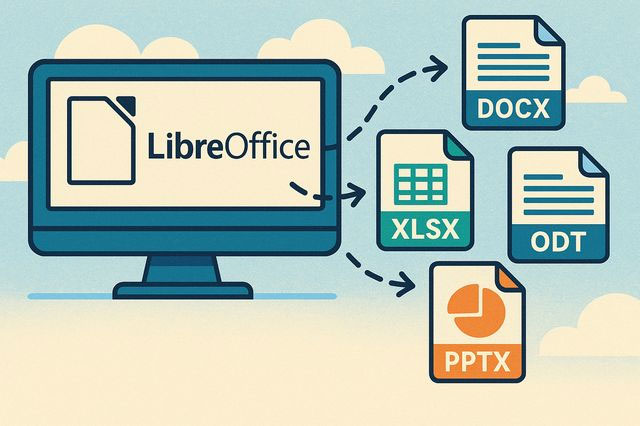
For years, dealing with Office formats has been a major challenge for both The Document Foundation and its user community, with the company even accusing Microsoft of deliberately keeping the file format complex to 'lock' users into its ecosystem.
For its part, LibreOffice uses OpenDocument Format (ODF) – an open standard, not owned by any organization. Meanwhile, Microsoft relies on Office Open XML (OOXML) and often adds its own features, sometimes causing compatibility problems with ODF-based applications. To support users, a few weeks ago, The Document Foundation also released a free guide to converting to ODF to limit Microsoft's 'user lockout'.
If you're a fan of LibreOffice, or simply want to try an alternative to Microsoft Office, this latest update is definitely worth checking out.
Final Thoughts
The development covered in this article is worth following, but specifications, dates, and feature details may change until the relevant company or organization publishes an official confirmation.
FAQ
What is the main development covered in this article?
LibreOffice is a useful open source office suite for those who want to 'escape' from Microsoft's Office ecosystem but still have a full range of alternative tools.
What should you know about the key details?
LibreOffice recently released version 25.8.1, the first minor update after the release of LibreOffice 25.8 about 10 days ago.
Is every reported detail officially confirmed?
Not necessarily. Product leaks, preview builds, research reports, and early announcements can change. Confirm important specifications, dates, and availability through an official source before making a decision.
Related Articles
 LibreOffice 25.8 Released: Drops 32-bit Windows Support4 minutes read
 Libreoffice 7.2.2/7.1.6 , Libreoffice 7.2.2/7.1.6 Download6 minutes read
 LibreOffice Criticizes Microsoft for Using 'complicated' File Format4 minutes read
 Why Use Libreoffice Instead of Microsoft 365?5 minutes read
 Microsoft Bans LibreOffice Developer Account Without Warning4 minutes read
 What's New in Libreoffice Version 4.4?2 minutes read
Reader Comments 0
Sign in with email or Google to join the discussion.