Table of Contents
This guide covers toshiba z930 is the best ultrabook rated with practical context and easy-to-follow details. Use it to understand the subject and apply the information confidently.
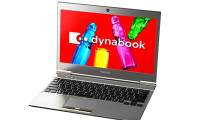
Stuff Magazine recently announced the best-rated ultrabook in its testing room, the Toshiba Portege Z930 . This model stands out with a weight of 1. 12 kg and the thinness at the impressive thinnest point is only 8. 3 mm. The version is rated as Z930-10X (equivalent to Z930-2023 version in Vietnam).
The Z930 is an upgraded version of the Z830 with no differences in appearance. The scratched aluminum cover and sturdy magnesium alloy frame help the product withstand the impact during use. The Z930 doesn't stand out in terms of resolution, but its display with anti-glare screens is also highly rated by Stuff.
Significant upgrades of the product, such as the trackpad, have a metallic rim and are much more sensitive than the previous version. The processor chip is upgraded while the Intel HD Graphics 4000 graphics chip is also more powerful.
Notably, despite the slim and light design, the Z930 is one of the ultrabooks with the most connectivity ports on the market. Machine owns HDMI port, 2 USB 2. 0 ports, a USB 3. 0 port with charging feature when the device is turned off, memory card reader, Wi-Fi standard n, Bluetooth 4. 0 and high-speed LAN port.
FAQ
What should I check before following these steps?
Confirm device and software compatibility, save important data, and make sure you have the required permissions, files, and account access.
Why might the process not work?
Common causes include outdated software, missing permissions, incompatible hardware, an unstable connection, or completing a step in the wrong order.
Can I undo the changes if necessary?
That depends on the tool or setting. Use built-in restore options when available, keep a backup, and record the original configuration first.
Related Articles
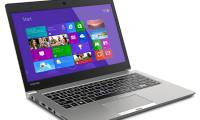 Toshiba Z Series - Ultrabook Premium for Entrepreneurs4 minutes read
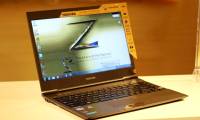 Toshiba's Ultrabook Costs 32. 3 Million4 minutes read
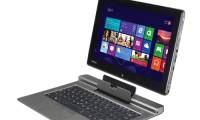 Toshiba Keyboard Ultrabook Cost 36 Million5 minutes read
 War Ultrabook Officially Opened?9 minutes read
 Ultrabook Running Ivy Bridge Chip for $$ 2, 200 of Toshiba3 minutes read
 Ultrabook Full HD Screen, Removable Keyboard of Toshiba4 minutes read
Reader Comments 0
Sign in with email or Google to join the discussion.