Table of Contents
This guide covers laptop replaces sony's powerful desktop with practical context and easy-to-follow details. Use it to understand the subject and apply the information confidently.
The new Vaio E series with Sony's large 17. 3-inch screen size is aimed at market share of entertainment laptops replacing desktops. With a price of 949 USD (in the US market), users can own a machine configuration including Intel Core i3 processor, ATI Mobility Radeon HD 5470 graphics card, 4GB RAM, 500GB hard drive and Blu-ray optical drive.
Sony Vaio EC has a detailed dimensions of 273. 8 x 31. 9 x 409. 1 mm, weighs 3. 3 kg and comes preinstalled with Windows 7 Home Premium (64-bit) operating system and sells for two colors choice is black, white.
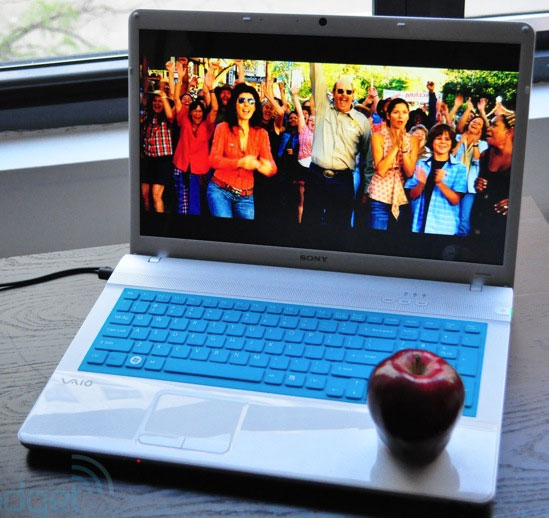 The screen of the device has a large size to 17. 3 inches, LED backlight technology Resolution of 1, 920 x 1, 080 pixels rate of 16: 9.
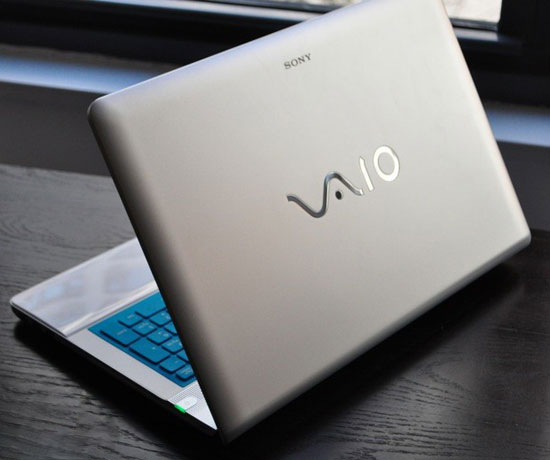 Outstanding Vaio logo design behind.
 Chiclet keyboard with full size and extra numeric keypad on the right.
 Quick start keys to surf the web do not need to go through Windows.
 Skin colors protect and decorate the keyboard.
 This model is integrated with Blu-ray optical drive.
 And the connection port is not as useful as eSATA / USB combo, HDMI and VGA.
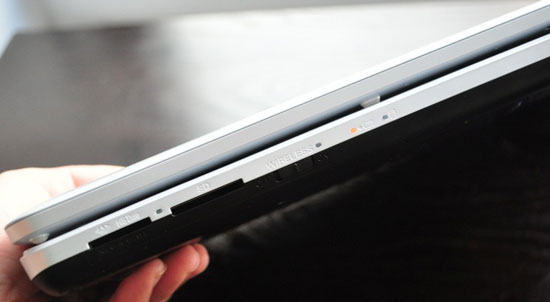 Front edge with memory card reader, wireless switch on and off.
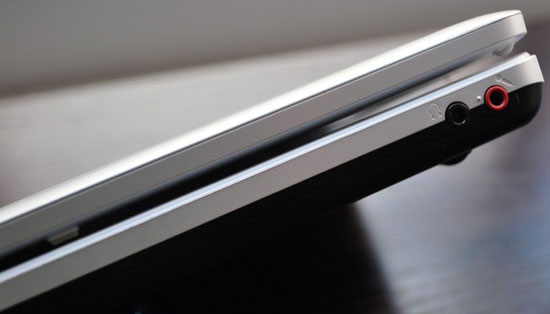 . And headphone jack, microphone.
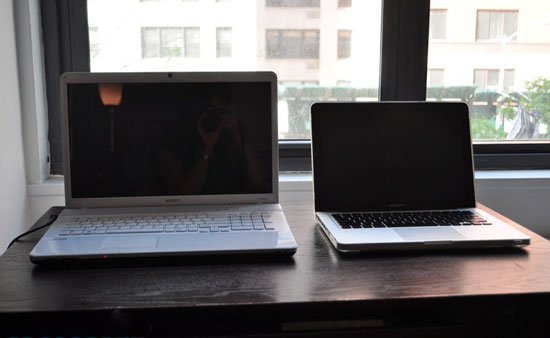 Besides Apple MacBook Pro.
FAQ
What should I check before following these steps?
Confirm device and software compatibility, save important data, and make sure you have the required permissions, files, and account access.
Why might the process not work?
Common causes include outdated software, missing permissions, incompatible hardware, an unstable connection, or completing a step in the wrong order.
Can I undo the changes if necessary?
That depends on the tool or setting. Use built-in restore options when available, keep a backup, and record the original configuration first.
Related Articles
 Desktop GPU vs. Laptop GPU: Key Differences8 minutes read
 Does Desktop or Laptop Really Save You Money Over Time?6 minutes read
 3 Ways to Use Your Laptop as a Keyboard for Your Desktop PC8 minutes read
 Why Should You Choose a Laptop Instead of a Desktop to Work from Home Full?7 minutes read
 Why Do You Need a More Desktop Laptop?4 minutes read
 Why Do Many People Regret Buying a Laptop Instead of a Desktop6 minutes read
Reader Comments 0
Sign in with email or Google to join the discussion.