Table of Contents
Instagram lets you repost your favorite Reels posts and videos, making them easy to find and others can access to see what you've reposted on Instagram. This feature is similar to the repost feature on Threads. Here's how to repost a few posts on Instagram.
How to repost a post on Instagram
Step 1:
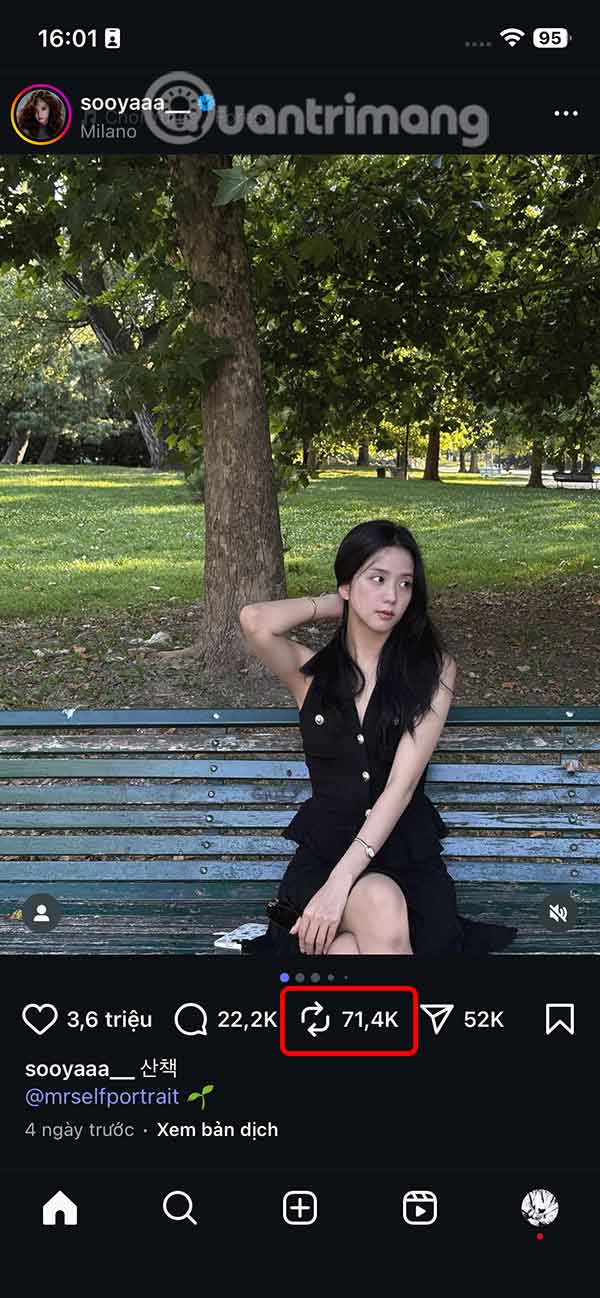
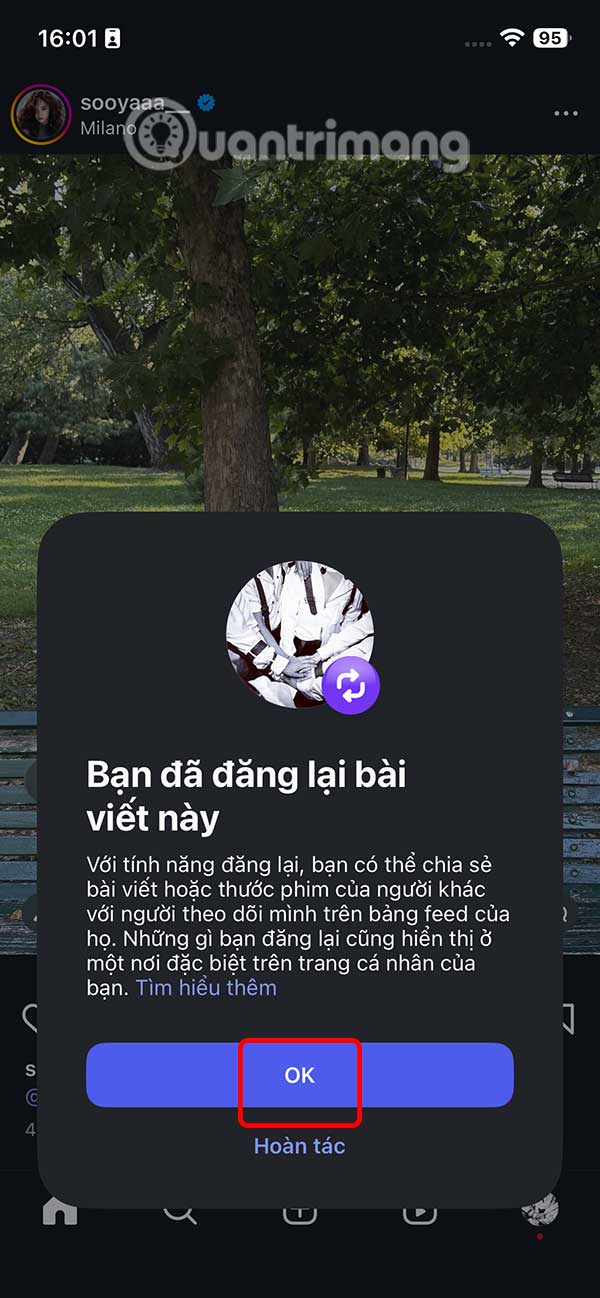
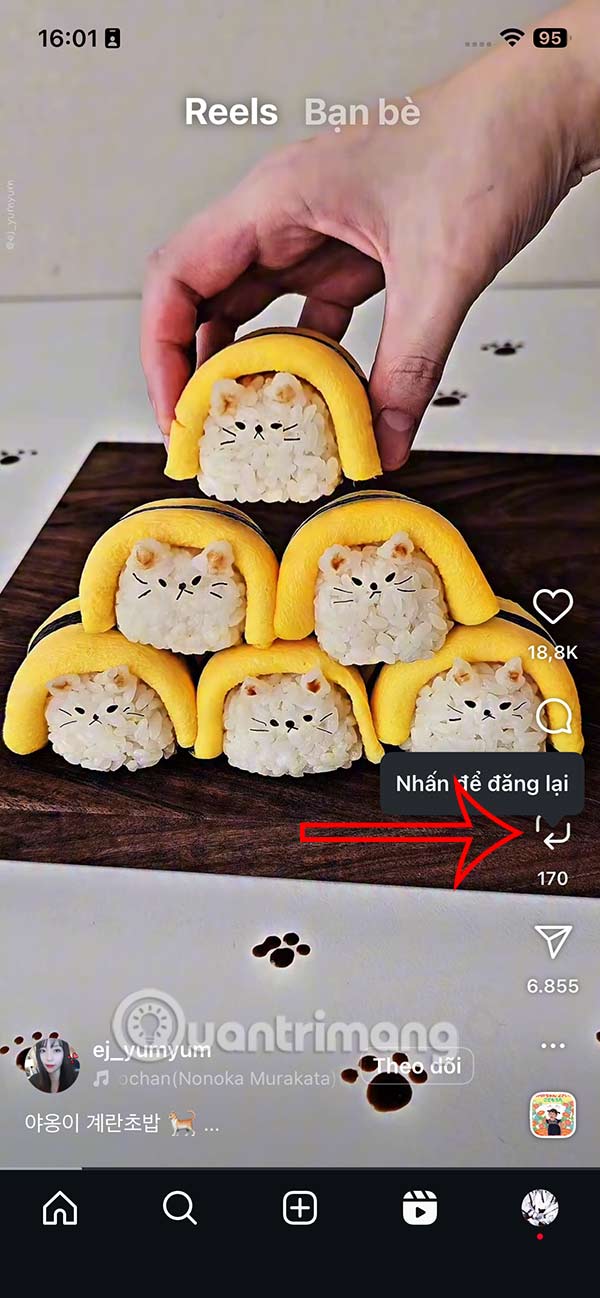
On the Instagram post you want to repost, we select the repost icon on the right side of the interface as shown below. The first repost will display a notification as shown below.
Step 2:
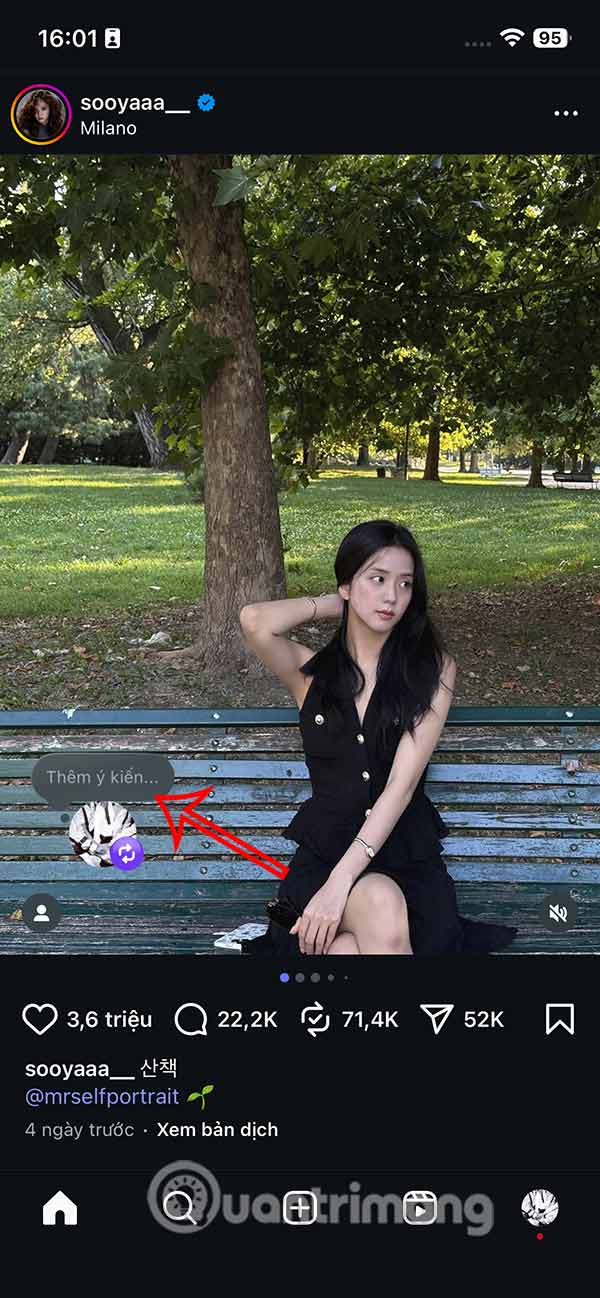
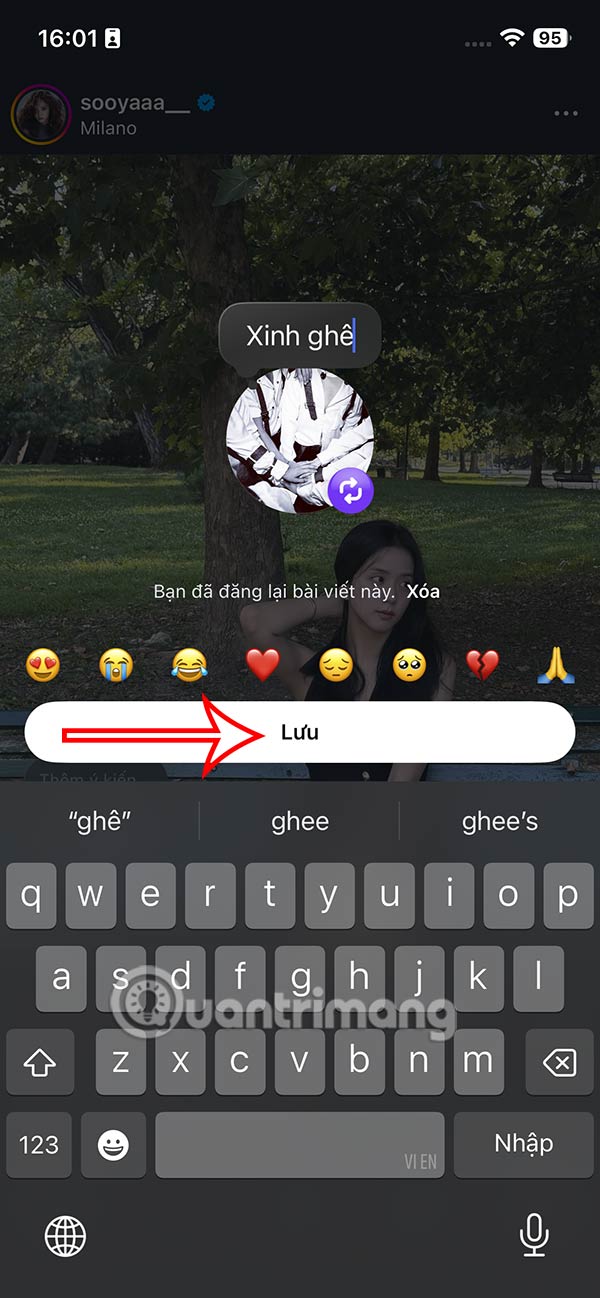
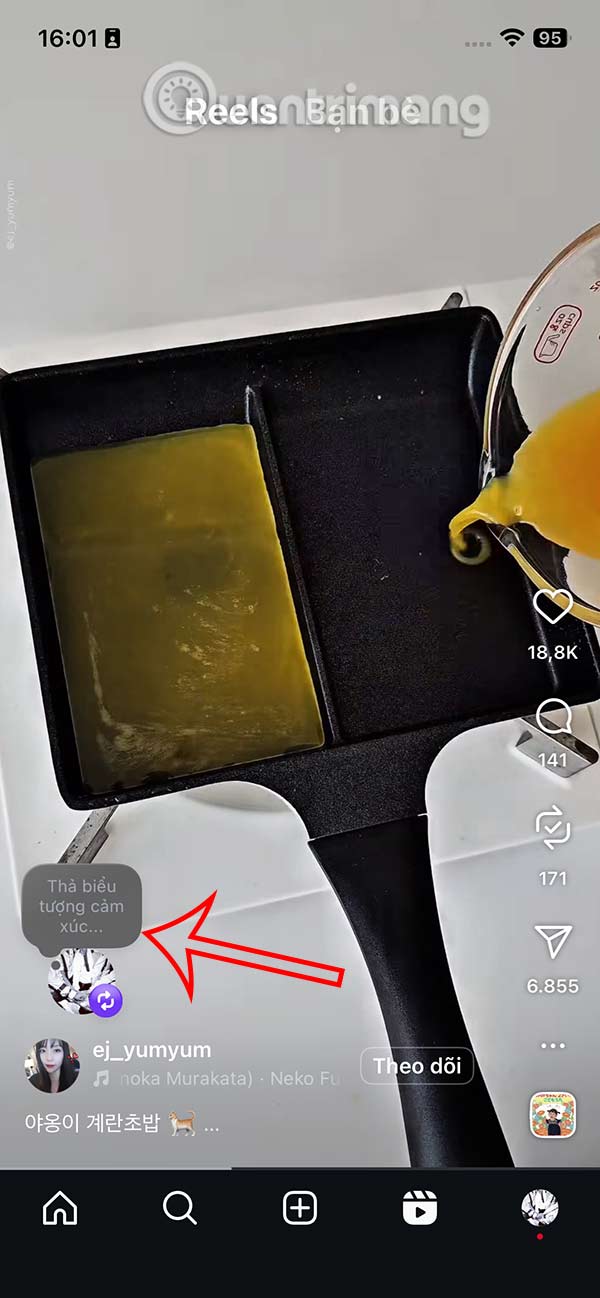
So you have successfully reposted an Instagram post from another account. In addition, we also added content to that repost .
The repost on Instagram will then show the additional content you attached.

Step 3:
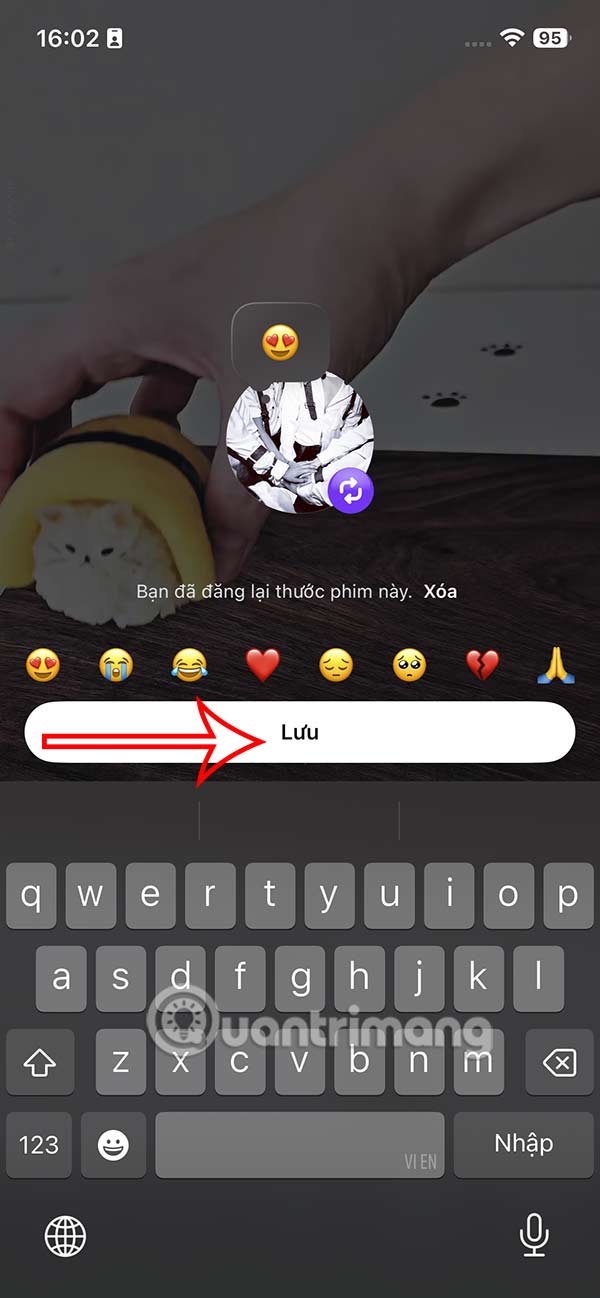
Tap on Instagram Reels and you can also repost the video you want . You can then tag your friends in the reposted Reels video.
Step 4:
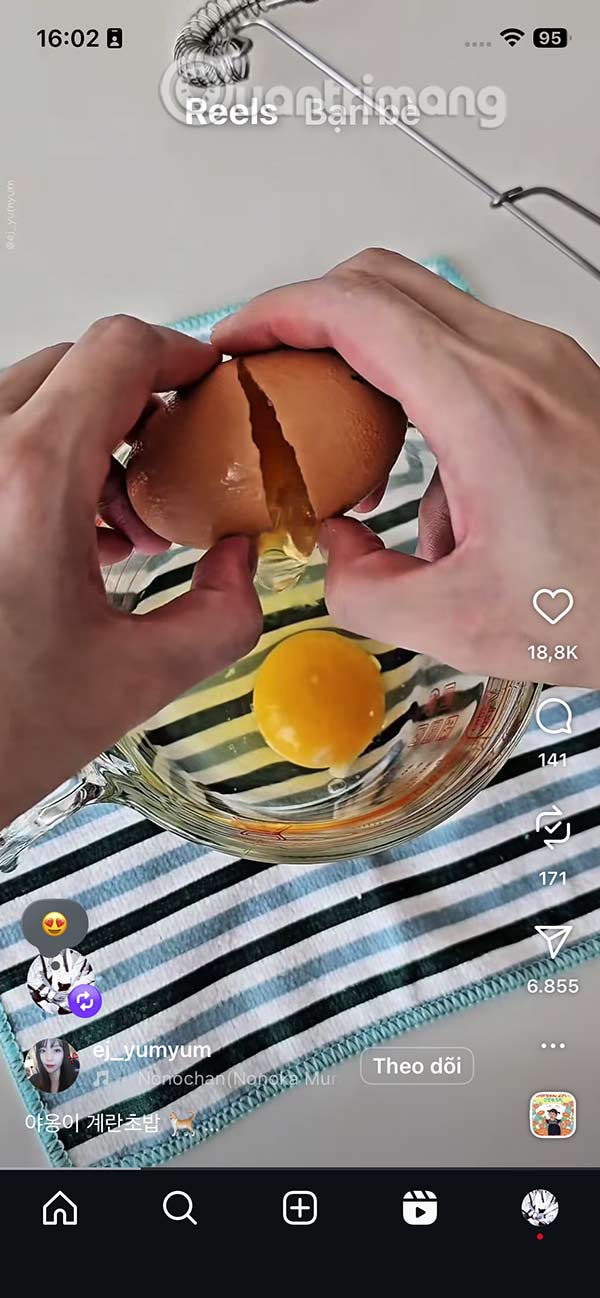
So you have reposted the Instagram Reels video with the emoji you added. Or you can tag the Instagram account in the reposted Reels video.
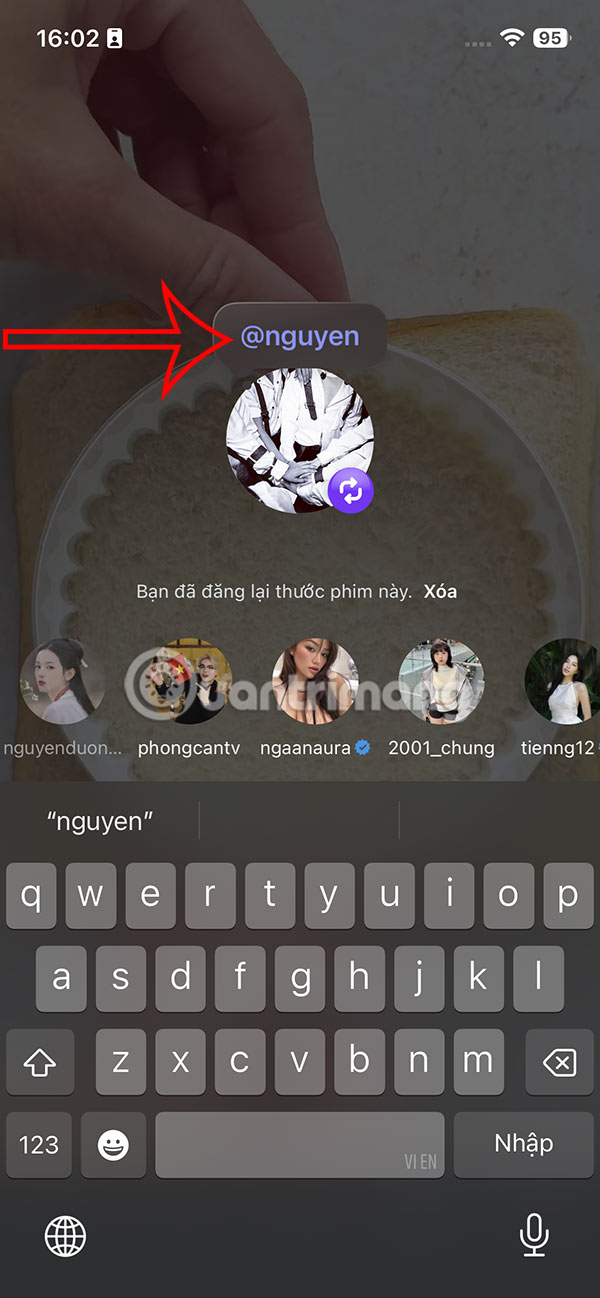
Step 5:
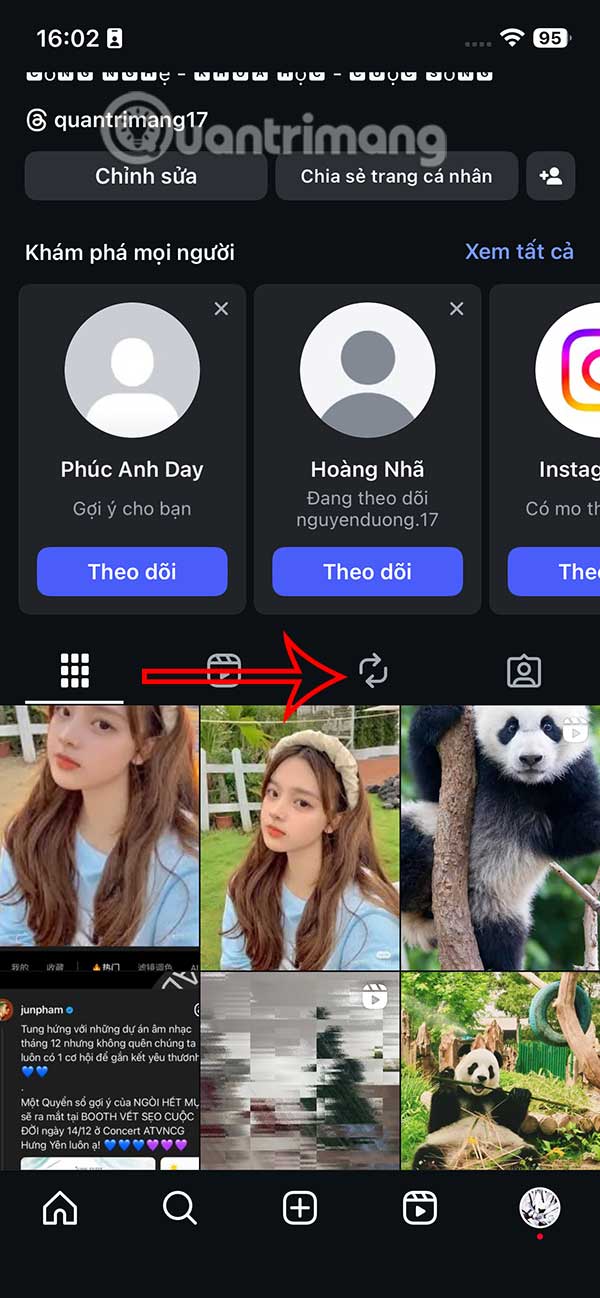
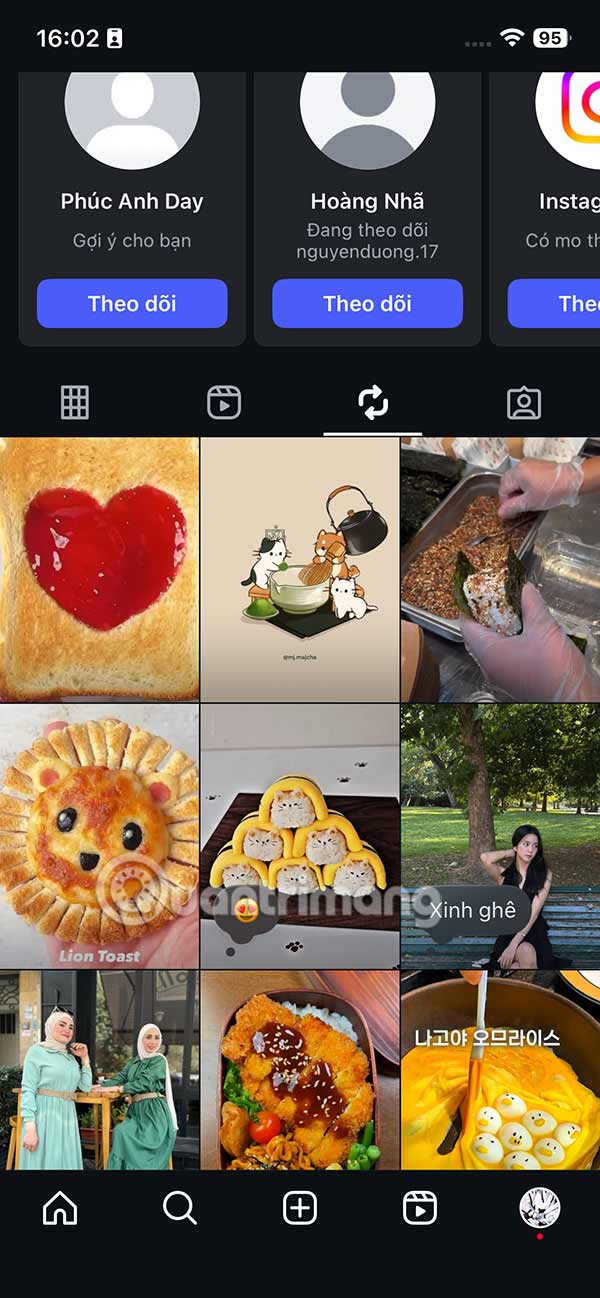
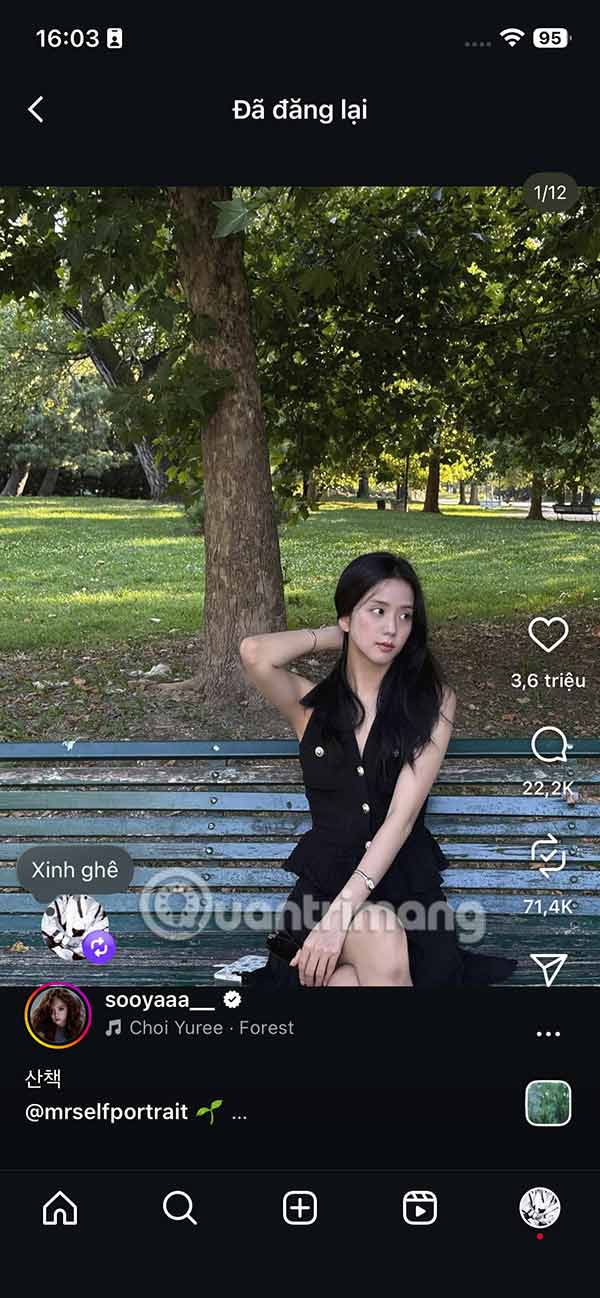
If you want to find reposted content on Instagram , just go to your personal Instagram and tap the repost icon. Tap the repost on Instagram to view it, from there you can delete the repost on Instagram if you want.
Final Thoughts
Following the steps in order and checking version-specific settings should make it easier to Repost on Instagram. If an option looks different, verify the device, app, or operating-system version before changing additional settings.
FAQ
What is the best way to Repost on Instagram?
Start with the requirements described in the article and follow the steps in order. Instagram lets you repost your favorite Reels posts and videos, making them easy to find and others can access to see what you've reposted on Instagram. This feature is similar to the repost feature on Threads. Here's how to repost a few posts on Instagram.
What should you know about How to repost a post on Instagram?
On the Instagram post you want to repost, we select the repost icon on the right side of the interface as shown below. The first repost will display a notification as shown below.
What should you do if the instructions do not match your screen?
Check the device, software version, account permissions, and regional settings. Interfaces can change after updates, so use the closest matching option and consult the official support documentation when necessary.
Related Articles
 How to Delete Repost on Instagram3 minutes read
 How to Repost Photos on Instagram: Complete Guide10 minutes read
 How to Post Reels Instagram Video to Instagram Story3 minutes read
 How to Repost Your Friends Whatsapp Status3 minutes read
 How to Repost a Post on Facebook: Practical Guide7 minutes read
 12 Tips to Make It Easier for You to Master Instagram8 minutes read
Reader Comments 0
Sign in with email or Google to join the discussion.