Table of Contents
This updated guide explains how to quickly view lien quan top - up history with clear steps, practical tips, and useful context. You have deposited many money into the game Lien Quan but do not know the details of your deposit status? Let's find out with TipsMake.com how to look up deposit history with just a few simple steps.
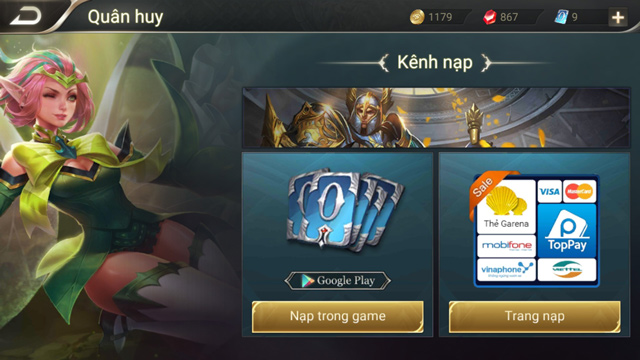
Lien Quan is a game that attracts a large number of players, many of whom top up to receive unique and attractive costumes. In case you do not know how to top up the game, you can refer to the articles below.
- Instructions for quick and simple Garena card top-up
- Top up Lien Quan cards, top up Lien Quan army coins fastest
Besides, during the game loading process, the system will also save your transaction history. So to check if you have loaded into Lien Quan Mobile, try checking it.
Please note that you can only check your transaction history within the last 2 months. Transactions from further back cannot be checked.
To check your game deposit history, you need to follow these steps.
Step 1: Visit the link below to check your deposit history.
https://napthe.vn/appStep 2: At the main interface, select Lien Quan Mobile.
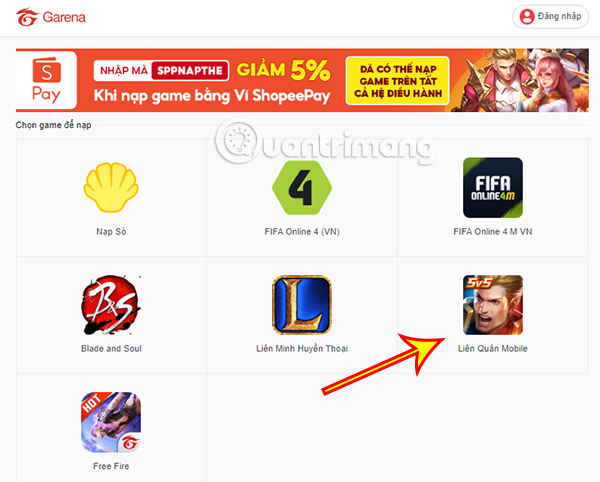
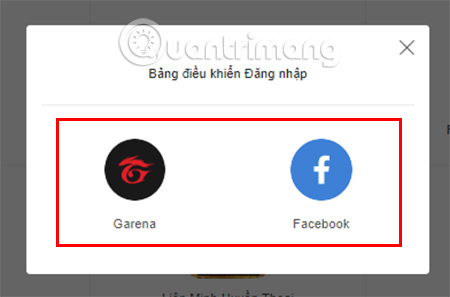
Step 3: You will be asked to log in to your game account. Please log in via your Garena account or Facebook account.
Step 4: After successfully logging in, you need to hover your mouse over your account icon in the top right corner.
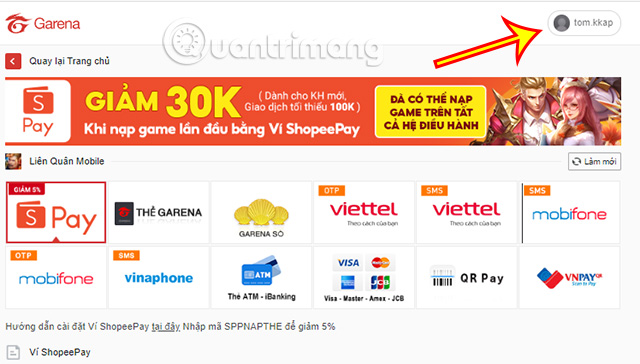
A small popup appears, here select Transaction History.
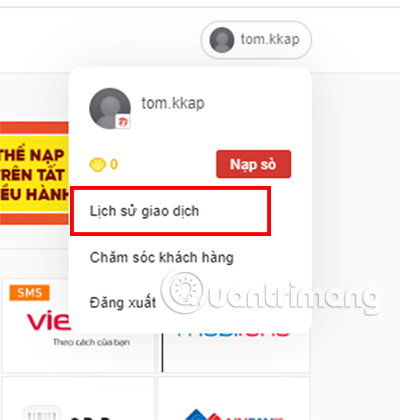
Step 5: In the new interface you are navigated to, you can select the time period you want to check the transaction history by clicking on the two time boxes.
After selecting the desired time frame, choose Search transaction to start checking your Lien Quan deposit transaction.
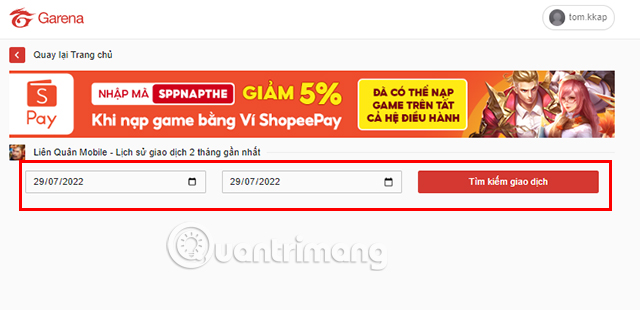
Transaction history will only show deposits within the last 2 months, transactions further back will not be shown.
Above is the guide to check the history of Lien Quan game top-up that TipsMake.com wants to send to you. Hopefully it will help you grasp your top-up levels as well as control the game top-up better.
Along with recharging the game to own attractive and unique costumes, players can follow free skin giving events in the article below.
- Summary of events to receive free skins in Lien Quan 4/2025
- Summary of Lien Quan Festival event series
Or some other exciting events also help you get new generals that you do not own yet.
- Summary of events to receive free generals in Lien Quan 4/2025
FAQ
What should I prepare before I quickly view lien quan top - up history?
Review the requirements and options in the guide first. Having the correct device, app version, account access, or materials ready helps prevent avoidable errors.
How long does it take to quickly view lien quan top - up history?
The time depends on the task and your setup. Most basic steps can be completed quickly, while downloads, updates, scans, or troubleshooting may take longer.
What should I do if the steps do not work?
Repeat the instructions in order, confirm that your software or device is supported, and check permissions, connectivity, and available updates before trying again.
Related Articles
 How to View Match History in Lien Quan Mobile2 minutes read
 Arena of Valor Gift Codes, Arena of Valor SSS Skin Codes17 minutes read
 How to Download Lien Quan Trial on iOS and Android Phones4 minutes read
 Lien Quan: Complete Guide4 minutes read
 How to Play, Map, Pearl Board for General Rourke Mobile Union5 minutes read
 The Necessary Resources for Mobile Warfare Regime4 minutes read
Reader Comments 0
Sign in with email or Google to join the discussion.