Table of Contents
To turn on Sensitive Content Warning on an iPhone, go to Settings > Privacy & Security > Sensitive Content Warning, then enable the main switch. You can use the same screen to turn the feature off or manage it for supported apps and services.
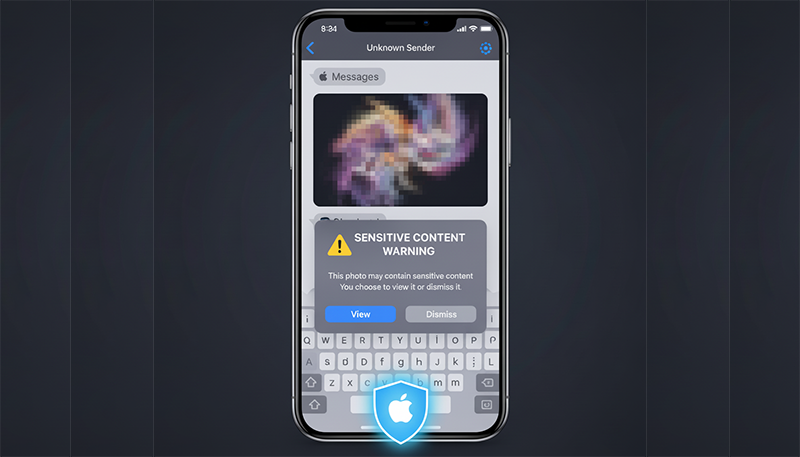
When enabled, iPhone uses on-device machine learning to identify photos or videos that may contain nudity. Suspected content is blurred until you choose whether to view it. Apple says the analysis happens on the device, so Apple does not receive an indication that nudity was detected or gain access to the media merely because it was checked.
Requirements and supported places
Sensitive Content Warning requires iOS 17 or later. Apple recommends installing the latest compatible iOS release for the complete set of protections. On a current iPhone, Apple lists support in:
- Messages;
- AirDrop;
- shared photo albums;
- Contact Posters in Phone and Contacts;
- FaceTime calls and video messages.
The feature does not generally scan web pages in Safari or every image inside third-party social-media apps. Those apps have their own safety controls. Apple also offers a Sensitive Content Analysis framework that participating apps can choose to use, but support should not be assumed.
Turn Sensitive Content Warning on
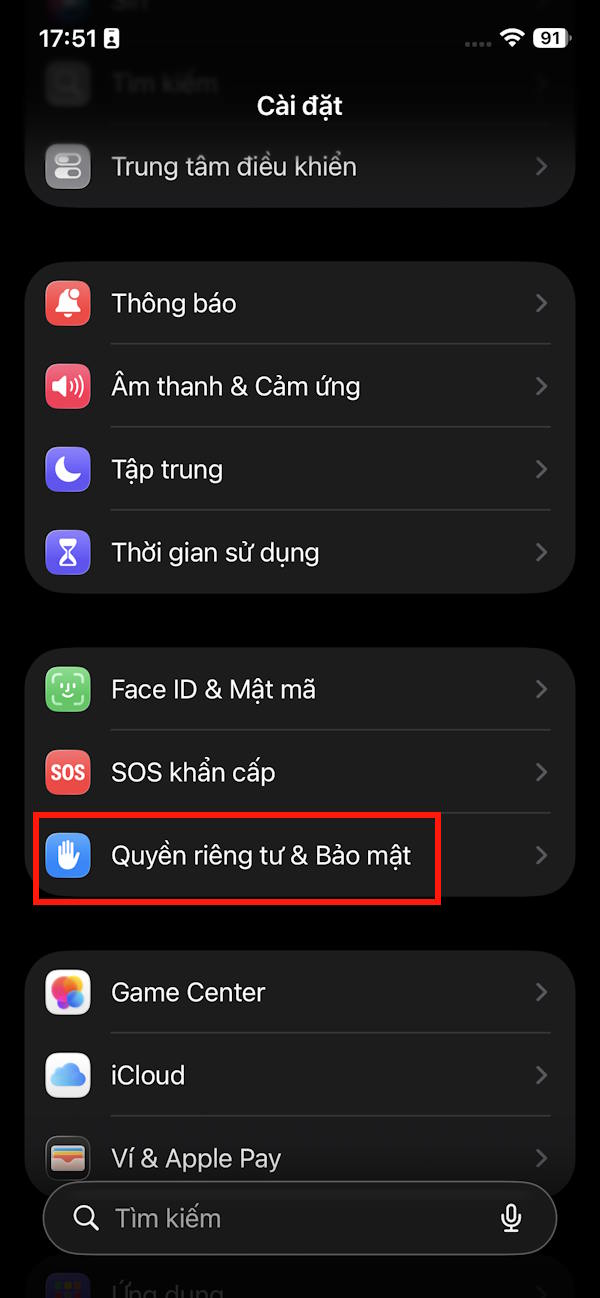
- Open Settings.
- Tap Privacy & Security.
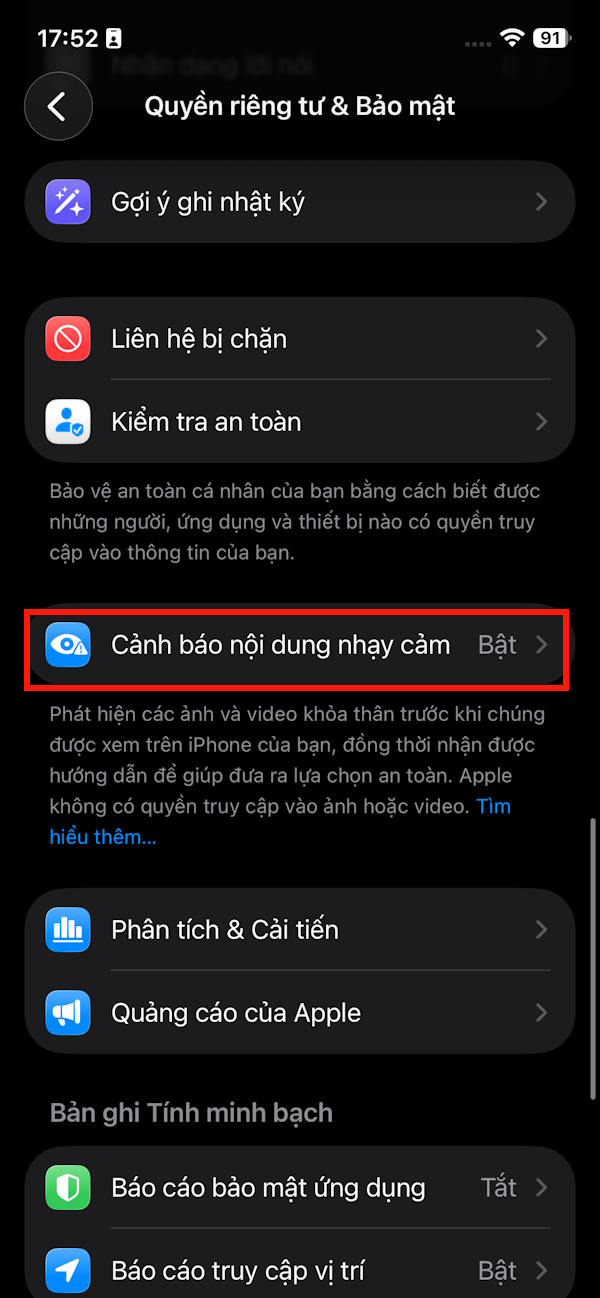
- Scroll down and tap Sensitive Content Warning.
- Turn on Sensitive Content Warning.
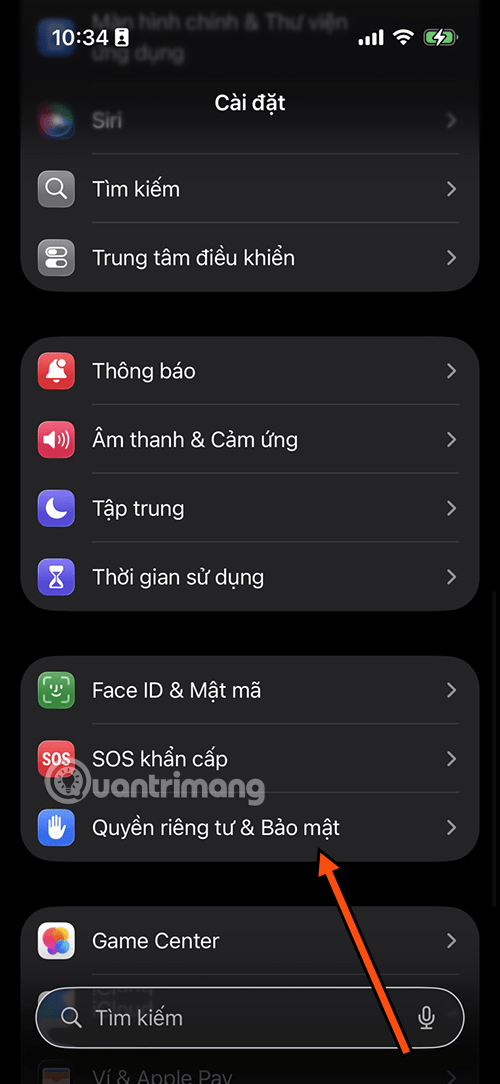
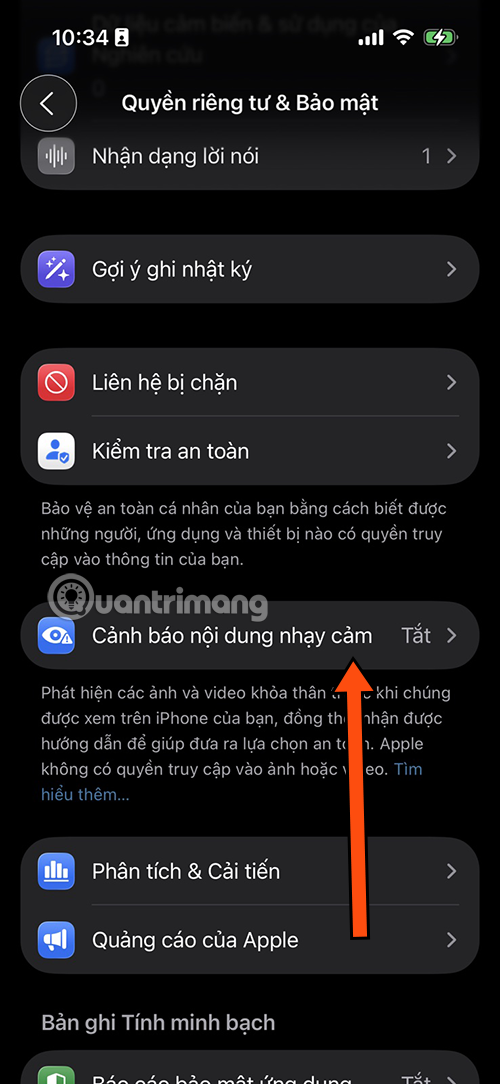

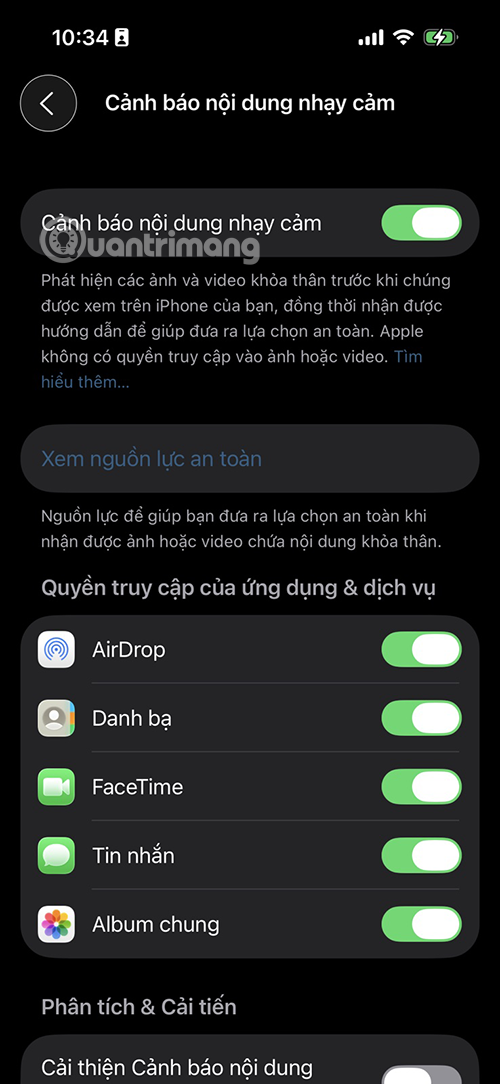
Enabling the master switch turns protection on automatically for supported apps. The same page displays the services available on your device so you can manage them individually. The exact list can vary with the iOS version, device, region, and account configuration.
Manage the setting for an individual app
The reliable route is the central Settings > Privacy & Security > Sensitive Content Warning screen. Some iOS versions also surface a related shortcut inside an app's settings:
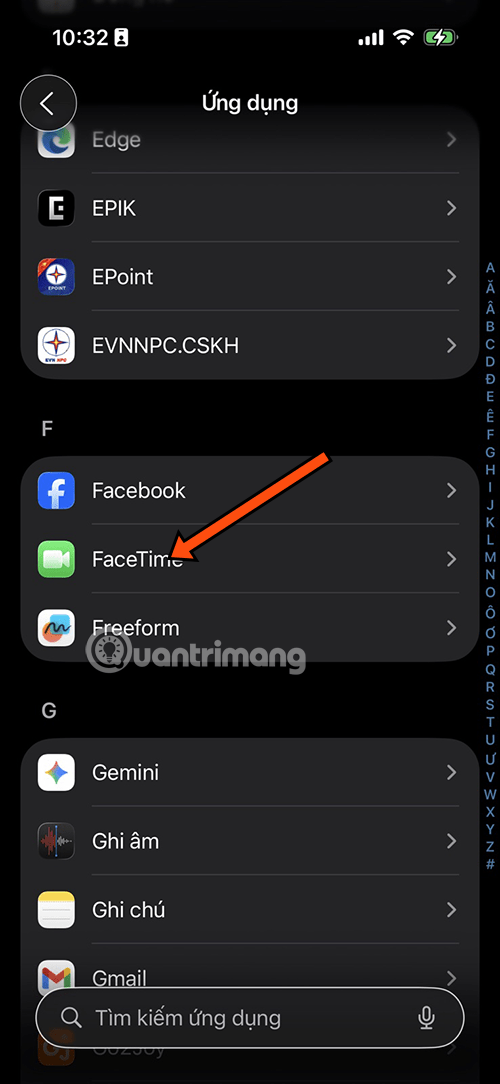
- Open Settings and tap Apps.
- Select the supported Apple app.
- Look for Sensitive Content Warning.
- Change the switch if it appears. If it does not, return to the central Privacy & Security screen.
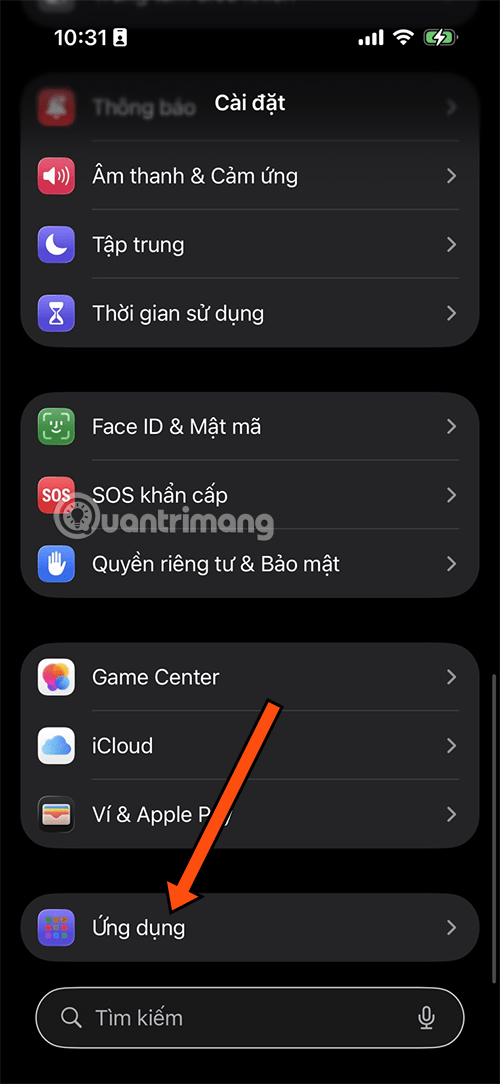

Turn the FaceTime warning off or on
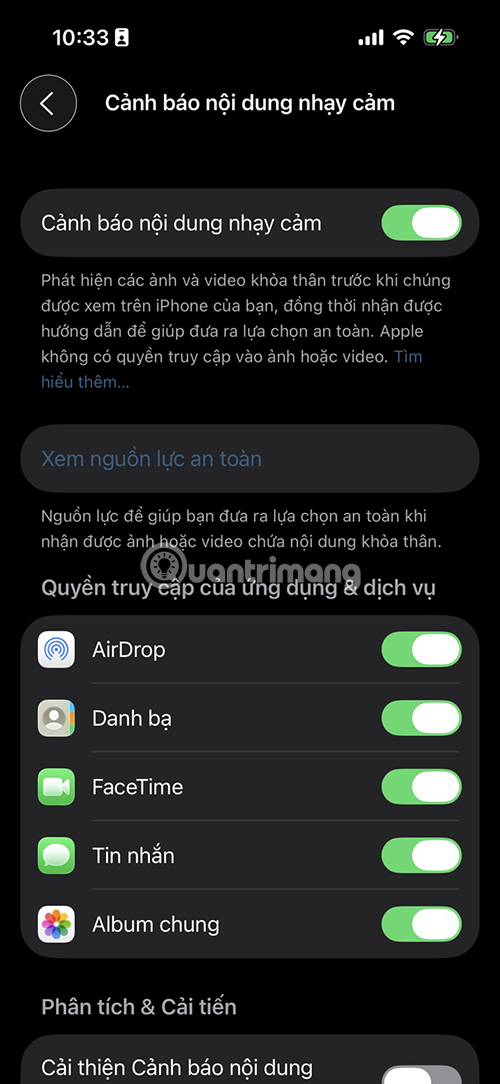
Current versions of Sensitive Content Warning can detect possible nudity in FaceTime calls and video messages. To change only FaceTime:
- Go to Settings > Privacy & Security.
- Tap Sensitive Content Warning.
- In the supported-app list, turn FaceTime off or on.
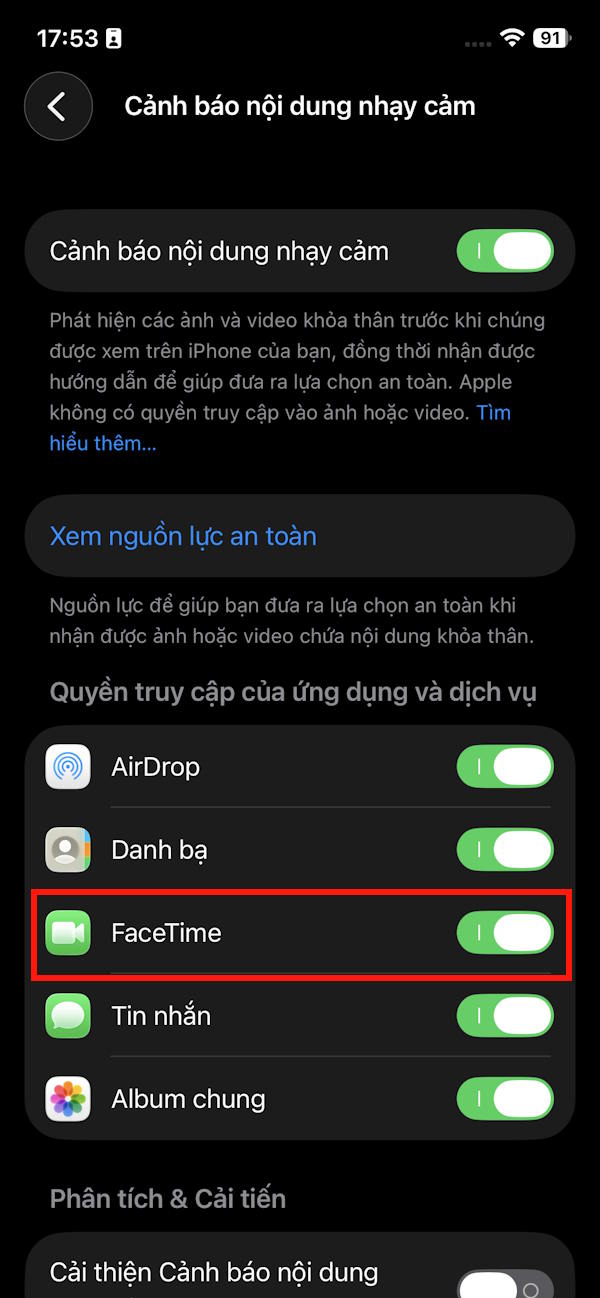
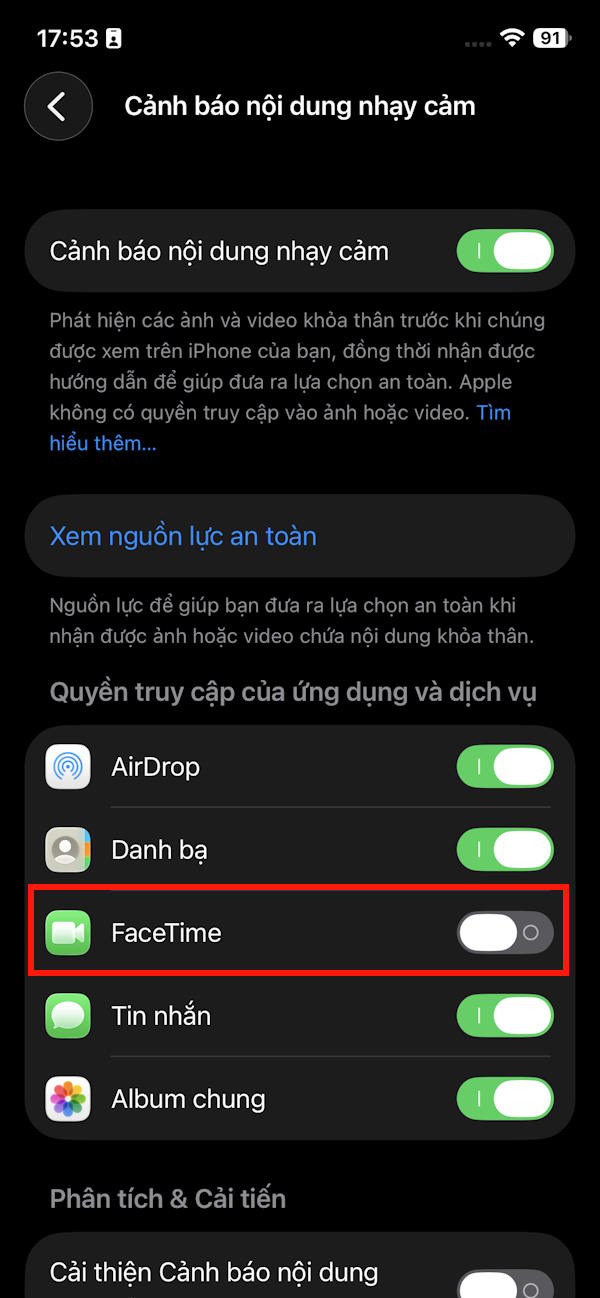
To disable the protection everywhere, turn off the master Sensitive Content Warning switch at the top of the screen.

What happens when nudity is detected
The image or video is blurred and labeled as potentially sensitive. You can leave it hidden, view safety resources, or choose to show it. Detection can be wrong, so the warning should be treated as a protective pause rather than a judgment about the sender or the content.
Sensitive Content Warning is not an antivirus, spam filter, or complete defense against sextortion. Do not send money or more images in response to a threat. Save relevant evidence, block the sender when safe, and contact a trusted person or the appropriate local authority. Avoid redistributing intimate media.
Sensitive Content Warning vs Communication Safety
| Feature | Who it is for | Where to manage it |
|---|---|---|
| Sensitive Content Warning | Any supported user who wants a warning before possible nudity | Settings > Privacy & Security |
| Communication Safety | Children in a Family Sharing group | Settings > Screen Time > child > Communication Safety |
Communication Safety adds age-appropriate guidance and ways for a child to contact a trusted adult. For children under 13, a parent or guardian must enter the Screen Time passcode before the child can view detected sensitive content; age rules vary by country or region.
Apple says normal on-device checks do not send messages or media to the company. If a child explicitly reports a sender after detection in iMessage or a FaceTime call, the reported sensitive content is sent to Apple for review. That is different from merely leaving the warning enabled.
Parents setting up a new account can use TipsMake's guide to creating an Apple Account for a child. Broader parental-control options are covered in the overview of screen-time and access-control tools for children.
If the setting is missing
- Check the installed version under Settings > General > About; iOS 17 or later is required.
- Install the latest compatible update from Settings > General > Software Update.
- Restart the iPhone after an update if the menu still does not appear.
- Remember that available services can differ by device and region.
- For a child's device, check Communication Safety under Screen Time instead of looking only in Privacy & Security.
Apple's Sensitive Content Warning support page and Communication Safety support page contain the current coverage and privacy details.
Limits to understand
Apple does not publish the 90% accuracy, 5–10% false-positive, or 2–3% battery-impact figures repeated in the original version of this article, so those numbers should not guide a decision. Any classifier can miss content or blur benign material, and device performance varies.
Keep the feature enabled if the warning is useful, but combine it with careful sharing, restricted AirDrop settings, blocked contacts, account security, and conversations about online coercion. You can find more current device guidance in TipsMake's mobile and iPhone guides.
Related Articles
 How to Enable Sensitive Content Warning on iPhone3 minutes read
 How to Turn Off the iPhone Near-Home Alert Feature4 minutes read
 What Are Important Warnings on iPhone and iPad? and How to Turn Them On?5 minutes read
 Add a Way to Hide Sensitive Content on Android Device Lock Screen5 minutes read
 How to Hide Sensitive Content on Android and iPhone Screens4 minutes read
 Tutorial from AZ How to Create Google Alerts Query Tool4 minutes read
Reader Comments 0
Sign in with email or Google to join the discussion.