Table of Contents
Learn how to reduce friend interaction on facebook without unfriending with practical instructions, useful tips, and troubleshooting guidance for common…
One way to prevent others from knowing your activity on Facebook is to reduce your friend list, a useful feature for users. When you add someone to your restricted list, they cannot see your posts, and your Facebook profile will not appear on their News Feed. This means you don't need to unfriend or even block friends on Facebook. Below is a guide on how to reduce your friend list on Facebook.
What Is the Feature to Reduce Engagement on Facebook?
Facebook's engagement reduction feature will decrease your and the other person's visibility on the News Feed. Neither of you will see the content you've posted.
Facebook not only limits how often their posts appear in your News Feed, but also removes their past posts from your News Feed.
People who are put into reduced engagement mode on Facebook will not receive any notification and will still be friends with each other, able to view each other's profiles or posts by directly accessing each other's timelines.
Guide to Reducing Facebook Friend Interactions
Step 1:
First, you need to access the person you want to reduce interaction with on Facebook, then click the Friends button to adjust the settings. Below the options, click on Reduce interaction to proceed.
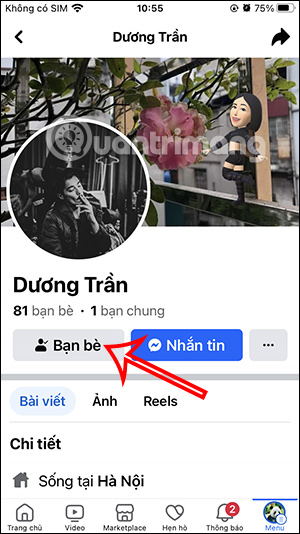
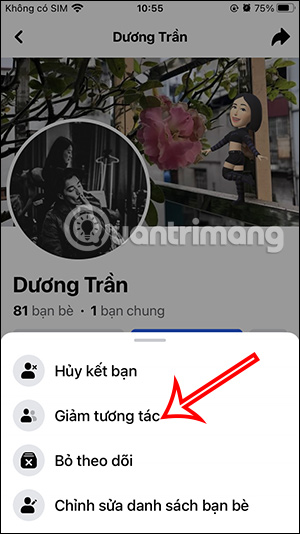
Step 2:
Go to the "Reduce Interactions" section to adjust interactions and limit where you see them. First, click on "Hide Content ". Next, click on " Limit Where You See Them on Facebook" . Each section will provide detailed information on how it works. Click "Save" to save the new settings.
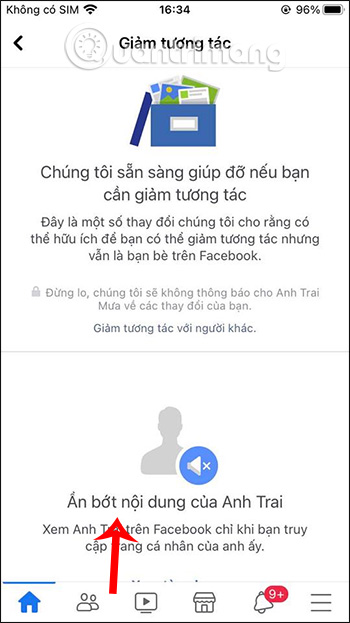
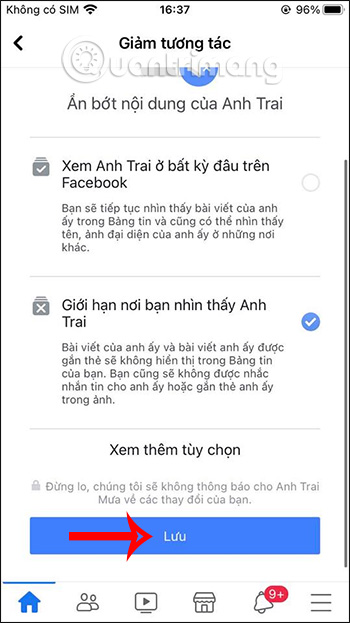
Step 3:
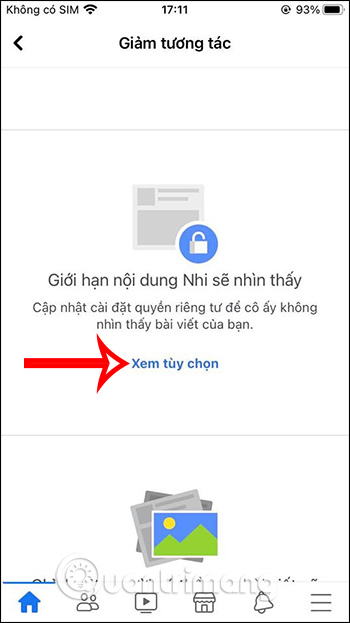
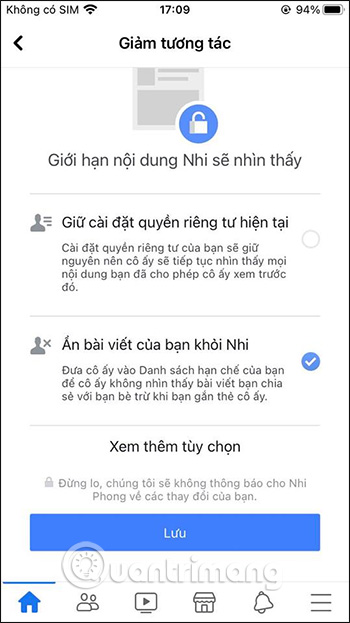
Next, return to the main interface, click on " Limit what they see ," then click "View options." We will select " Hide your posts from them ."
Step 4:
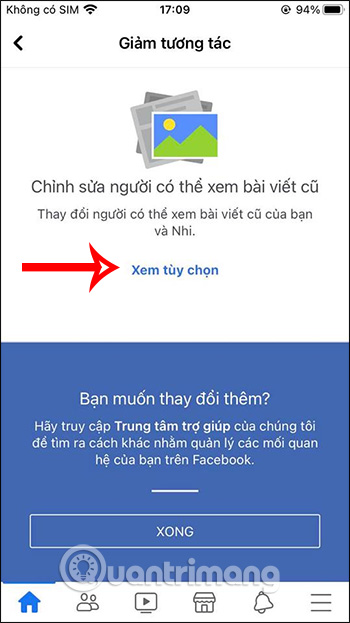
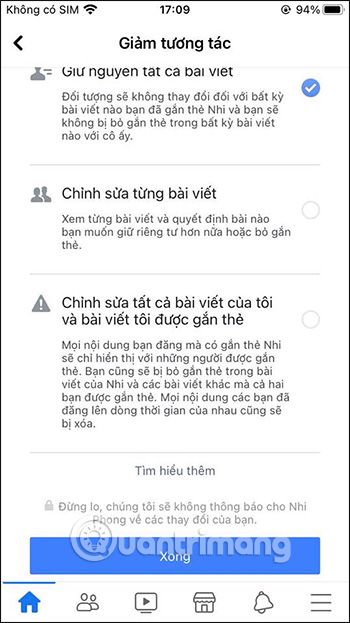
Finally, we'll set it up using the old posts on Facebook.
How to Unfriend Someone on Facebook
Step 1:
To quickly access the Facebook friend request reduction management page, click the link below.
- Managing decreased engagement on Facebook
Step 2:
This interface allows us to search for people whose engagement has decreased . You enter their name into this interface to continue making adjustments.
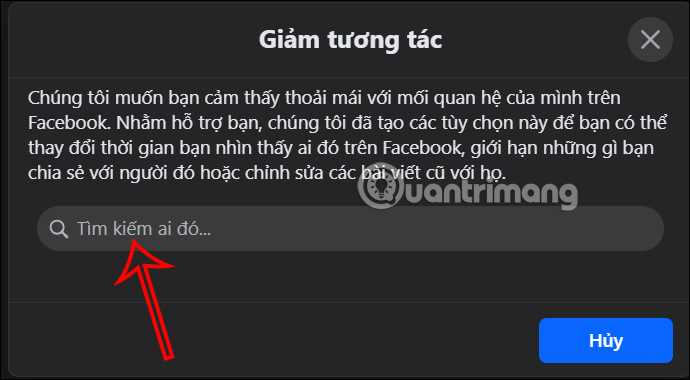
Step 3:
Users will then see the settings you've made to reduce interaction on Facebook for this account.
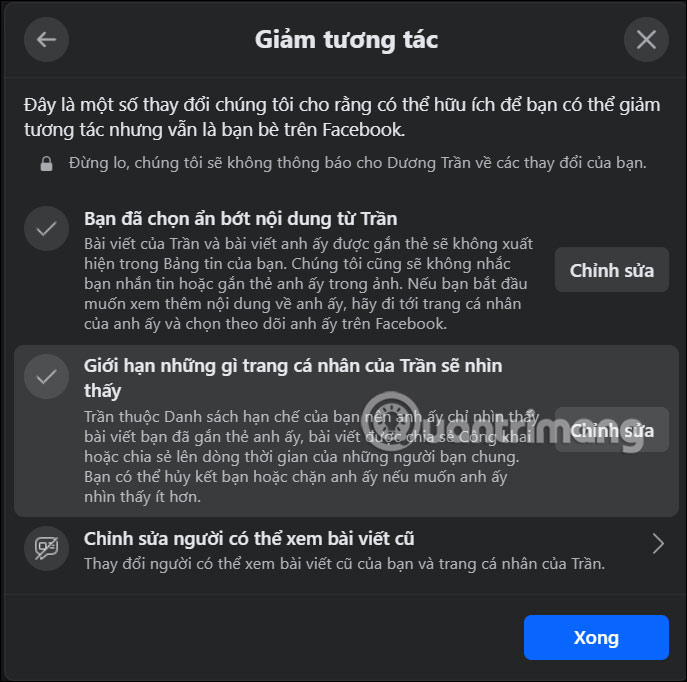
Step 4:
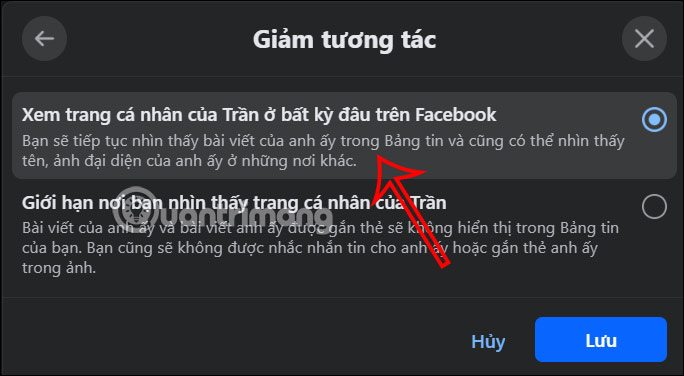
We will click the Edit button under "You have chosen to hide content from X" to reset it. At this point, the user needs to change it to "View X's profile anywhere on Facebook" , then click Save to save the changes.
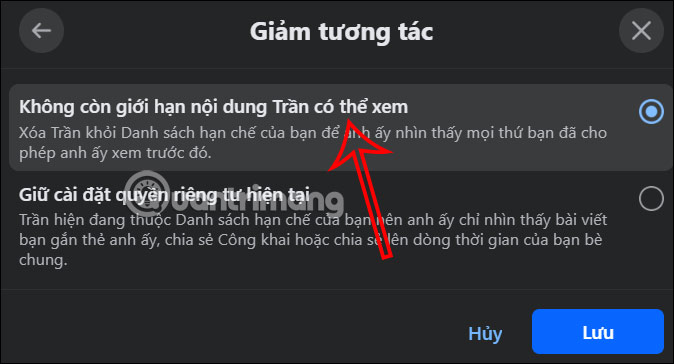
Continue by clicking Edit under Limit what X's profile will see . Then select No more limits on what X can see and click Save .
Continue by clicking on Edit who can see old posts , then select Keep all posts and click Save .
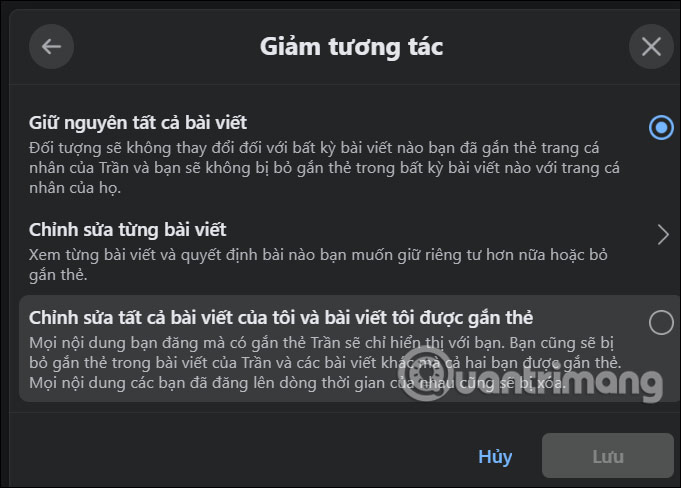
This means that the frequency of visibility of the other party's account and posts is no longer reduced as before, and both sides can see the posted content as usual.
Video Tutorial on How to Hide Your Friends' Visibility on Facebook
FAQ
What is the best way to reduce friend interaction on facebook without unfriending?
Learn how to reduce friend interaction on facebook without unfriending with practical instructions, useful tips, and troubleshooting guidance for common...
What should you prepare before you reduce friend interaction on facebook without unfriending?
Key takeaway: Learn how to reduce friend interaction on facebook without unfriending with practical instructions, useful tips, and troubleshooting guidance for common...
What common mistakes should you avoid?
One way to prevent others from knowing your activity on Facebook is to reduce your friend list, a useful feature for users.
Related Articles
 Facebook Will Drop the Posts Like, Share, and Tag4 minutes read
 How to Block All Friend Requests on Facebook: Clear Instructions5 minutes read
 How to Cancel Your Facebook Batch with Friend Remover Pro5 minutes read
 How to Restrict Which Friends on Facebook Can See Your Posts6 minutes read
 How to Cancel a Friend Invitation on Facebook in the Fastest3 minutes read
 10 Signs Your Account Is Being 'squeezed'9 minutes read
Reader Comments 0
Sign in with email or Google to join the discussion.