Table of Contents
Facebook's Restricted list lets you remain friends with someone while limiting what they see. A restricted friend can still see information and posts you share publicly, plus posts that tag them. They cannot see ordinary posts shared only with Friends.
Facebook does not normally notify someone when you add them to the Restricted list. The list does not block messages, remove the friendship, or hide your activity in every public or shared space.
Restricted vs. unfollow, unfriend, and block
| Action | Remain friends? | Main effect |
|---|---|---|
| Restricted | Yes | Limits access to Friends-only posts |
| Unfollow | Yes | Stops their posts from appearing in your Feed |
| Unfriend | No | Removes the Facebook friendship |
| Block | No | Restricts most profile interaction in both directions |
Add one friend to Restricted on desktop
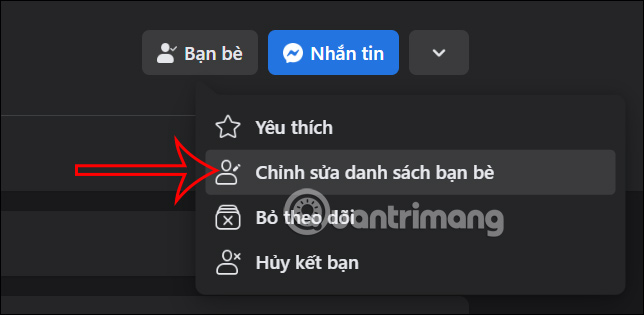
Step 1: Open the friend's profile. Select Friends, then Edit Friend List.
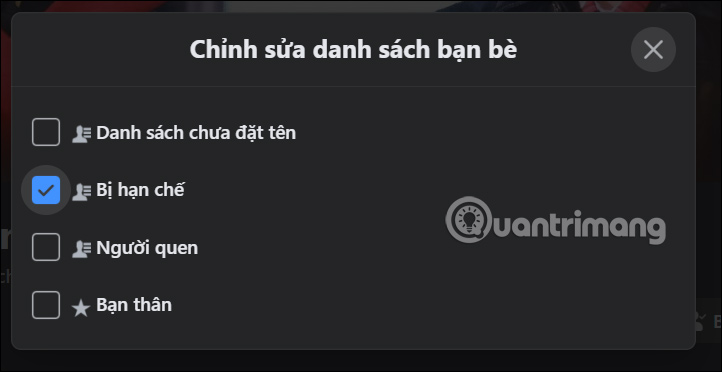
Step 2: Select Restricted. A check mark indicates that the person is on the list.
Manage the Restricted custom list on desktop
This path is useful when you want to review or change several people.
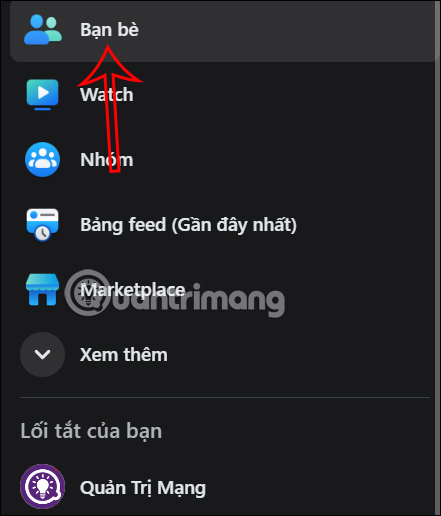
Step 1: Open Friends from the left menu.
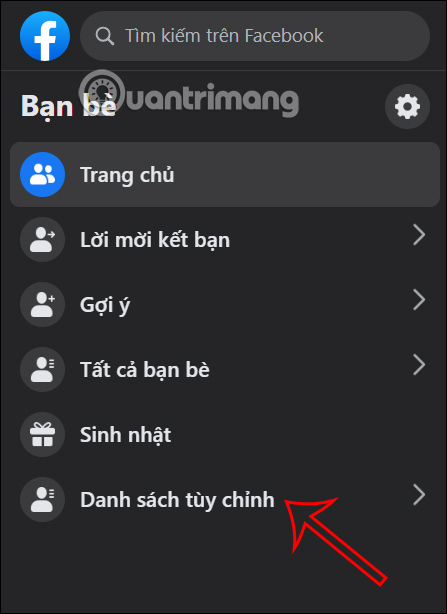
Step 2: Select Custom Lists.
Step 3: Open the Restricted list.
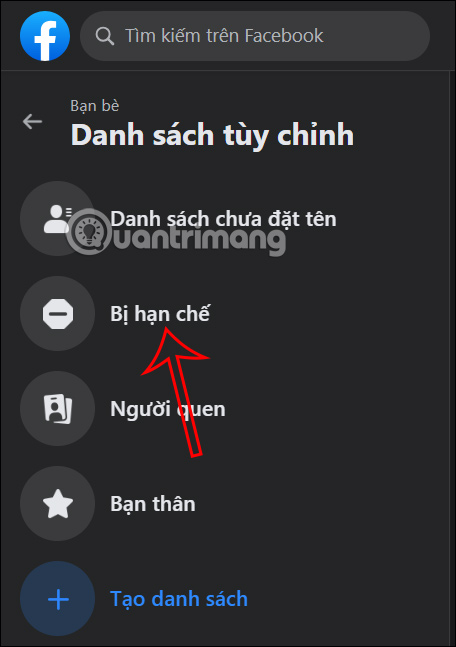
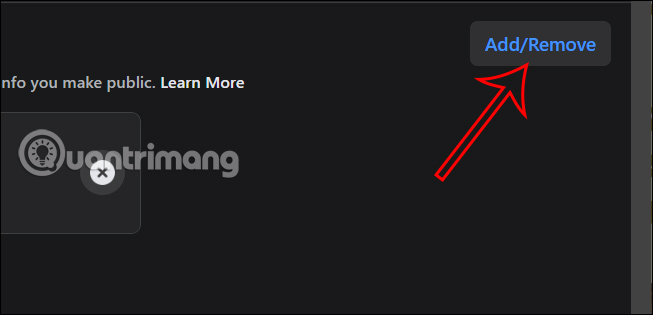
Select Add/Remove, Manage list, or the equivalent control shown by your version.
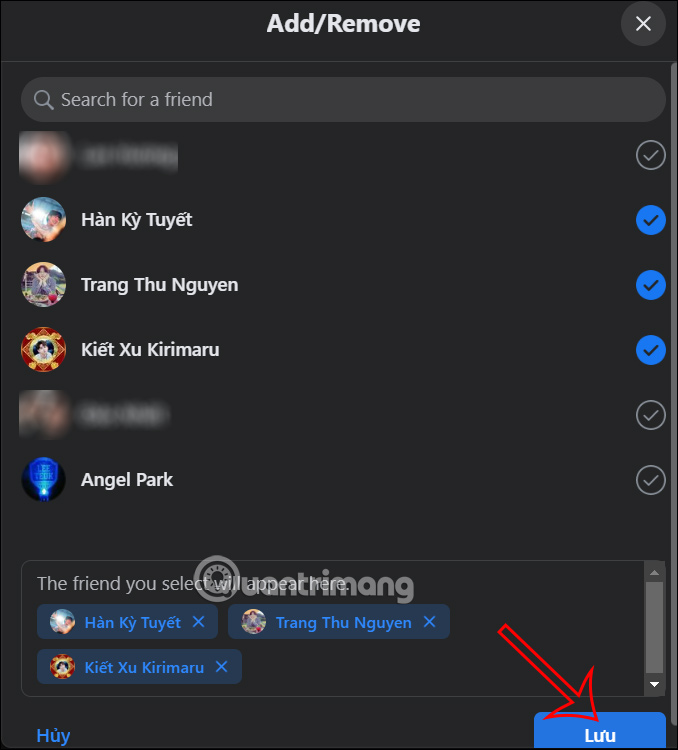
Select the people to restrict and save the list.
Manage Restricted from Facebook Settings
Facebook may also expose the Restricted list under blocking or audience controls.
Step 1: Select your profile picture and open Settings & privacy > Settings.
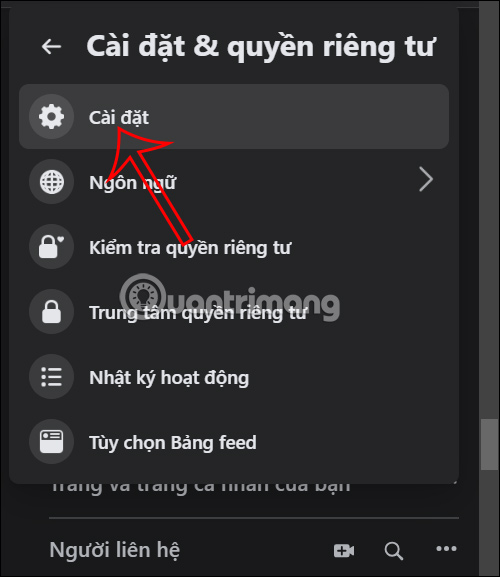
Step 2: Open the privacy, audience, or blocking section shown by your interface.
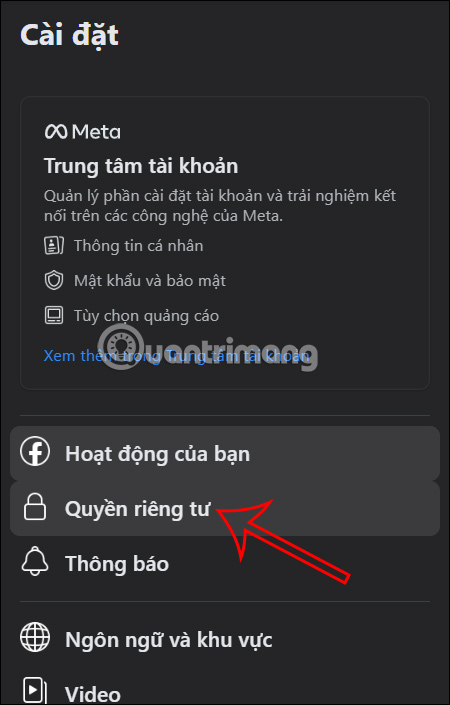
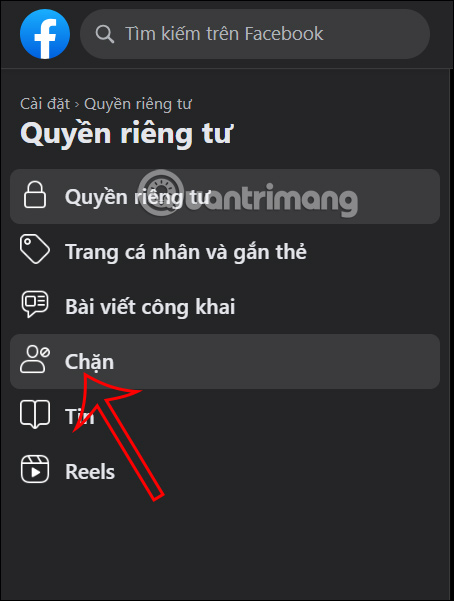
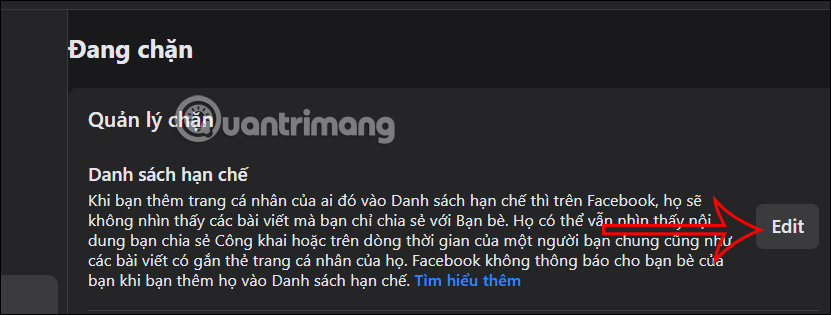
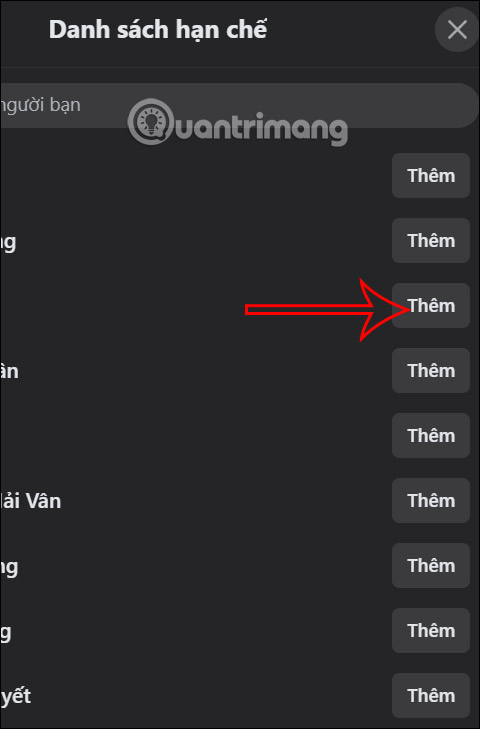
Step 3: Find Restricted list and select Edit.
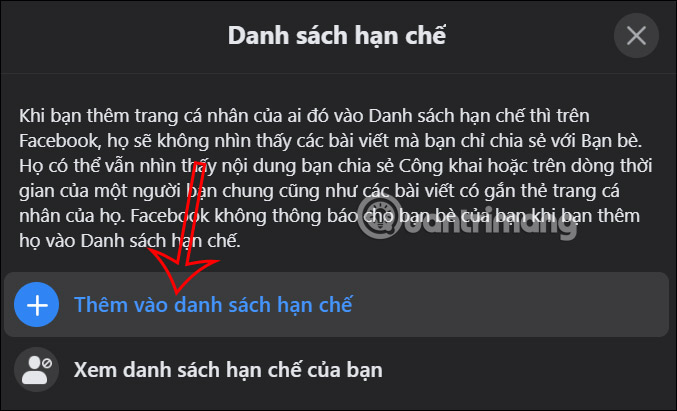
Step 4: Select Add to restricted list, find the correct friend, and add the profile.
Add a friend to Restricted in the Facebook app
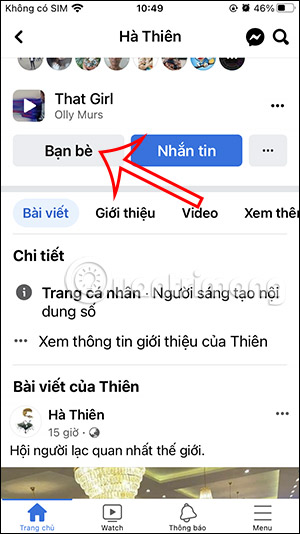
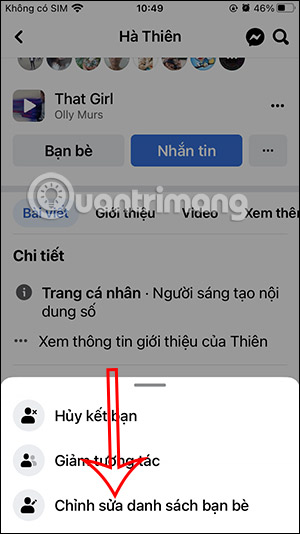
Step 1: Open the friend's profile, tap Friends, and choose Edit Friend List.
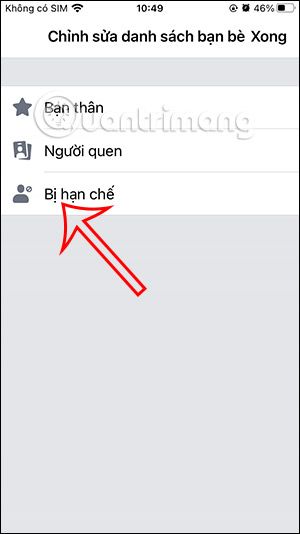
Step 2: Select Restricted and tap Done.
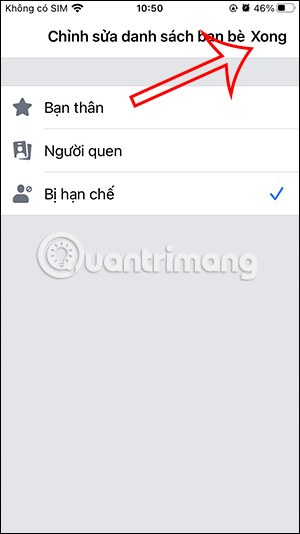
Remove someone from the Restricted list
Repeat the same path and clear the Restricted check mark, or open the custom list and remove the person. Removing someone does not change the audience of old posts; each post keeps its existing audience unless you edit it.
Important visibility exceptions
- A restricted friend can see anything you post with the audience set to Public.
- They can see a post when you tag them, subject to the post's audience and Facebook's tag rules.
- They may see your comments or activity on public posts, Pages, shared groups, and mutual friends' content.
- Messenger conversations and calls are not disabled by the Restricted list.
- Profile details such as your current profile photo, cover photo, name, and public About information can remain visible.
Use per-post audiences for precise control
The Restricted list is convenient for a continuing relationship, but it is not the only option. Before posting, use the audience selector and choose Friends except… to exclude specific people, or Specific friends to include only selected contacts. Use View as and Privacy Checkup to review what your profile exposes publicly.
Related Articles
 How to Restrict Viewers to Post on Facebook: Restricted Facebook5 minutes read
 Instructions on How to Remove Less Interactive Friends on Facebook4 minutes read
 How to Prevent Others from Finding Old Posts on Facebook?2 minutes read
 How to Temporarily Suspend Friends, Hide Posts of Temporary Friends4 minutes read
 How to Hide Your Friends List from Everyone on Facebook6 minutes read
 Connect with Friends on Facebook22 minutes read
Reader Comments 0
Sign in with email or Google to join the discussion.