Table of Contents
Learn how to unfriend multiple people on facebook with practical instructions, useful tips, and troubleshooting guidance for common issues.
Although you may have many friends on Facebook, not everyone is connected to you, and there may even be people you've never spoken to. To filter out inactive Facebook friends, or to remove friends you've never spoken to or interacted with, you can use tools to remove friends in bulk. Below is a guide on how to remove friends on Facebook.
How to Delete Friends on Facebook
Delete Friends on Facebook on Your Phone
Step 1:
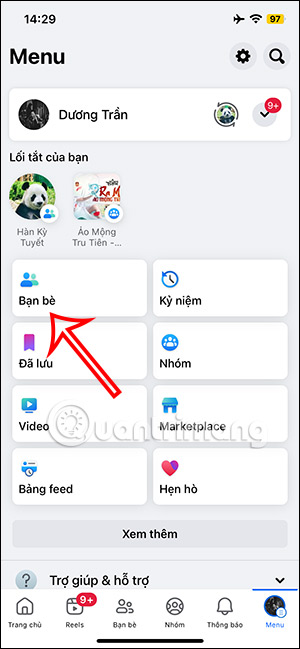
On your Facebook mobile app, tap the three horizontal lines icon in the bottom right corner, then tap on Friends to view your friend list.

Step 2:
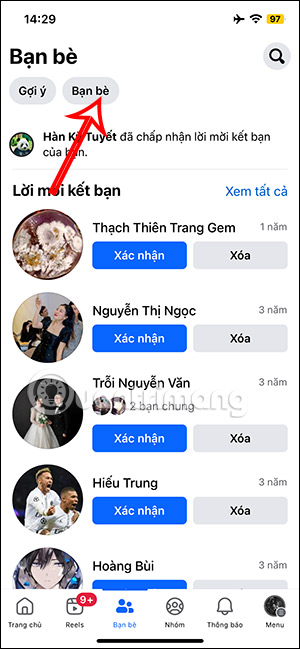
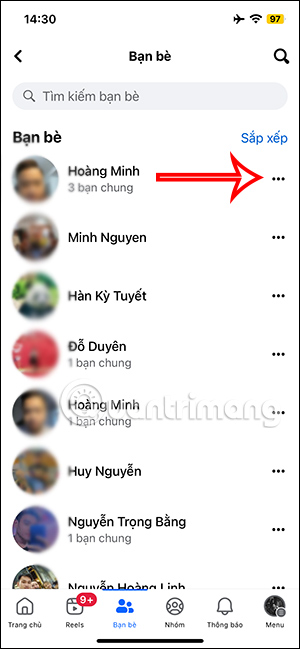
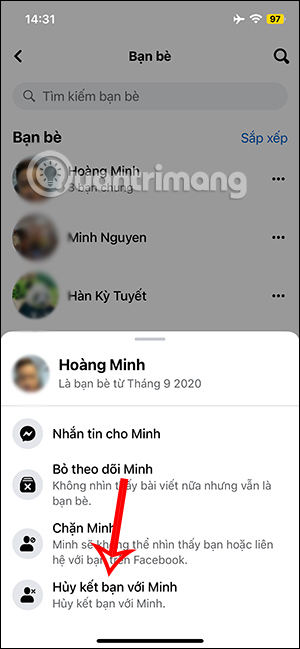
A new interface will appear; click on the "Friends" section to view your list. Here you will see all your Facebook friends . To unfriend someone on Facebook , click on the three-dot icon and then select "Unfriend" .
Unfriending Someone on Facebook (Computer)
Step 1:
On your personal Facebook profile, click on the "Friends" section to view your friend list.

Step 2:
Immediately afterwards, you will be taken to your Facebook friends list. For the person you want to unfriend , tap the three-dot icon and select "Unfriend" to proceed.
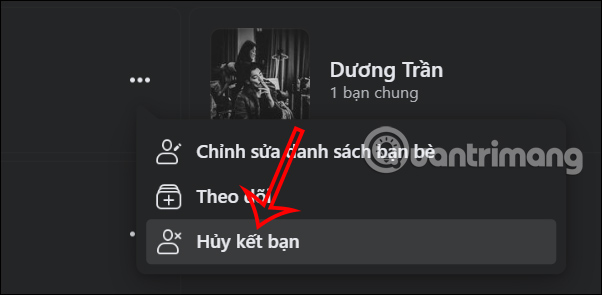
Instructions on How to Unfriend Multiple People on Facebook
Unfriend Multiple Facebook Friends on Your Phone
Step 1:
We will install the MonokaiToolkit application on our phone using the link below.
- Download the MonokaiToolkit Android app.
Step 2:
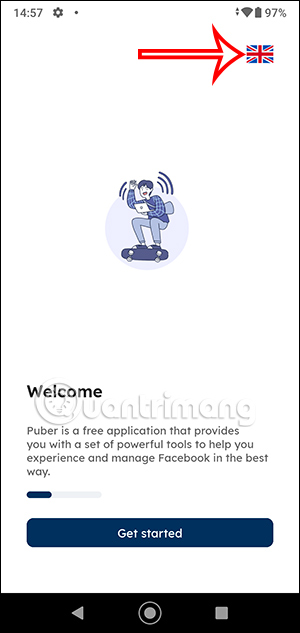
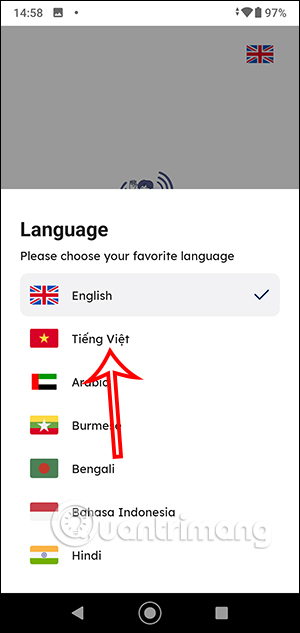
Next, on the application's initial interface, tap the English language icon, then switch to Vietnamese to use it.
Step 3:
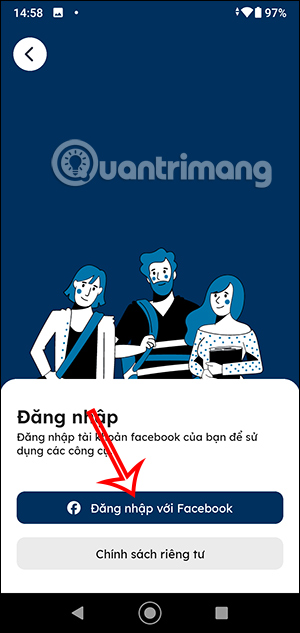
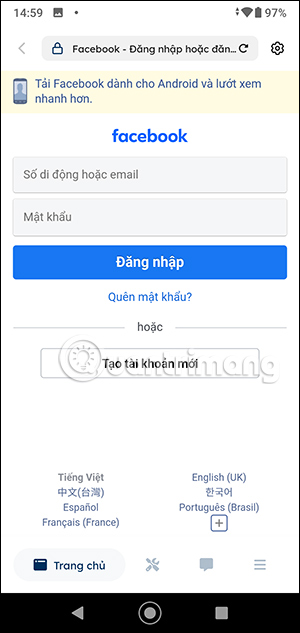
In the main interface of the MonokaiToolkit application, click Log in with Facebook and then enter your personal Facebook account.
Step 4:
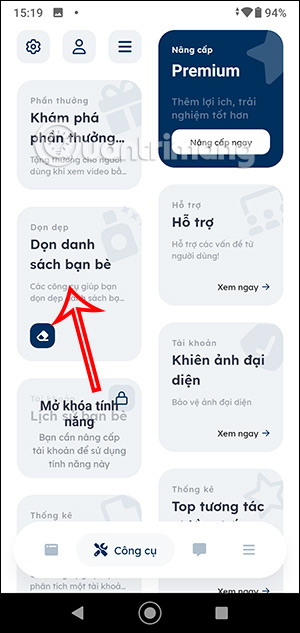
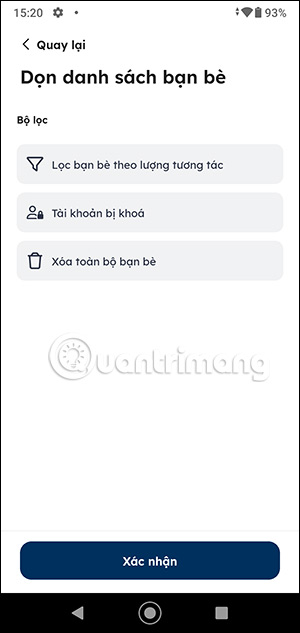
On the interface shown below, click on the Tools section , then click on the Clean Friend List tool . You will then see two options: Filter friends by interaction level and Delete all friends.

Step 5:
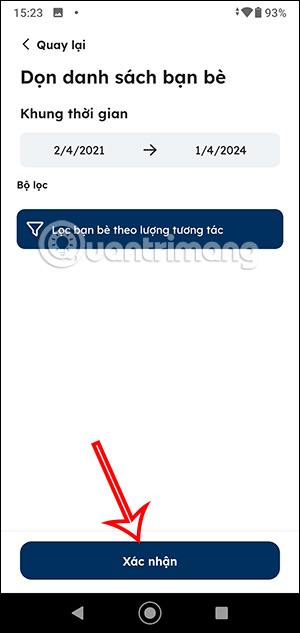
If you want to delete friends on Facebook , tap " Delete all friends" and then tap "Confirm" to proceed. All your Facebook friends will be deleted immediately, so please be careful.
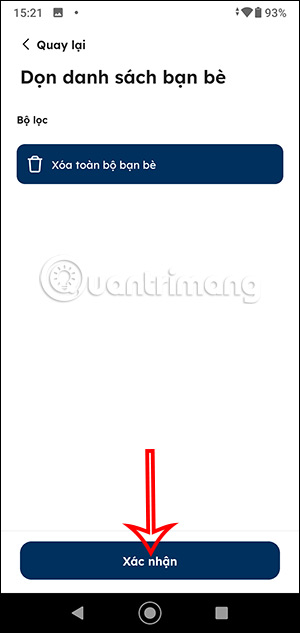
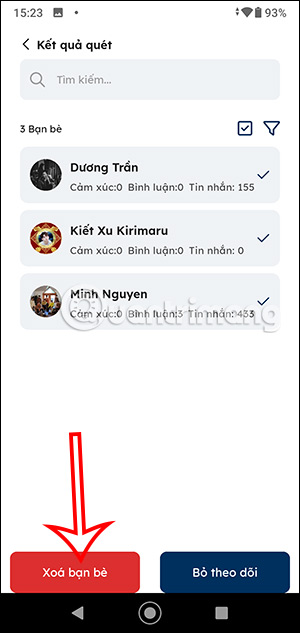
Therefore, you should choose the "Filter friends by interaction" mode , select your desired time period, and then press Confirm . After that, click the square box to select all your friends and then press "Delete friends" below.
How to Delete Facebook Friends in Bulk on a Computer
Step 1:
You can download the All Friends Remover for Social browser extension from the link below.
- Download the All Friends Remover for Social extension.
Step 2:
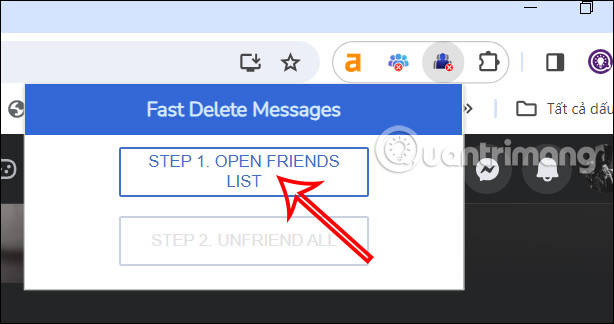
Next, we click on the extension icon on the toolbar and then click on Step 1 to open the Facebook friends list in the extension.
Step 3:
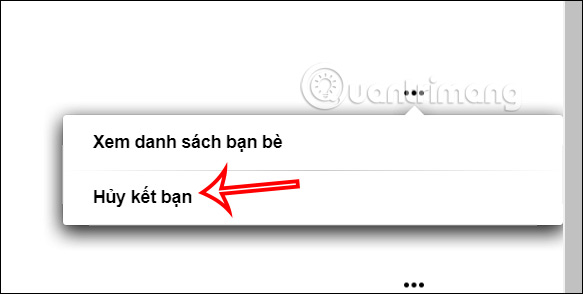
You will now see your Facebook friends list as shown in the image. You can tap the three-dot icon and then tap Unfriend .
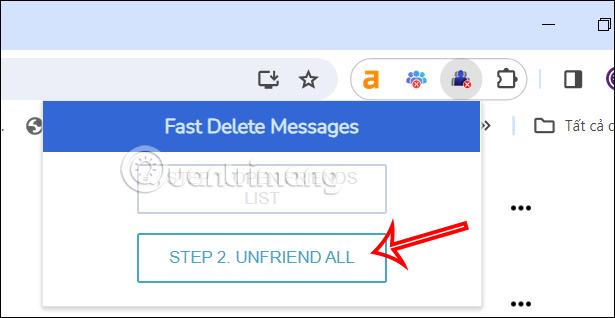
Alternatively, to delete Facebook friends in bulk, click the extension icon and then select Step 2 to delete all Facebook friends .
FAQ
What is the best way to unfriend multiple people on facebook?
Learn how to unfriend multiple people on facebook with practical instructions, useful tips, and troubleshooting guidance for common issues.
What should you prepare before you unfriend multiple people on facebook?
Key takeaway: Learn how to unfriend multiple people on facebook with practical instructions, useful tips, and troubleshooting guidance for common issues.
What common mistakes should you avoid?
Although you may have many friends on Facebook, not everyone is connected to you, and there may even be people you've never spoken to.
Related Articles
 How to Delete Friends, Unfriend on Facebook Fastest4 minutes read
 How to Know Who Unfriended You, Delete and View Your Profile Most on5 minutes read
 Serious Consequences If 'Unfriend' on Facebook5 minutes read
 How to Reduce Friend Interaction on Facebook Without Unfriending6 minutes read
 How to Cancel Your Facebook Batch with Friend Remover Pro5 minutes read
 How to Filter Friends, Change Posts Privacy, Protect Avatar Facebook8 minutes read
Reader Comments 0
Sign in with email or Google to join the discussion.