Table of Contents
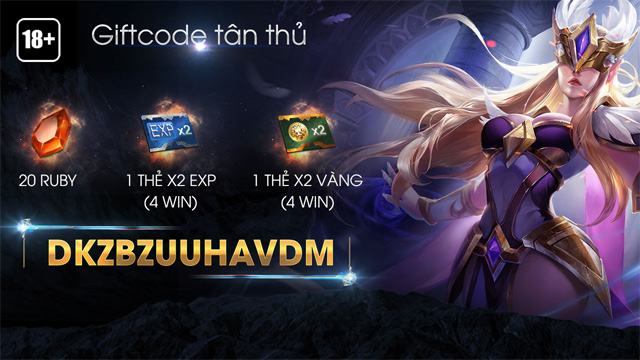
Liên Quân Mobile gift codes can provide in-game items, but rewards, eligibility and expiration dates are set by Garena for each promotion. Old codes copied from archived articles may no longer work, even if they were once described as permanent.
The safest option is to redeem a code only through an official Garena channel. Do not pay a third party for a code, install an APK to claim a reward or share a password or verification code with someone offering to redeem it for you.
Use the official redemption page
Garena currently provides the official Liên Quân Mobile gift-code page. Open it directly, follow the current sign-in and redemption prompts, then confirm that the character or account shown is the one that should receive the reward.
Because the service may change its interface, follow the labels displayed on the official page rather than an old screenshot. After a successful redemption, open the game and check the in-game mailbox or inventory specified by the promotion.
What to check before entering a code
- Source: use codes announced by Garena or an official event partner.
- Region: a code may be limited to the Vietnamese Liên Quân Mobile service and may not work in another Arena of Valor region.
- Account limit: many offers can be claimed only once per account or character.
- Expiration: event codes can stop working without remaining valid indefinitely.
- Exact characters: copy the code without leading or trailing spaces and distinguish similar letters and numbers.
The older in-game redemption route
The screenshots below document a redemption interface used by an earlier game version. They are useful for recognizing the old workflow, but the same menus may not appear in the current client.
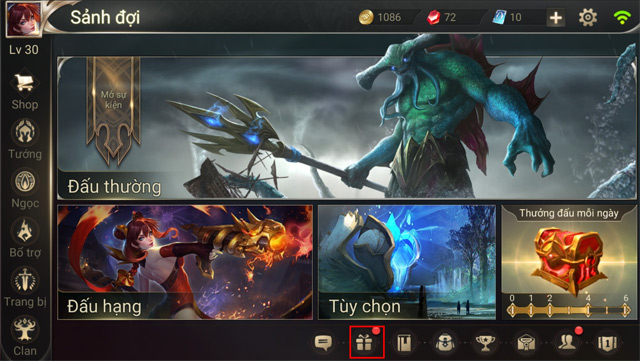
1. Open the gift area
From the main screen, select the gift-box icon.
2. Find the gift-code notice
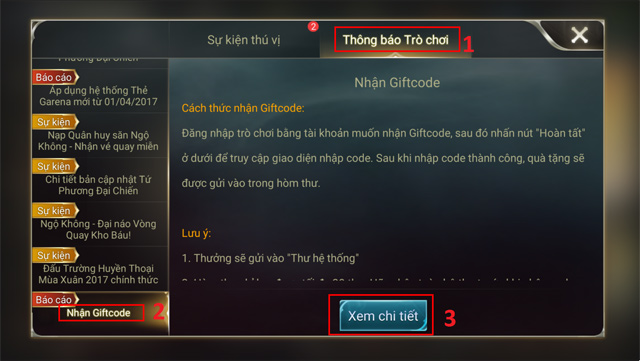
In the older interface, players opened Game Notification, selected Receive Giftcode, then chose View details.
3. Submit the code
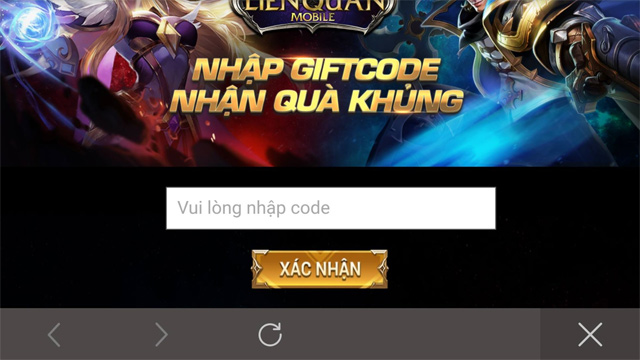
Enter the code exactly as issued and select Confirm. A success message should identify the reward or confirm that it has been sent.
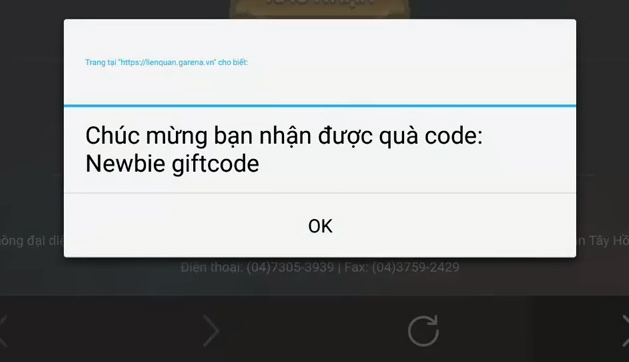
4. Collect the reward
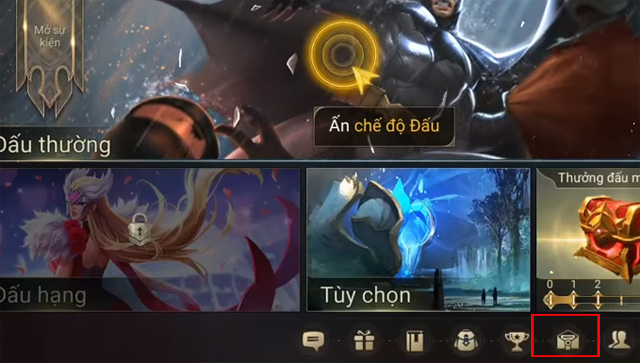
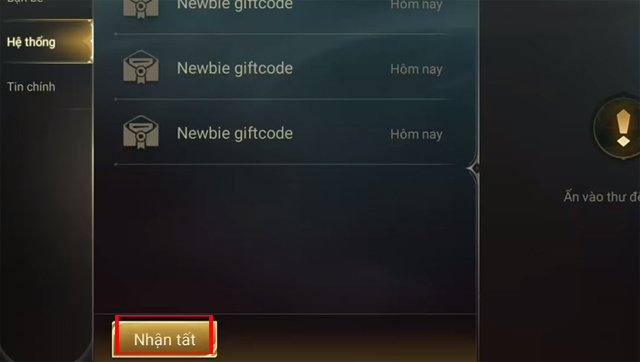
Return to the game, open the mailbox, select the system message and collect the attached items. Check the relevant inventory if the reward does not immediately appear on the main screen.
Why a gift code may fail
- The code has expired or reached its total claim limit.
- The same account has already used it.
- The code belongs to another region, server or event.
- A character has not yet met the promotion's eligibility requirements.
- The code contains a typo or an extra space.
- The redemption service is temporarily busy; wait and try the official page again later instead of submitting repeatedly.
If the official page accepts the code but the reward does not arrive, keep the success message or a screenshot and contact Garena Support. Do not send account credentials with a support request.
Avoid gift-code scams
A legitimate redemption should not require a modified game client, an unofficial APK, remote access to your phone or payment to “activate” a free code. Close any page that asks for a password or one-time code on a domain you do not recognize. When in doubt, begin from Garena's official game or support site.
For related setup help, see TipsMake's guide to reducing lag in Liên Quân Mobile and the instructions for changing the language in Arena of Valor.
Related Articles
 How to Receive Gift Code Game Three Kingdoms4 minutes read
 How to Receive a Gift from Itunes6 minutes read
 The Latest Tokyo Ghoul Awakens Game Codes (2026): Complete List8 minutes read
 How to Get Gift Code Poke Origin3 minutes read
 How to Enter Code Palmon Survival War6 minutes read
 How to Receive Free 25 Generals Contact Military Mobile5 minutes read
Reader Comments 0
Sign in with email or Google to join the discussion.