Table of Contents
PUBG Mobile lets you unlink one social login only when another social account remains connected. Before making any change, confirm that you can sign in with the account you plan to keep. Unlinking the only working login method could leave you unable to access your character.
Requirements before you unlink an account
- Two social media or platform accounts must be linked to the same PUBG Mobile profile.
- You can unlink only one account and must keep the other connected.
- You should sign in using the account you want to keep, not the one you want to remove.
- Your account must meet every condition shown in PUBG Mobile's confirmation pop-up.
The current official instructions do not publish a universal waiting period. If the game displays a linked-account age, security delay, or other restriction, follow the condition shown for your account.
Link a second login method if necessary
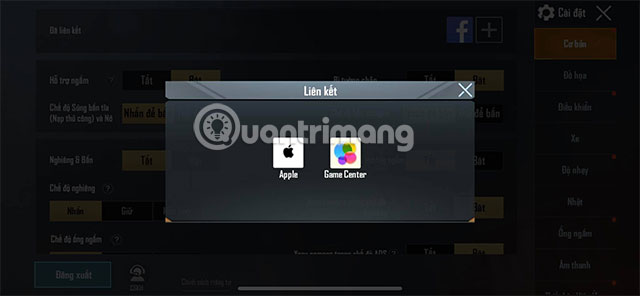
If only one account is linked, open PUBG Mobile and go to Settings. Use the available account-linking option to add a supported second login method. The choices can differ by device, operating system, and regional version.
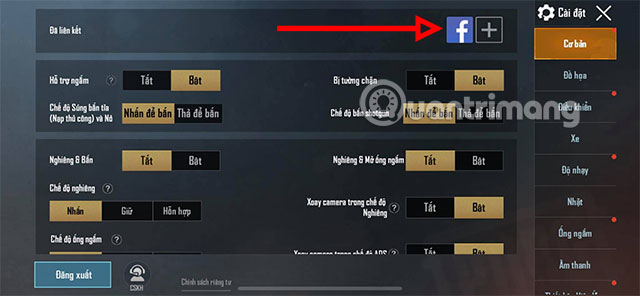
Complete the sign-in process for the second account, then verify that PUBG Mobile shows both methods as linked.
Unlink Facebook or another social account
- Close PUBG Mobile if it is currently signed in with the account you want to remove.
- Sign in again using the social account you want to keep.
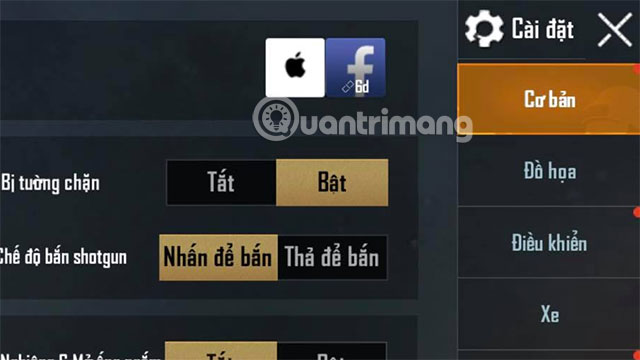
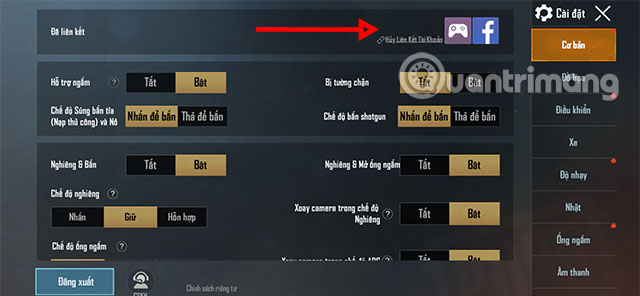
- From the lobby, tap the arrow button on the right and open Settings.
- At the top of Settings, find Unlink beside the icon for the removable social platform.
- Tap Unlink, read the conditions displayed by the game, and select Continue only if the correct account is identified.
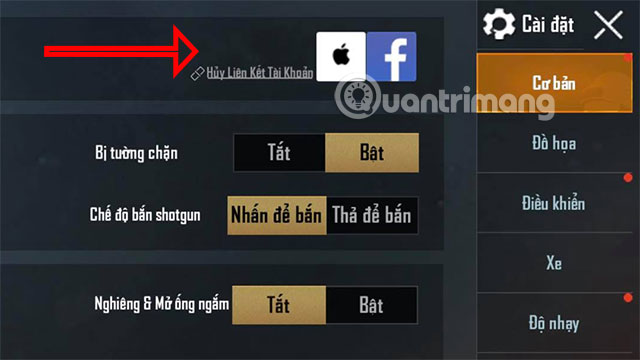
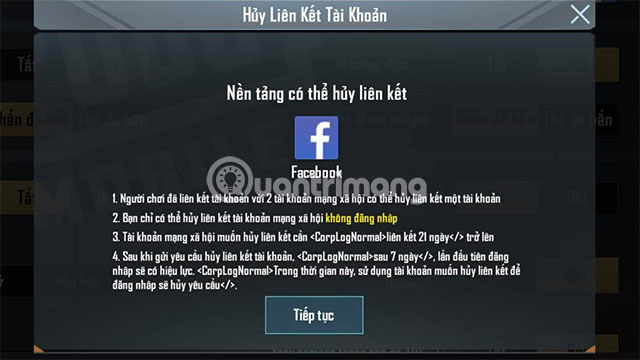
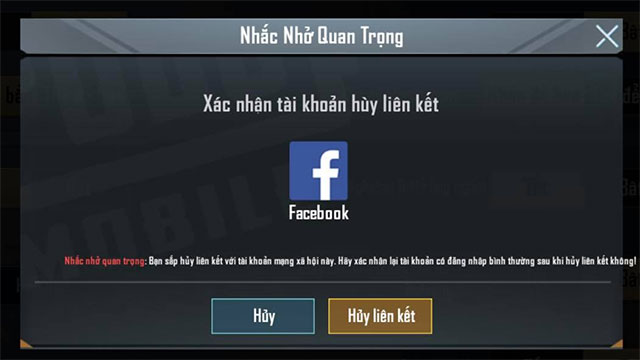
The screenshots show the interface available when this guide was created. Button placement may change, but the current PUBG Mobile support process still directs players to Settings, the Unlink control, and the confirmation prompt.
What changes after unlinking?
The removed social account should no longer be usable to sign in to that PUBG Mobile profile. Your game progress remains associated with the PUBG Mobile account and the login method that stays linked. Test the remaining login before removing the old one, and keep its recovery email or phone number current.
If the Unlink option is missing
- Confirm that two supported login methods are linked.
- Verify that you signed in using the method you want to keep.
- Update PUBG Mobile through the official app store.
- Read the in-game security message for any account-specific restriction.
- Open Settings > Basic Settings > Contact CS if the option remains unavailable.
Use the official PUBG Mobile unlinking guide for the latest requirements. Players using a regional edition should also check TipsMake's comparison of PUBG Mobile VNG and the international version, because menus and account providers may differ.
Protect the remaining login
Use a unique password on the connected social account, enable its available two-step verification, and review unfamiliar sessions. If you suspect that the PUBG Mobile profile has already been taken over, use the in-game customer service or official account-recovery process instead of relying only on unlinking.
Related Articles
 The Reasons Why You Are Banned in PUBG and PUBG Mobile7 minutes read
 After December 31, the Pubg Mobile Vn Account Transferred from3 minutes read
 Comparison Between PUBG Mobile VNG and PUBG Mobile International6 minutes read
 PUBG Mobile: Weapons That Are Easy to Win the TOP 1 of the Game9 minutes read
 PUBG Mobile: Top Accessories to Support the Best Gaming7 minutes read
 Tips for Quick Rankings in PUBG Mobile9 minutes read
Reader Comments 0
Sign in with email or Google to join the discussion.