Table of Contents
This practical guide walks through how to play frantic mode and dead by daylight mode in among, explains the main requirements, and highlights common issues that may appear along the way.
1. Frantic Mode

One of the most interesting game modes Among Us is Frantic Mode . It is almost completely different from the other teams because imposters don't need to declare themselves. Here are general rules and settings for Among Us's Frantic Mode.
General rules
- Wait 30 seconds at the start of the lap before killing any astronauts to give the astronaut team time to do their job.
- Only sabotage communication systems and lights.
- Failure to report the status is an imposter.
- The imposter can also use the Vent kill skill in this mode.
- Avoid fixing lights or communication systems.
- Do not report corpses.
- Do not call the emergency room.
- If you are in a chat group, when you are killed and played as a ghost, do not call out the fake name.
- Do not vote for anyone.
- Basically, the crew of astronauts could only run and complete missions to counter the imposter team's plans. All team members should come up with a good battle plan before starting the game.
Set recommended for Frantic Mode
- Impostors: 1-2 (8+ players in lobby)
- Confirm ejects: Off
- Emergency Meetings: 0
- Anonymous votes: Off
- Discussion time: 15s
- Voting time: 15s
- Player Speed: 1.0x
- Crewmate Vision: 0.25x
- Impostor Vision: 0.5x
- Kill Cooldown: 20 seconds
- Kill Distance: Short
- Visual Tasks: Off
- Common Tasks: 1
- Long Tasks: 2
- Short Tasks: 3
This setting can of course change according to the needs of the group. One of the highlights of the Frantic mode is its fast timer & speed and mystery. That makes the game more interesting to reunite with everyone in one room.
2. Dead By Daylight Mode
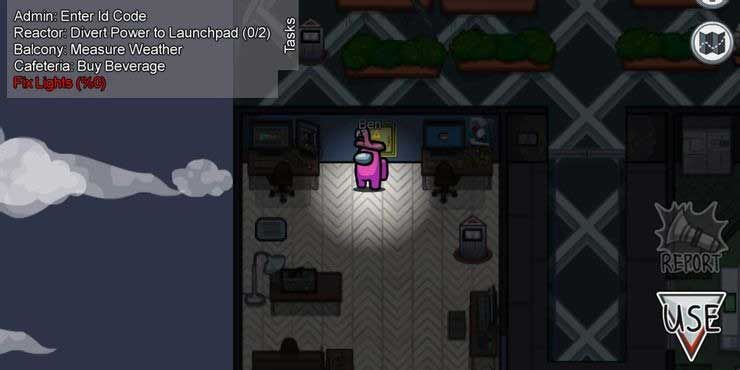
If you play Among Us often, you may sometimes want to change your gameplay. Next, immediately try Dead By Daylight Mode . In this mode, the impostor plunges into a death with almost no vision, no report, and the crew of only the speed and skill to survive. Interestingly, right?
General rules
- Team astronauts need to be careful with the fake team in the game.
- Before the game starts, the rogue team needs to stand still and wait for a countdown to reach a certain time at the starting point in the lobby and the crew must use a few seconds to start completing the task as quickly as possible can.
- The imposter team was only allowed to sabotage the media room at the beginning and on and off the lights.
- The crew was unable to fix the lights or the communication room due to the tamper's destruction.
- Can't report corpses in game.
- No Emergency Meetings room can be called.
- The astronaut team needs to complete all missions To win the game against the imposter killing the entire team.
- You'll need people willing to follow these rules, making sure to only get started when they'll play the way you want.
Recommended settings for Dead By Daylight Mode
- Player Speed - 2x
- Crewmate Vision - 5x
- Impostor Vision - 0.25x
- Kill Cooldown - 10 seconds
- Kill Distance - Short
- Visual Tasks - Off
- Common tasks - 2
- Long tasks - 2
What makes this mode so special is the slaughter and trembling of trying to win before all the crew of astronauts are eliminated. Set the kill timer to the lowest possible level, increase speed and lose sight of the impostor. Call your friends, play horror music and win fastest.
Key Takeaways
Use the information above as a practical reference for how to play frantic mode and dead by daylight mode in among. Review each step carefully, confirm any requirements, and choose the option that best fits your situation.
FAQ
What does this guide explain about Play Frantic Mode and Dead by Daylight Mode in Among?
It explains the main concepts, practical considerations, and useful steps related to play frantic mode and dead by daylight mode in among without requiring advanced knowledge.
Who can benefit from learning about Play Frantic Mode and Dead by Daylight Mode in Among?
This information is useful for readers who want a clear overview, practical guidance, and reliable steps related to play frantic mode and dead by daylight mode in among.
What should I check before applying this information?
Review the requirements, confirm that your device, software, or situation matches the instructions, and back up important data before making major changes.
Related Articles
 Review of Dead by Daylight - the ''fun'' Nightmare That Never Ends10 minutes read
 Latest Dead by Daylight Codes and How to Enter: Main Insights5 minutes read
 Review: Dead by Daylight Mobile - Run Away or Fight13 minutes read
 How to Download Dead by Daylight Mobile for iOS and Android6 minutes read
 Had Dead by Daylight Mobile Version for iOS, Invited to Download3 minutes read
 Evil Dead: the Game Tips for Beginners4 minutes read
Reader Comments 0
Sign in with email or Google to join the discussion.