Table of Contents
Apple's next version of watchOS, watchOS 11, is coming soon, and it finally lets you take a day off.
Since 2015, the fitness app has encouraged us to close our activity rings, but it always interrupts the activity ring if you don't hit your goal — even if there's a good reason.
Whether it's a day off, illness, injury, or simply a long trip, our activity cycles should be a thing of the past - but not anymore.
WatchOS 11 lets you pause activity rings for a period of time, meaning you can resume when you've recovered or when it's safe to do so. Here's how to pause activity rings on Apple Watch.
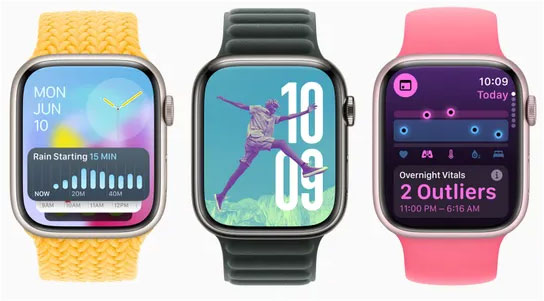
How to Pause Activity Rings in watchOS 11
While you can interact with most Apple Watches using the Watch app on your iPhone, you can do this directly on your Apple Watch with watchOS 11.
How to do it:
- Open the Fitness app on your Apple Watch.
- Click the Summary button in the upper left corner (bar chart).
- Scroll down using the display or Digital Crown and select Pause Rings .
- You can then choose from the options "Today", "Until Monday", "Until [Next Month]" or set a custom date.
You can also pause activity rings from your iPhone. If you're using iOS 18, open the Fitness app.
- Tap on Activity Rings .
- Scroll down and tap the green Pause Rings button
- Again, you will see the options "Today", "Until Monday", "Until [Next Month]" or set a custom date.
Reasons to pause the activity cycle
As mentioned above, there are a number of reasons why you might want to pause your activity laps. For one thing, you might be traveling, and a long-haul flight isn't ideal for working out, no matter how much you move around in the cabin.
This feature is also useful when you're recovering from an injury, or even just had an intense workout the day before - if you ran a marathon on Saturday, you might want to enjoy a rest day on Sunday, but that doesn't affect your activity rings.
Rest is also good. If you're lifting weights, rest days are when your muscles start to repair and get stronger — so it's important to give them a chance to do that without your Apple Watch reminding you to get out.
Admittedly, this may work for some people, and others may not mind having their activity rings interrupted. However, it's still nice to have the option to keep them, especially if they're something you're really proud of.
Final Thoughts
Following the steps in order and checking version-specific settings should make it easier to Pause Activity Rings in watchOS 11. If an option looks different, verify the device, app, or operating-system version before changing additional settings.
FAQ
What is the best way to Pause Activity Rings in watchOS 11?
Start with the requirements described in the article and follow the steps in order. Apple's next version of watchOS, watchOS 11, is coming soon, and it finally lets you take a day off.
What should you know about How to Pause Activity Rings in watchOS 11?
While you can interact with most Apple Watches using the Watch app on your iPhone, you can do this directly on your Apple Watch with watchOS 11.
What should you do if the instructions do not match your screen?
Check the device, software version, account permissions, and regional settings. Interfaces can change after updates, so use the closest matching option and consult the official support documentation when necessary.
Related Articles
 Watchos 10 Will Bring Widgets Back to Apple Watch5 minutes read
 Apple Releases Watchos 7.3: More Unity Watch Faces3 minutes read
 Leaking Information About Watchos 7 and These Are the Most3 minutes read
 5 Features Users Want to See in watchOS 11: Recommended Choices9 minutes read
 Activity Launcher: App to Create Shortcuts on Home Screen6 minutes read
 Wwdc 2019: Watchos 6 Officially Launched with Many Notable5 minutes read
Reader Comments 0
Sign in with email or Google to join the discussion.