Table of Contents
This updated guide explains how to Load Call of Duty Mobile the Fastest through clear steps, practical examples, and important checks that help prevent common errors.
To get the best weapons, accessories, characters, equipment in the game, you must have CP. The currency can only be obtained when recharging Call of Duty Mobile VNG, it has only been launched for a day, but many gamers want to deposit CP into Call of Duty Mobile VNG.
Currently there are 5 ways to load CP into Call of Duty Mobile VNG, in this article TipsMake. com will guide you how to load CP into Call of Duty Mobile fastest.
Guide to Top Up Call of Duty Mobile VNG Easiest
Step 1: Access to the official CP loading address at https://pay. zing. vn/mobile/g/360mobi/ and select Call of Duty Mobile VN. Next enter your OpenID code.

Step 2: If you do not know your OpenID go to Call of Duty Mobile and select the Settings icon.
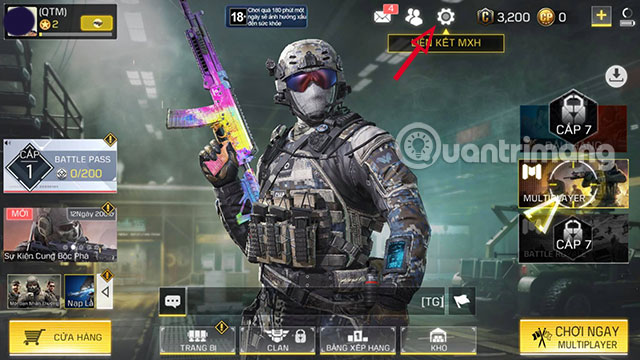
In the Settings section, drag to Other and click Copy in the OpenID at the top.

Step 3: Enter the OpenID code, if it is correct, the OpenID code will display your player name below.

As fast as you can use the form of Call of Duty Mobile recharge by SMS. Select the package you may need to load below and click Pay now .
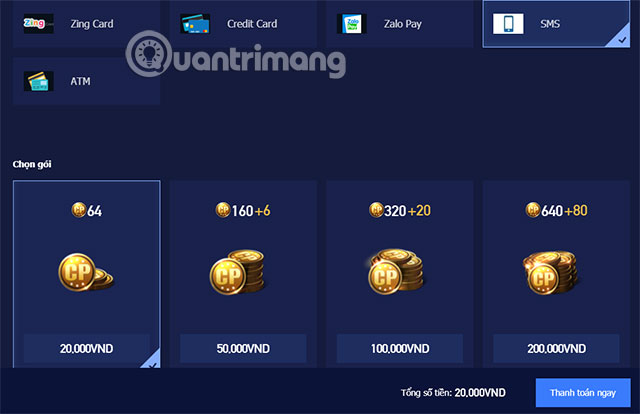
Call of Duty Mobile VN recharge package with new SMS is only for Vinaphone. Unfortunately, Call of Duty Mobile VN has not supported other carriers yet. Click Choose this payment method . At the next Confirmation step, click Deposit.
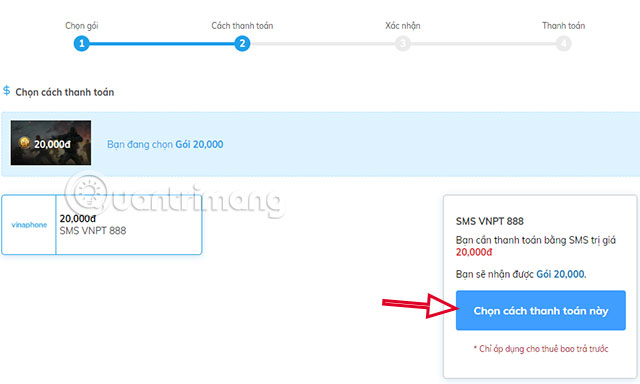
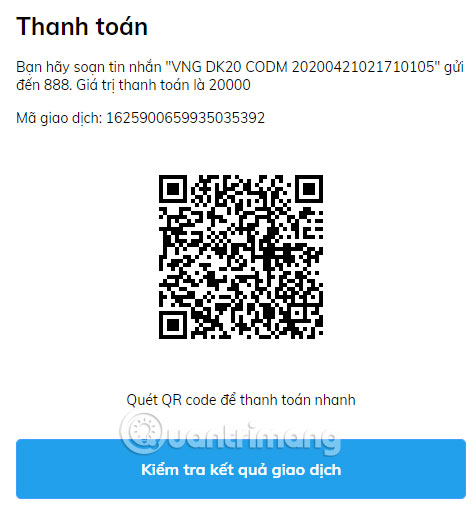
The syntax for composing a message to top up Call of Duty Mobile will be displayed. You can get the camera (if using an iPhone) to scan the QR code> choose to open in Safari> open in Messages> then click Send to complete the payment.
With ATM deposit, you can select the current bank account and click Choose this payment method. The lowest face value for depositing money by ATM is 50,000 VND.
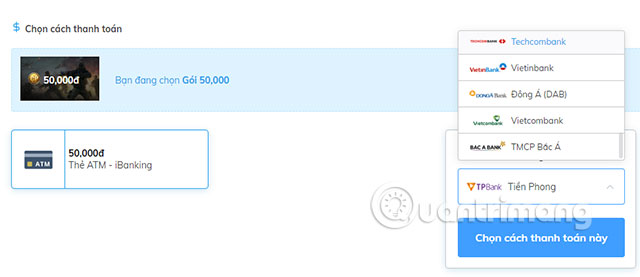
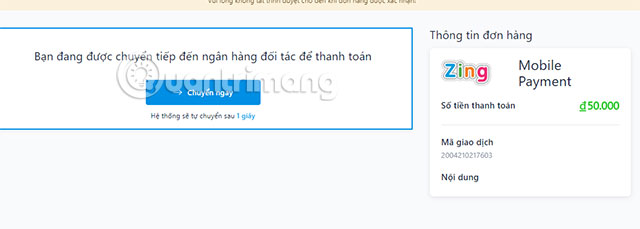
Follow the next steps to go to the card information page.
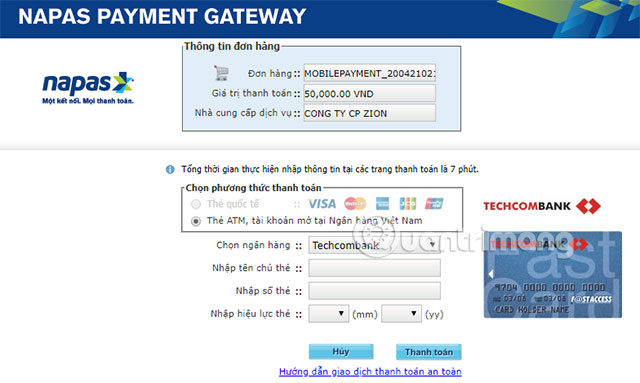
Go to the card information page, fill in the information on the card and click Make a payment, then confirm with the OTP and make a payment.
In addition to the above two ways, you can use the CP loading method with Zing Card if you find a place to buy Zing Card.
So through CP Call of Duty Mobile above, you can buy items, weapons, characters, high-end equipment in Call of Duty.
FAQ
What is the easiest way to Load Call of Duty Mobile the Fastest?
Start with the requirements in this guide, then follow each step in order. Check the result after every major change so problems are easier to identify.
Can beginners follow these instructions?
Yes. The process is organized into practical steps, and you can repeat any step before moving forward.
What should I check if the method does not work?
Confirm your software or device version, permissions, settings, file format, and internet connection when the task depends on online services.
Related Articles
 Code Call of Duty Mobile VN and How to Enter4 minutes read
 How to Reduce Lag of Call of Duty Mobile Lag5 minutes read
 Cod Mobile: Guide to Call of Duty: Mobile Battle Royale Mode5 minutes read
 Ranking in Call of Duty Mobile4 minutes read
 How to Download Call of Duty Mobile on a Computer with Gameloop5 minutes read
 Details of Character Classes in Call of Duty: Mobile5 minutes read
Reader Comments 0
Sign in with email or Google to join the discussion.