Table of Contents
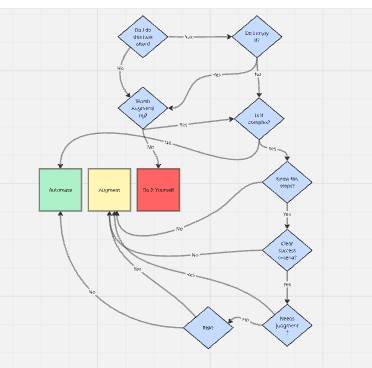
The best tasks to automate with AI are frequent, clearly defined, low-risk, reversible, and easy to check. Tasks that affect money, access, safety, legal rights, employment, health, or important relationships usually need a person to review or make the final decision.
Do not begin by asking what an AI model can do. Begin with the work: what outcome is needed, which steps repeat, where judgment matters, what could go wrong, and how a mistake would be detected and reversed.
Automation, assistance, and manual work are different choices
| Approach | What the system does | Good fit | Example |
|---|---|---|---|
| Automate | Completes a bounded step and records the result | Stable, low-risk work with clear inputs and checks | Classify incoming forms into existing categories, then queue exceptions |
| Assist | Prepares a draft, options, or analysis for a person | Work that benefits from speed but still needs judgment | Draft a report outline from approved source notes |
| Manual | A person performs or approves the important action | Novel, sensitive, high-risk, or hard-to-evaluate work | Make a hiring decision or approve a medical treatment |
Many useful workflows combine all three. A system can collect data automatically, use AI to draft a summary, and require a person to approve the final message.
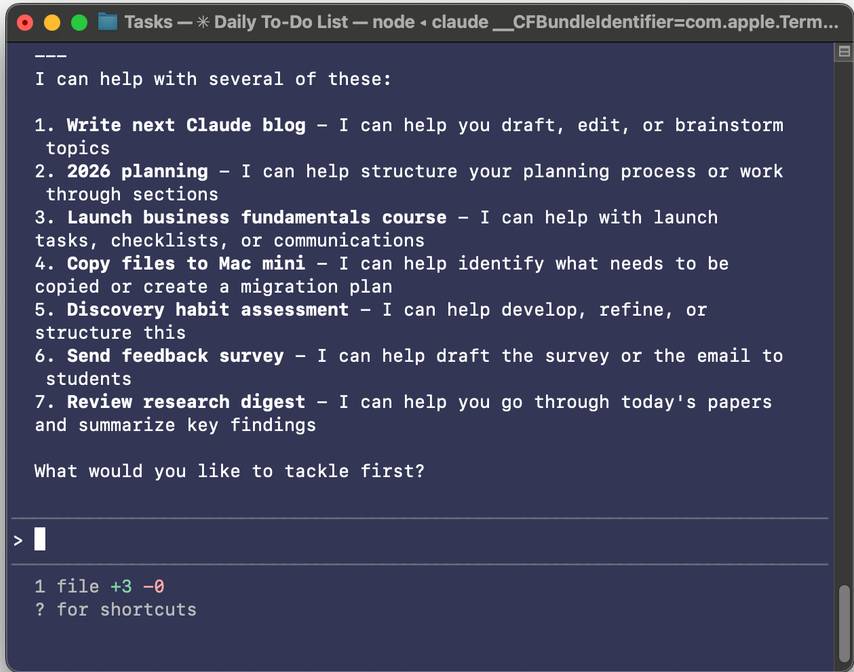
First ask whether AI is necessary
A predictable rule, formula, template, database query, or scheduled script is often cheaper and more reliable than a language model. Use AI when the step genuinely involves unstructured language, images, flexible classification, extraction, summarization, or generation that conventional automation cannot handle cleanly.
For example:
- Use a rule to rename files from a known pattern.
- Use a database query to calculate a total.
- Use a template to send an unchanged confirmation.
- Use AI to extract inconsistent fields from varied documents, with validation.
- Use AI to draft a concise explanation from approved data, with review.
A workflow platform can coordinate both deterministic steps and model calls. This comparison of AI workflow automation tools explains how common products differ, but the process should be designed before a platform is selected.
Score the task on eight factors
1. Frequency and volume
A task performed hundreds of times can justify setup and maintenance that would be wasteful for a one-off request. Estimate actual volume and time rather than relying on how annoying the task feels.
2. Process clarity
Can an experienced person describe the inputs, steps, decisions, output, and exceptions? If two experts cannot agree on the process, automating it will encode confusion. Document the current workflow first.
3. Input quality
Clean, authorized, consistently formatted inputs reduce failure. Missing fields, scans, conflicting versions, ambiguous language, or inaccessible systems increase the need for review and exception handling.
4. Output testability
Define what “done correctly” means. A structured extraction can be checked against a schema. A calculation can be recalculated. A creative draft is harder to score and should stay assistive unless a person reviews it.
5. Risk and impact
Consider the worst plausible result, not only the average result. Could an error charge money, expose data, delete records, lock an account, mislead a customer, damage a relationship, or create a safety problem? Higher impact requires stronger controls and a smaller automated scope.
6. Reversibility
Drafting a private note is easy to undo. Sending it to every customer is not. Moving a file to a review folder is safer than permanently deleting it. Prefer reversible actions, staged publishing, and approval gates.
7. Data sensitivity and authorization
Ask whether the workflow is allowed to use the data and take the proposed action. Minimize personal, confidential, financial, health, identity, and authentication information. Verify organizational policies and vendor data controls before connecting an AI service.
8. Change rate
A stable process is easier to automate than one whose rules, source format, product interface, or regulations change every week. Frequent change increases testing and maintenance cost.
A quick decision matrix
| Task profile | Recommended approach |
|---|---|
| Frequent, structured, low-risk, reversible, easy to verify | Automate with monitoring |
| Frequent, partly unstructured, moderate judgment, review is practical | AI prepares a draft; person approves |
| Low frequency or constantly changing | Handle manually or use a simple reusable prompt/template |
| High-impact and hard to verify | Keep the decision human; automate only safe supporting steps |
| Unauthorized or unnecessary sensitive data | Do not automate until the data and permission problem is resolved |
| No reliable rollback, log, or exception path | Redesign the workflow before automation |
Good first AI workflow candidates
- Turn meeting notes into a draft action list for participant review.
- Classify support requests into an approved taxonomy and route low-confidence cases to a person.
- Extract fields from invoices, then validate totals and vendor IDs with rules.
- Summarize a defined collection of source documents with citations.
- Draft product descriptions from an authoritative catalog without changing prices or specifications.
- Convert a known outline into alternate formats, such as a brief and a slide draft.
- Propose test cases for code, then run the real test suite and require review of changes.
- Prepare a daily digest from an approved set of feeds without automatically publishing it.
These tasks have a useful boundary: the model produces a reviewable artifact or routes an item, while authoritative systems and people retain control of important facts and actions.
Tasks that should usually stay human-led
- Hiring, firing, promotion, discipline, and other employment decisions.
- Medical diagnosis, treatment, or emergency triage without qualified oversight.
- Legal conclusions or filings without appropriate professional review.
- Credit, insurance, investment, benefits, or eligibility decisions.
- Sending sensitive messages, signing agreements, or spending money without confirmation.
- Deleting data or changing permissions when recovery is uncertain.
- Handling interpersonal conflict where tone and context require a conversation.
- Any task whose success cannot be checked independently.
AI may still assist with administrative or drafting steps, but it should not hide who made the decision or remove the affected person's route to correction or appeal.
Map the workflow step by step
Write the process as a sequence of small actions. For each step, identify the source of truth, tool, decision rule, output, owner, failure state, and recovery action.
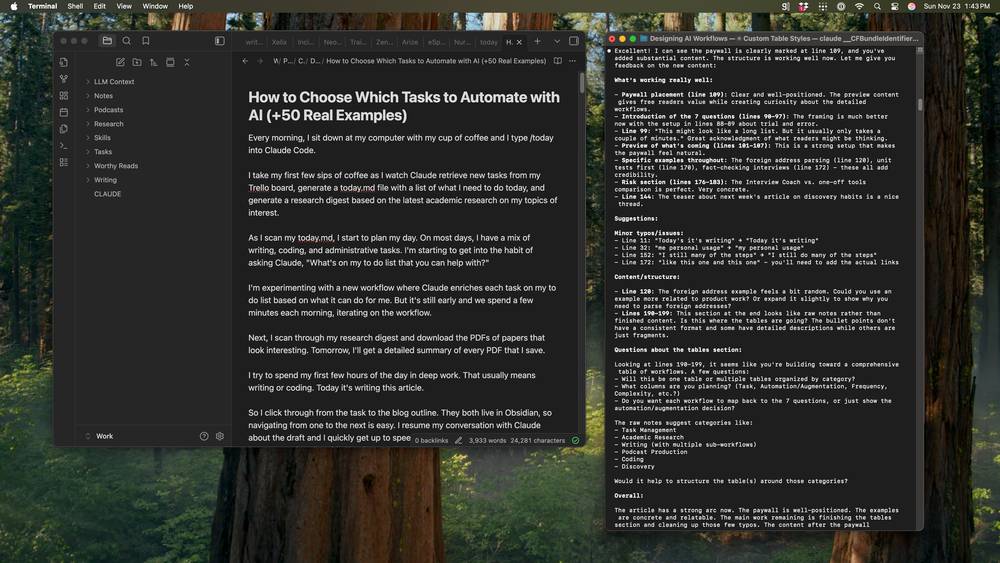
For a research digest, the map might be:
- A scheduler collects items from an approved feed.
- Rules remove duplicates and files outside the date range.
- AI extracts the title, question, method, and stated limitation.
- A validator checks that every summary links to the source item.
- Low-confidence or incomplete entries move to a review queue.
- A person approves the digest.
- The system publishes it and records the source list, model, prompt version, and approver.
The model is only one component. Authentication, retrieval, validation, storage, review, and publishing are separate design decisions.
Use AI to extend strengths, not only remove chores
Automation can eliminate repetitive work, but assistance can also improve a task a person wants to keep. A writer may use AI to compare an outline with source notes, locate gaps, or generate counterarguments while retaining authorship and editorial judgment.
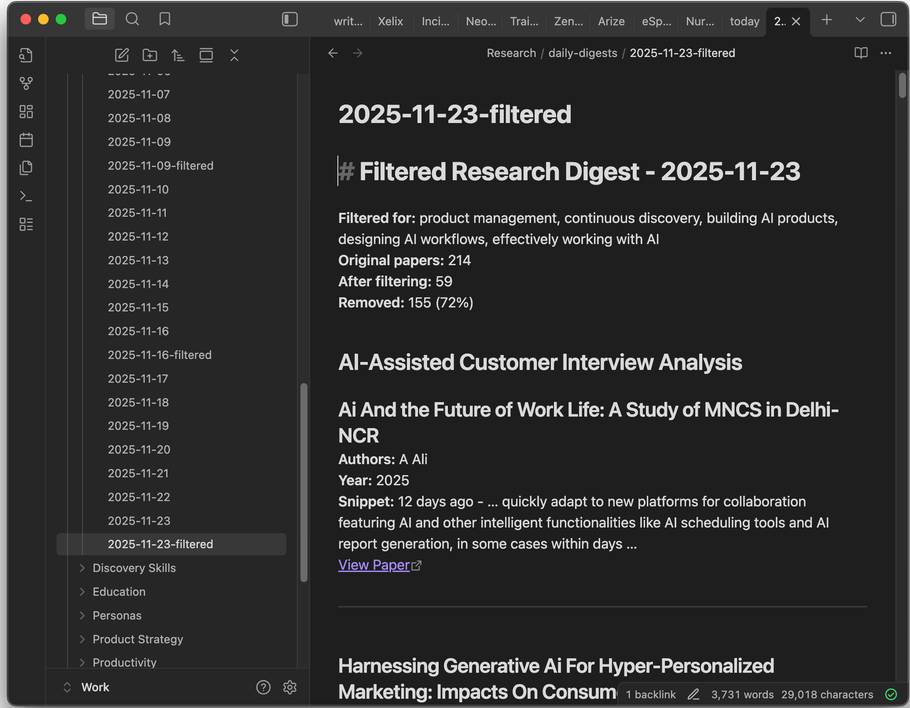
The right question is not always “Can I remove myself?” It may be “Which part should become faster so I can spend more time on the valuable judgment?” A measurable feedback loop is essential; this guide to designing AI products as feedback systems covers outcomes, uncertainty, evaluation, and recovery paths.
Estimate whether automation is worth building
Include more than model cost. A simple estimate is:
Expected monthly benefit
= time saved
+ avoided rework
+ added useful output
- model and tool cost
- review time
- maintenance time
- expected error cost
Use realistic numbers from a manual baseline. If the automation saves five minutes but adds ten minutes of checking, it is not yet a time-saving workflow. It may still improve consistency or documentation, but that benefit should be named and measured.
Pilot the smallest safe version
- Choose one bounded task. Avoid automating an entire department or end-to-end process first.
- Record a baseline. Measure volume, completion time, error rate, and rework before the change.
- Create a test set. Include normal inputs, edge cases, missing data, conflicts, and prohibited cases.
- Run in shadow mode. Let the workflow produce results without taking external action, then compare them with the current process.
- Add confidence routing. Send uncertain, sensitive, or invalid cases to a person.
- Require approval. Keep a human gate before messages, purchases, permission changes, publishing, or deletion.
- Limit exposure. Start with a small volume and a rollback plan.
- Review the evidence. Expand only if quality, time, and risk metrics meet predefined thresholds.
For a hands-on example of combining agents, memory, and connected steps, review this n8n AI automation workflow guide. Keep credentials server-side and test external actions with non-production data first.
Controls every production workflow needs
- A named owner and documented purpose.
- Least-privilege access to data and connected services.
- Input validation and an approved source of truth.
- Versioned prompts, models, rules, and schemas.
- Logs that exclude unnecessary sensitive content and secrets.
- Rate, cost, and action limits.
- Human approval at irreversible or high-impact steps.
- A queue for exceptions and low-confidence outputs.
- A kill switch and a tested rollback or recovery process.
- Ongoing sampling for accuracy, drift, bias, and user harm.
Questions to ask before automating
- How often is this task performed, and how much time does it really consume?
- Can the process and success criteria be written clearly?
- Which steps require flexible interpretation, and which should remain deterministic?
- What is the authoritative source for every important fact?
- How will an incorrect result be detected before it causes harm?
- Can the action be undone?
- What sensitive data or permissions are involved?
- Who reviews exceptions and owns incidents?
- What metric would justify expansion, and what threshold would stop the pilot?
- Will the workflow still be maintainable when a source, model, or interface changes?
A good first automation does not need to be impressive. It needs to be useful, observable, and safe. Automate stable mechanics, use AI for bounded interpretation or drafting, and keep accountable human judgment at the points where consequences matter.
Related Articles
 How to Use Rules in Apple Mail for Automated Tasks5 minutes read
 10 Tips for Using Command Line Windows 10 Users Should Know15 minutes read
 How to Use Ellp to Automate Tasks for Windows8 minutes read
 Command Prompt: Task Automation Tools on Windows 1013 minutes read
 How to Improve Claude Code Performance Using Automated Testing6 minutes read
 How to Use Google Tasks in Gmail4 minutes read
Reader Comments 0
Sign in with email or Google to join the discussion.