Table of Contents
Gemini Deep Research has added the feature of getting data from Gmail, Drive, Google Docs,... to analyze data and synthesize more detailed content for users.
Gemini Deep Research has added the feature of getting data from Gmail, Drive, Google Docs,. to analyze data, synthesizing much more detailed content for users. Gemini will go deeper into the content in the applications you allow to link, analyze the content and synthesize more specifically. Below are instructions for Gemini to get data from Gmail, Drive.
Instructions for retrieving Gmail and Drive data for Gemini
Step 1:
First You should go to Gemini then Switch to Deep Research mode By Clicking on Tools In the command input bar.
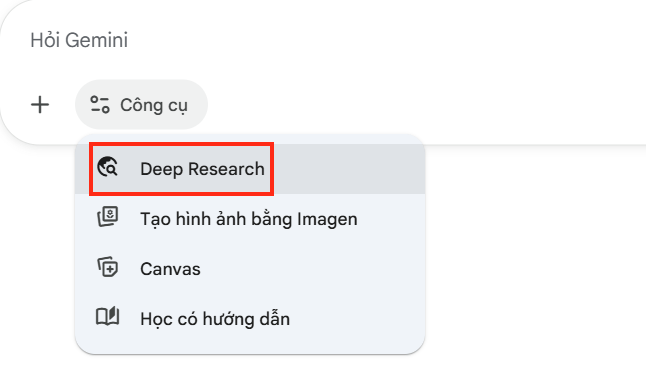
Step 2:
Then the user will see The Source option As shown for you to adjust, select the data source you will choose for Gemini Deep Research. If you want to use any source, you just need To select that source To get the data.
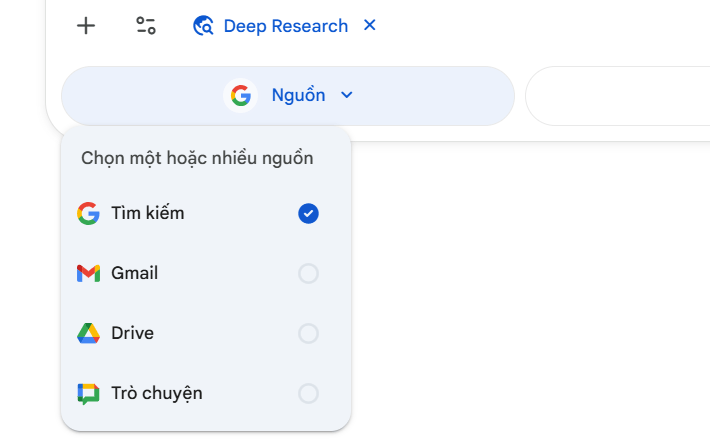
Step 3:
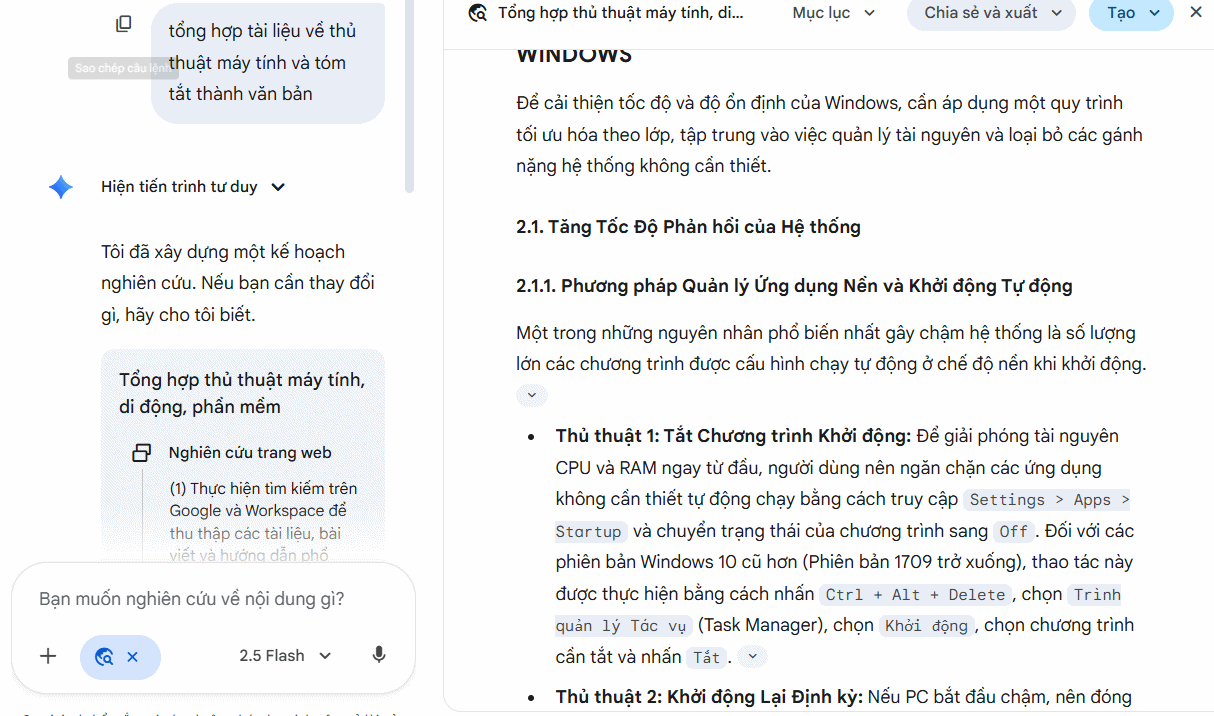
Now you will Enter a command for Gemini to analyze some content from the data source of your choice . Gemini immediately accesses the data source, searches, aggregates, and analyzes the content.
Step 4:
Wait a moment for Gemini to come up with an in-depth research plan. Click Start Research To proceed.
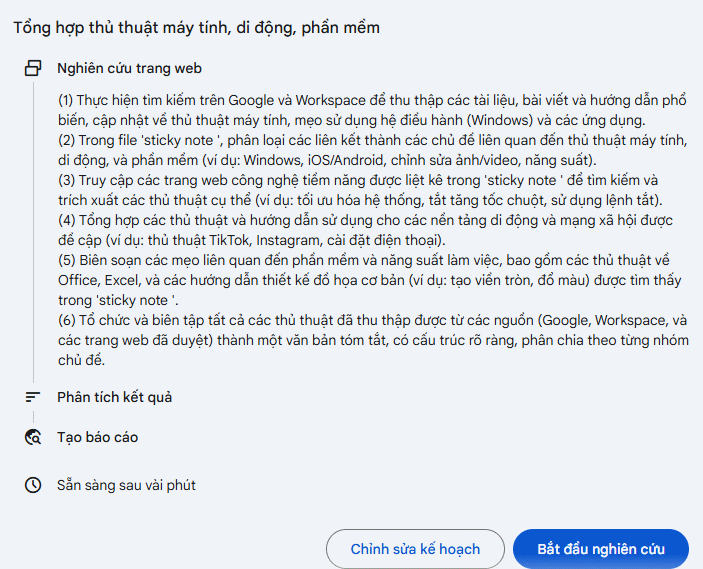
Now you have much more in-depth research on the problem you posed.
FAQ
What should you know about how Gemini get data from Gmail, drive works?
In practical terms, Gemini Deep Research has added the feature of getting data from Gmail, Drive, Google Docs,... to analyze data and synthesize more detailed content for users.
Why does how Gemini get data from Gmail, drive works matter?
The article highlights that below are instructions for Gemini to get data from Gmail, Drive.
What is the main takeaway?
The main takeaway is that instructions for retrieving Gmail and Drive data for Gemini Step 1: First you need to go to Gemini then Switch to Deep Research mode by Clicking on Tools in the command input bar.
Related Articles
 4 Google Apps That Work Better with Gemini: Explained5 minutes read
 4 Google Apps Work Significantly Better with Gemini AI: Explained8 minutes read
 Quickly Summarize Documents in Google Drive Using Gemini3 minutes read
 How to Disable Gemini in Gmail and Other Google Workspace Apps5 minutes read
 Why Should You Disable Automatic Summarization with Gemini in Gmail?6 minutes read
 Instructions for Using Gemini in Gmail: What to Know5 minutes read
Reader Comments 0
Sign in with email or Google to join the discussion.