Table of Contents
A Pokémon with zero HP has fainted and must receive a Revive or Max Revive before a Potion can be used. A damaged Pokémon that still has at least one HP does not need reviving; select an appropriate Potion to restore its health.

Revive and Potion items do different jobs
| Item type | When to use it | What it does |
|---|---|---|
| Revive | Pokémon has 0 HP | Returns it from fainting with part of its HP |
| Max Revive | Pokémon has 0 HP | Revives it and restores its HP fully |
| Potion family | Pokémon has more than 0 HP but is damaged | Restores an amount of HP based on the Potion type |
A standard Revive does not finish the entire healing process. After using it, apply a Potion if the Pokémon needs more HP. A Max Revive completes both steps at once.
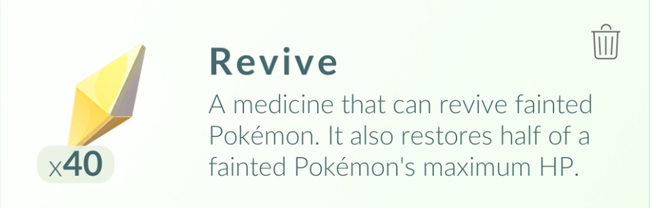
How to revive a fainted Pokémon
- Open the main menu from the map.
- Select Items.
- Choose Revive or Max Revive.
- Tap each eligible fainted Pokémon you want to restore.
- If you used a standard Revive, open a Potion and heal any remaining missing HP.
The item screen only displays Pokémon that can use the selected item. If the list is empty, no Pokémon currently meets that condition.
How to heal a Pokémon that has not fainted
- Open Items.
- Select a Potion, Super Potion, Hyper Potion or Max Potion.
- Tap a damaged Pokémon to apply the item.
- Repeat or choose a stronger Potion if HP is still missing.
Using a high-value Potion for a tiny amount of missing HP may waste part of its healing capacity. Match the item to the damage when supplies are limited.
Where to get Revives and Potions
Recovery items can come from several normal activities, including:
- Spinning PokéStop and Gym Photo Discs.
- Opening Gifts from friends.
- Completing raids and selected battle activities.
- Claiming Research and level-up rewards.
- Selected Shop boxes or event rewards.
Drop rates and Shop contents can change. PokéStops provide items after their cooldown, but they do not normally award free PokéCoins.
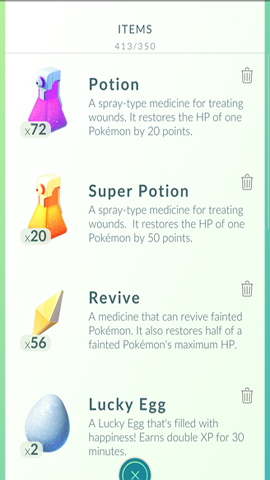

Why a Pokémon may be missing from the healing list
- It has full HP: no recovery item is needed.
- It is fainted but a Potion is selected: use a Revive first.
- It has HP remaining but a Revive is selected: choose a Potion.
- It is defending a Gym: manage its motivation with Berries rather than normal healing items while it remains there.
- The display has not refreshed: close the Items screen or restart the app after confirming the connection.
Conserve healing items
Build battle teams with suitable type resistances, dodge in raids when appropriate and avoid sending an underpowered team into repeated losses. When the Item Bag is full, discard less useful items carefully rather than deleting all recovery supplies before a raid session.
Revive first when HP is zero, then heal. That simple order prevents the most common problem and keeps battle-ready Pokémon available for the next Gym, raid or Team GO Rocket encounter.
Related Articles
 PokéMon Champions Beginner's Guide4 minutes read
 How to Own the 'Pokémon' in Pokémon GO?6 minutes read
 What Will You Do When There Are Multiple Pokémon in Pokémon GO?5 minutes read
 Pokémon Systems When Fighting in Pokémon GO13 minutes read
 You Are Wondering Whether to Choose the Red5 minutes read
 How to Catch Pokémon Rare in Pokémon GO4 minutes read
Reader Comments 0
Sign in with email or Google to join the discussion.