Table of Contents
This guide covers gt640 - laptop playing games using Windows 7 with practical context and easy-to-follow details. Use it to understand the subject and apply the information confidently.
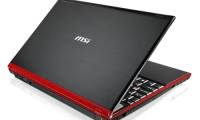
MSI products are integrated with 1. 6GHz Core i7 720QM processor .
Along with the outstanding features, GT640 also integrates 1GB NVIDIA GeForce GTS 250M graphics, 4GB DDR3 RAM, 500GB hard drive, Blu-ray player, stereo speakers, a 2MP camera, HDMI, VGA, Bluetooth cameras, eSATA / USB, LAN, 2 USB ports, 802. 11n Wi-Fi connection, ExpressCard slot, 4-in-1 media card reader.
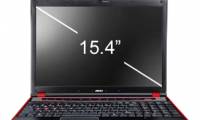
It has a 15. 4-inch screen, 1680 x 1050 pixel resolution, 6-cell or 9 cell battery. Currently, the selling price and product launch date have not been announced.
FAQ
What should I check before following these steps?
Confirm device and software compatibility, save important data, and make sure you have the required permissions, files, and account access.
Why might the process not work?
Common causes include outdated software, missing permissions, incompatible hardware, an unstable connection, or completing a step in the wrong order.
Can I undo the changes if necessary?
That depends on the tool or setting. Use built-in restore options when available, keep a backup, and record the original configuration first.
Related Articles
 MSI GT640 - Laptop for Gamers4 minutes read
 Laptop Plays MSI's Core i7 Game3 minutes read
 Laptop Automatically Stops Charging When Playing Games - Fast Processing: Explained6 minutes read
 Microsoft Will Soon Fix Stutter and Lag When Playing Games3 minutes read
 Pros and Cons of Playing Games on Emulators11 minutes read
 Laptop Playing 3D Games with Processor Overclocked to 4. 8GHz4 minutes read
Reader Comments 0
Sign in with email or Google to join the discussion.