Table of Contents
This guide covers eon17-slx gaming laptop started selling, costing up to 3400 usd with practical context and easy-to-follow details. Use it to understand the subject and apply the information confidently.
In terms of configuration, EON17-SLX Is equipped with 2 discrete NVIDIA GeForce GTX 680M graphics cards, Core i7-3840QM chip (2. 8GHz speed can self-overclock to 3. 8GHz via Turbo mode, 8MB cache), 16 GB RAM, 240 GB SSD, and additional HDD capacity of 1 TB.
It also has an optical drive and runs Windows 7 Home Premium operating system. The whole machine and its accessories will cost up to 3900 USD, But the manufacturer said the buyer will save up to 500 USD With the purchase price reduced to only 3400 USD . Configuration and price can be referenced specifically on Origin website.
Some Product Images
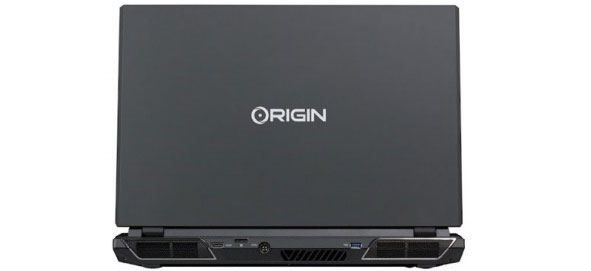 The EON17-SLX chooses 2 discrete graphics cards for a better gaming experience.
 It has a 17 inch screen with full HD resolution.
 Keyboard with backlight.
 EON17-SLX is equipped with THX TruStudio Pro audio technology.
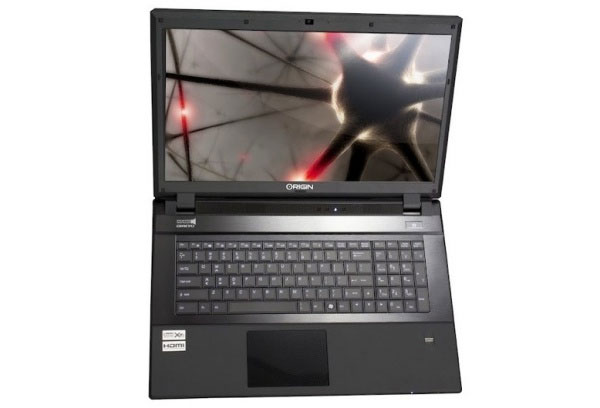 The machine is priced at 3400 USD, including both machine and accessories.
FAQ
What should I check before following these steps?
Confirm device and software compatibility, save important data, and make sure you have the required permissions, files, and account access.
Why might the process not work?
Common causes include outdated software, missing permissions, incompatible hardware, an unstable connection, or completing a step in the wrong order.
Can I undo the changes if necessary?
That depends on the tool or setting. Use built-in restore options when available, keep a backup, and record the original configuration first.
Related Articles
![[CES 2015] Origin PC Launches a New Series of Gaming Laptops](/data/thumbs_200x120/[ces-2015]-origin-pc-launches-a-new-series-of-gaming-laptops_thumbs_200x120_mzZPPVutm.jpg) [CES 2015] Origin PC Launches a New Series of Gaming Laptops4 minutes read
[CES 2015] Origin PC Launches a New Series of Gaming Laptops4 minutes read Top 5 Good Laptops for Gamers5 minutes read
 MSI Started Selling GT70 Gaming Laptops in the US3 minutes read
 5 Reasons Not to Buy a Gaming Laptop10 minutes read
 4 Things to Do Before Selling a Windows PC or Laptop7 minutes read
 Laptops Using SSDs Are Not Selling Well6 minutes read
Reader Comments 0
Sign in with email or Google to join the discussion.