Table of Contents
This article examines Google Removed Chrome Apps from Chrome Web Store, Prepared to Say Goodbye. It presents the main facts, practical implications, and key points in a clearer, easier-to-follow format.
Understanding Google Removed Chrome Apps from Chrome Web Store
https://chrome.google.com/webstore/category/extensions.
Now the Chrome Web Store only has Extensions and Themes left, so you can customize your browser more or less.
Last year, they officially announced their intentions and gave an explanation for their decision. Only 1% of users use Windows, macOS and Linux using Apps, so they have to be removed.
However, Apps will still be available on Chrome OS devices like Chromebooks, accessed directly via Chrome Web Stores page.
See also: 7 best features of Chromebooks
In fact, many Apps on Chrome are no different from a browser bookmark, you can select the Chrome interface and be redirected to the website address. Some applications also exploit hardware connected via USB. Google has decided, perhaps it is true that few people are interested in these applications.
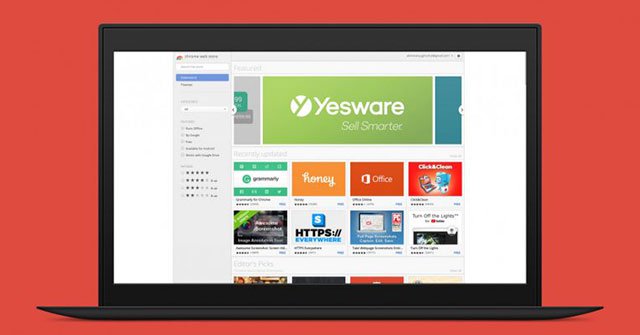 Chrome no longer needs Apps
By mid-2018, Apps will be replaced with Progressive Web Apps for desktop computers. You may have seen them on mobile. These are pages with full screen interface, Push Notifications and icons on the main screen.
Shortly: Adobe says goodbye to Flash Media Player by 2020.
FAQ
What is the main point of Google Removed Chrome Apps from Chrome Web Store, Prepared to Say Goodbye?
https://chrome.google.com/webstore/category/extensions. Now the Chrome Web Store only has Extensions and Themes left, so you can customize your browser more or less.
Why is Google Removed Chrome Apps from Chrome Web Store, Prepared to Say Goodbye important?
Google Removed Chrome Apps from Chrome Web Store, Prepared to Say Goodbye matters because it can affect how readers understand, choose, use, or respond to the subject discussed in the article.
What should readers verify about Google Removed Chrome Apps from Chrome Web Store, Prepared to Say Goodbye?
Check the date, product or software version, compatibility, and any current guidance before acting, especially when technology, security, health, or pricing is involved.
Related Articles
 Why Was the App Removed from the Google Play Store?7 minutes read
 5 Best Chrome Extensions That Google Just Removed7 minutes read
 How to Create Custom Shortcuts for Extensions on the Chrome Browser4 minutes read
 Vietnamese Apps and Apps Removed: Complete Guide4 minutes read
 Microsoft Deletes Google Chrome from the Windows Store4 minutes read
 UC Browser Was Removed from Google Play Store Because of the Unhealthy Use of 'Tricks'6 minutes read
Reader Comments 0
Sign in with email or Google to join the discussion.