Table of Contents
This updated guide examines Galaxy Xcover Fieldpro: Super Durable Smartphone for Us Agents and organizes the essential facts, background, and practical takeaways in clear American English.
This is a smartphone with a classic design and form "workhorse" ruggedized. Galaxy Xcover FieldPro is reminiscent of Samsung's previous Galaxy Active series.
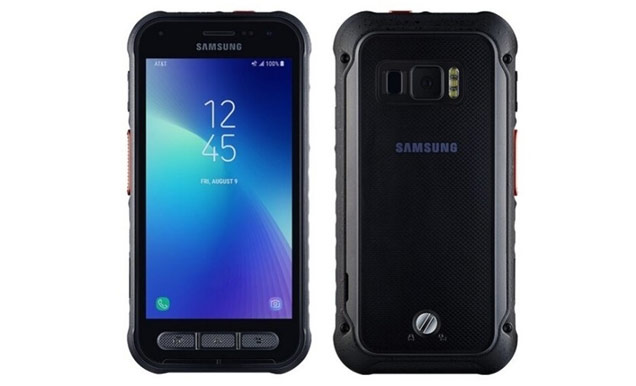
Galaxy Xcover FieldPro can survive a variety of harsh environmental conditions thanks to its IP68 water resistance and MIL-STD-810G military certification.
Galaxy Xcover FieldPro is equipped with Exynos 9810 chip, 4GB of RAM and 64GB of internal memory, with memory card expansion support, 4500mAh battery. The battery of the device is removable and replaced with another battery included in the box.
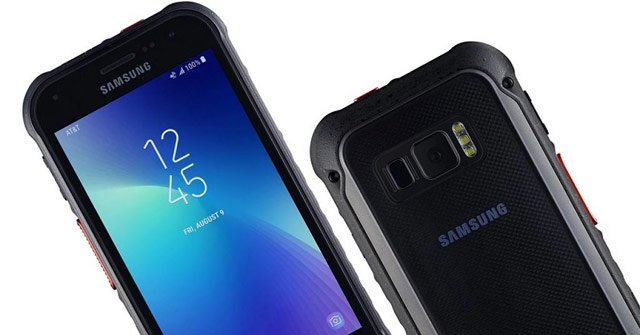
The screen of the device has a size of 5.1 inches, QHD resolution, 16: 9 aspect ratio. Rear camera has a resolution of 12MP (aperture dual) accompanying LED flash, camera resolution 8MP selfie. The device is equipped with a fingerprint sensor.
Galaxy Xcover FieldPro on a separate keypad can be used to set up to send GPS data or send emergency requests. This keyboard can also be used as a radio talk.
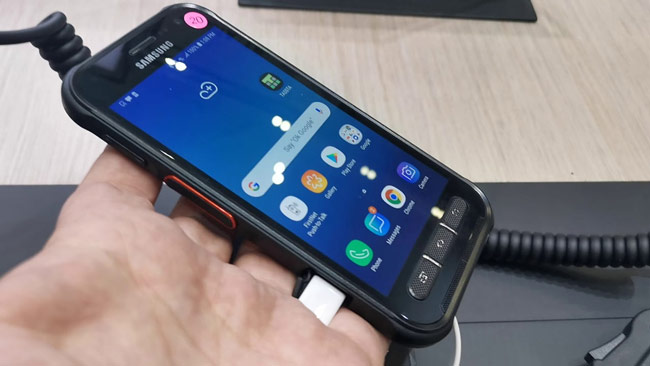
It also supports FirstNet (Band 14) a frequency channel used by the responders, operated by US operator AT&T.
Samsung has not announced the price of the Galaxy Xcover FieldPro, but this device will probably only provide the machine for government contracts, not for ordinary users.
- Huawei launches GT 2 Watch, listen instead called smartphones, 2 week battery, waterproof 50 meters, priced from 5.49 million
- Google launched the duo Pixel 4/4 XL Pixel, 90Hz display, Snapdragon 855, prices from 18.6 million
- Xiaomi designed a new smartphone: 2 selfie cameras at the edge of the bezel
FAQ
What is Galaxy Xcover Fieldpro: Super Durable Smartphone for Us Agents about?
It provides a structured overview of Galaxy Xcover FieldPro, explains the main context, and highlights practical takeaways for readers.
Why does this topic matter?
Understanding the main concepts helps readers evaluate the issue, avoid common mistakes, and make better-informed decisions.
How should readers use this information?
Use the guidance as a practical starting point, confirm details that may have changed, and follow current product, safety, or security recommendations.
Related Articles
 Tests Show That the Galaxy S20 ++ and Galaxy S20 Ultra Are More3 minutes read
 Samsung Launched a 'Super Powerful Battery' Smartphone3 minutes read
 Leaked the First Real Image of Samsung Galaxy S11, the Most4 minutes read
 Samsung Launched Galaxy S20 Version of Tactical Edition Super Durable3 minutes read
 Galaxy S11 5g Officially Appeared on Geekbench with Impressive3 minutes read
 Summary of 18 Common Errors on Samsung Galaxy S5 and How to Fix16 minutes read
Reader Comments 0
Sign in with email or Google to join the discussion.