Table of Contents
Open your Facebook Story and select Viewers to see who watched it. If the Story is public, the list can include people who aren’t your friends or followers. Facebook may identify some by name and group others under a label such as Others.
How to view your Facebook Story audience
- Open Facebook and select Your Story in the Stories row.
- Go to the photo or video you want to check.
- Select Viewers in the lower-left corner. If your Story has several items, check each one separately.
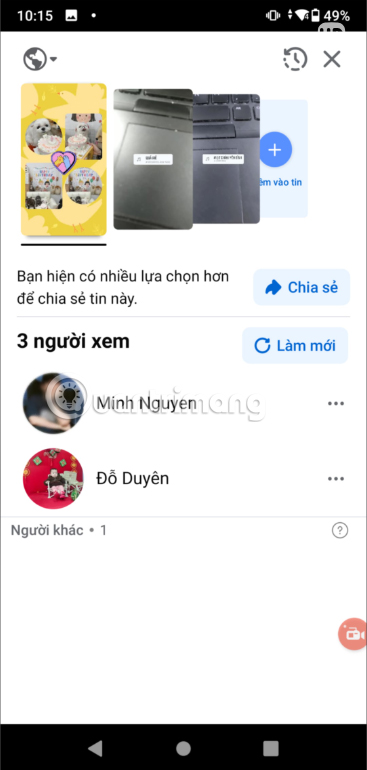
The viewer list applies to that Story item. If Facebook only shows a count for some viewers, the list does not give you their names.

How to keep future Stories off the public list
Open the audience or privacy settings while creating a Story and select Friends or Custom, if available. To exclude specific people from a Friends audience, look for Hide Story From. Check the setting on any Story that’s already live as well.
Audience settings control who can watch. If you also want to limit who can comment, see how to turn off Facebook Story comments. For broader visibility changes, see how Facebook Profile Lock works.
Related Articles
 What is Crush? Who are you crushing?
 The Facebook Dating feature has appeared in Vietnam, including Secret Crush to confess to someone you like
 How to use the dating feature on Facebook for the FA people
 Candy Crush Saga officially docked in Windows Phone
 10 problems, common Facebook errors and how to fix them
 Software that consumes the most battery power on smartphones
Reader Comments 0
Sign in with email or Google to join the discussion.