Table of Contents
Pixel Care+ may be useful if you want protection against covered accidental damage and post-warranty failures. It is not automatically the best choice for every Pixel owner. Compare the total premium and possible claim fees with your device’s value, existing coverage, and ability to pay for a repair.
Check the exact offer for your device
Eligibility, price, and benefits depend on the model and country. Google’s US offer includes monthly and two-year options, with enrollment generally available within 60 days of purchase. Use the official eligibility checker for your device rather than relying on an old model list.
Monthly coverage and an upfront plan have different payment schedules and terms. Check renewal limits, cancellation rules, and what happens when the term ends.
“Covered” does not always mean no charge
The US program lists no service fee for certain covered front-screen, back-glass, and eligible battery repairs. Other damage or replacement claims can carry a service fee. Inner folding screens have different treatment, so check the actual schedule.
Battery replacement has eligibility and diagnostic conditions; it is not an unlimited entitlement to a new battery whenever you want one. The plan also has exclusions and claim conditions.
Loss and theft is a separate choice
Standard Pixel Care+ should not be assumed to cover a lost phone. The loss-and-theft option has its own availability, deductible, and claim limits. The US offer limits loss-and-theft replacements to two claims per rolling 12-month period.
Check the repair experience
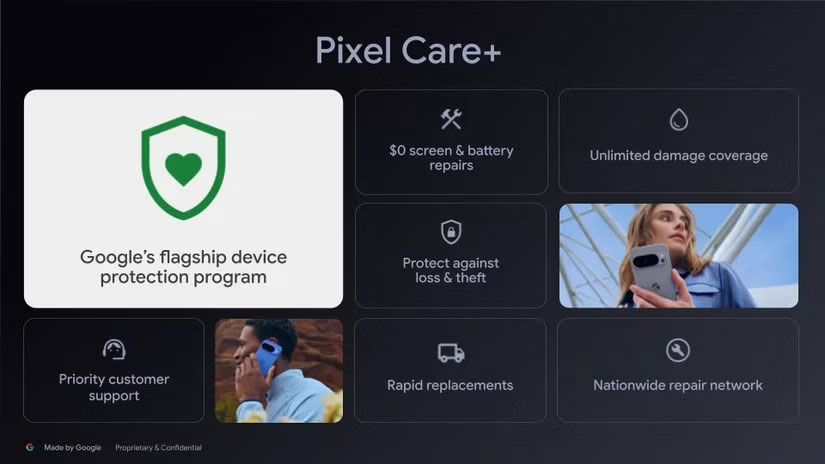
Walk-in repairs are available only for selected devices and failures, and locations or parts may be limited. Google’s claim guidance says replacements may be new or refurbished and may be a similar model. Next-working-day dispatch is different from guaranteed next-day delivery.
Review device-return requirements and back up your data before service. A replacement device does not restore files that were never backed up; see backup basics.
Make a practical comparison
Add the premium over the period you expect to keep the device to the fee for a likely claim. Compare that with an uncovered repair quote and any overlapping warranty, retailer, carrier, or other protection. Choose the plan only if its actual terms meet your needs.
Use the official US Pixel Care+ offer, plan documents, and Google’s claim guidance for the applicable details.
Related Articles
 Real video of Pixel 4 control without touching
 Pixel and Pixel XL duo were killed by Google
 Google stops production of Pixel 5
 Google has just revealed the price of Pixel 4a and Pixel 5, surprisingly cheap
 Google officially launched 2 mid-range smartphones Pixel 3a and Pixel 3a XL
 Instructions on how to activate Google Pixel and Pixel XL
Reader Comments 0
Sign in with email or Google to join the discussion.