Table of Contents
This step-by-step guide explains how to download and experience iOS 11. 4 public beta is more stable. It covers the required setup, the main actions, and the checks that help prevent common problems.
With iOS 11. 4 public beta, users can continue to use AirPlay 2 feature (stream music from iPhone or iPad to other devices) that have been removed by Apple on iOS 11. 3.
In addition, ClassKit - learning support tool is also added in this OS 11. 4 public beta version. ClassKit works with the Schoolwork app on the iPad, helping teachers and students monitor the progress of learning more easily.
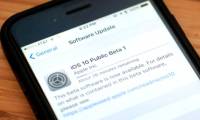
This is just a trial version, if you want to try iOS 11. 4 iPhone / iPad, users need to register on beta. Apple. Com website using Safari browser. After successful registration, the update will be ready to download and install, just go to Settings-> General-> Software Update To update.
FAQ
What should I check before following these steps?
Confirm device and software compatibility, save important data, and make sure you have the required permissions, files, and account access.
Why might the process not work?
Common causes include outdated software, missing permissions, incompatible hardware, an unstable connection, or completing a step in the wrong order.
Can I undo the changes if necessary?
That depends on the tool or setting. Use built-in restore options when available, keep a backup, and record the original configuration first.
Related Articles
 How to 'Convert' from the iOS Public Beta Version to the Old Version5 minutes read
 Errors on iOS 15 Beta, Should I Update to iOS 15 Beta or6 minutes read
 How to Install Android 12 Beta on a Phone13 minutes read
 Experience the iOS 13 Public Beta Version, Dark Mode Interface4 minutes read
 Instructions for Updating iOS 14 Public Beta Have Just Been Released3 minutes read
 There Was an iOS 13 and Ipados Public Beta Update, Download and2 minutes read
Reader Comments 0
Sign in with email or Google to join the discussion.