Table of Contents
Explore ChatGPT translate: a smarter new translation tool, including the key concepts, practical examples, important considerations, and useful guidance.
Instructions on using the ChatGPT Translate tool
Step 1
First, access the ChatGPT Translate tool below and log in to your ChatGPT account.
https://chatgpt.com/vi-VN/translate/Step 2
Next, we select the target language and the input language, or ChatGPT Translate will automatically detect the language.
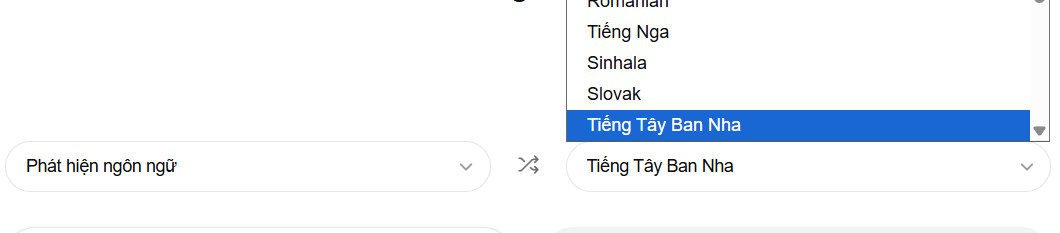
Then you paste the translation you need. Currently, ChatGPT Translate only supports text input; voice and image features will be rolled out in the near future.

Please note that you should also specify how you want this content translated, including your preferred writing style, so that ChatGPT Translate can provide a higher quality translation.
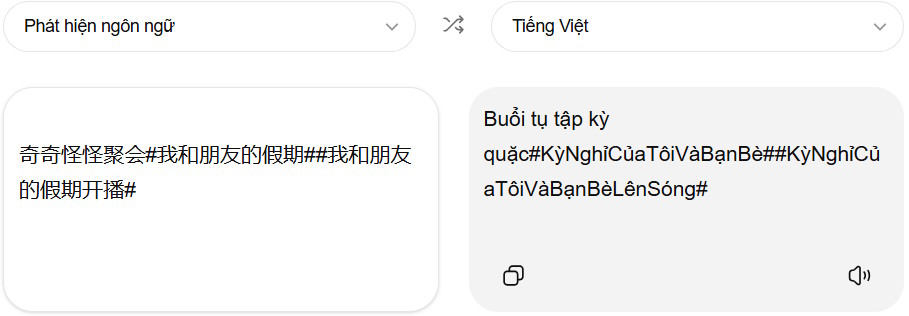
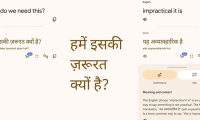
You can compare the results of adding translation commands and not adding them as shown below. When you add translation commands and the translation requests you want, the translated content is of higher quality.
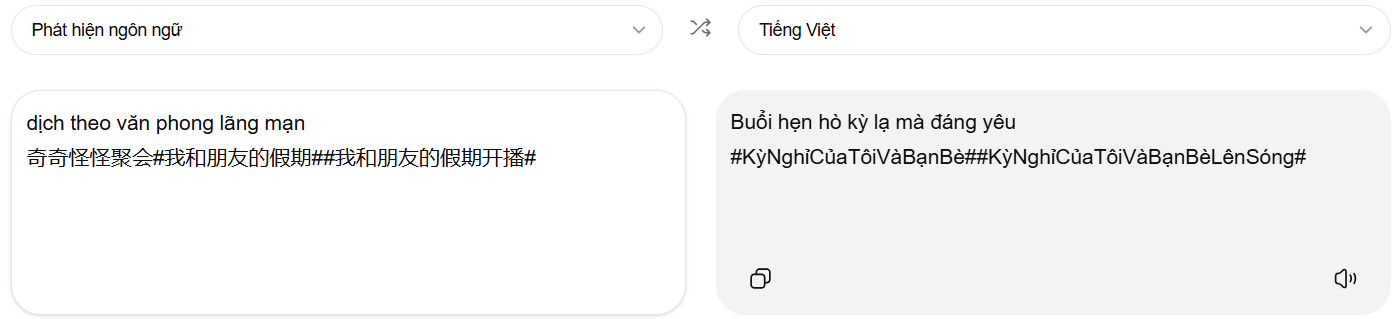
ChatGPT's strength lies in its content processing capabilities. The tool excels at capturing context, especially with slang, idioms, and lengthy explanations. This makes the translated content more useful for emails, learning, and conversations where tone is crucial.
ChatGPT Translate may not completely replace Google Translate at the moment, but if you care about context and tone, you might want to try this new translation tool.
Final Thoughts
Understanding chatgpt translate makes it easier to evaluate the information and apply the most relevant recommendations. Focus on the key points above and verify details that may change over time.
FAQ
What is chatgpt translate?
Explore ChatGPT translate: a smarter new translation tool, including the key concepts, practical examples, important considerations, and useful guidance.
What key points does this article cover?
The article focuses on Instructions on using the ChatGPT Translate tool, Step 1, Step 2, with practical explanations and examples.
How can you use this information in practice?
Use the explanations to compare options, verify important details, and make a more informed decision. Apply the recommendations that best match your goals and situation.
Related Articles
 TOP AI Tools for Highly Accurate Translation5 minutes read
 The Translation of Google Translate Also Sometimes Has to Surrender Before Vietnamese4 minutes read
 ChatGPT Is a Better Choice Than Google Translate When4 minutes read
 How to Use AZ Translate Screen, Voice, Photo3 minutes read
 Google Translate Is Testing a More Expansive Translation: Key Details3 minutes read
 ChatGPT or Google Translate Translates Better: Main Insights9 minutes read
Reader Comments 0
Sign in with email or Google to join the discussion.