Table of Contents
This guide covers choose core i3 laptop priced from 7 million vnd for the new school year with practical context and easy-to-follow details. Use it to understand the subject and apply the information confidently.
The models cost from 7 to less than 9 million dong, but many electronics stores sold to the market belong to all brands such as Asus, Acer, HP, Lenovo, Dell. Equipped with Core i3 configuration - Configuration judged by the business community as the majority of students 'prioritize' For shopping due to a moderate price with pocket money, enough configuration to surf the web, Word processing, basic graphics apps such as Photoshop.
Along with that, even if it has been sold 'softly' Or purchased by installments, buyers still get many supermarkets, electronics shops with computer bags, coupons for accessories, anti-virus software. From 1 to 3 years. Equivalent to the promotion applied to high-end laptop products. This is considered a move to " Aggressively" Attract customers in the busiest computer shopping season of the year.
Below are the Core i3 configuration products with selling price below VND 9 million, refer to the addresses with the lowest price on the market today:
Acer V5-171
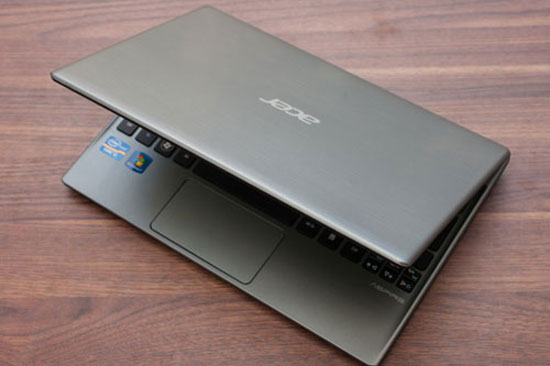 Acer V5 171.
Slim and light as Ultrabook, this product is equipped with Intel Core i3-2377M processor, 2GB DDR3 RAM, 500GB hard drive capacity.
Acer V5-171 equipped with 11. 6 inch WLED Backlight screen, Intel HD Graphics graphics card, Bluetooth connectivity, HDMI, VGA, USB 3. 0, weight 1. 4kg.
Dell Vostro 1440
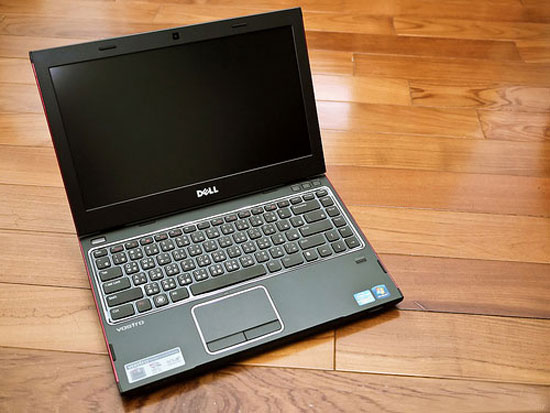 Dell Vostro 1440.
It uses the Intel Core i3-380M configuration (2. 53GHz, 3MB L3 Cache), 2G DDR3 RAM, and a 500GB hard drive.
The Dell Vostro 1440 screen is 14 inches, HD Graphic Integrated graphics card, DVD +/- RW / Carder card, 5 in 1 reader card, 1. 3MP Webcam, 6 cell battery, pre-installed PC Dos operating system, weight 2. 3 kg.
Asus X401A-WX441
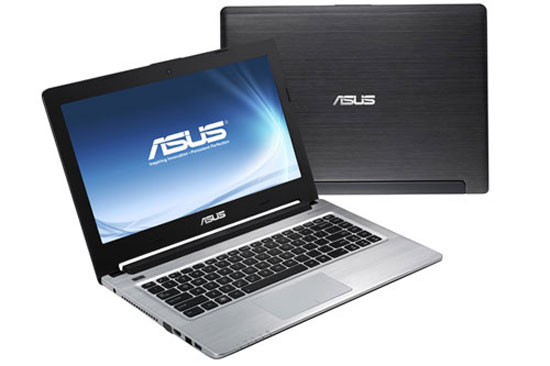 Asus X401A-WX441.
Configuration of the machine: Intel Core i3-2328M Processor (2. 2GHz / 3MB), 2GB of RAM DDR3, 1600MHz (2 slots), HDD 500G HDD (5400rpm), Intel HD Graphics 3000 VGA.
Asus X401A-WX441 uses 14inch HD WLED screen, Webcam, Bluetooth, 6 cells battery, pre-installed OS Linux, 2kg weight.
Lenovo G480
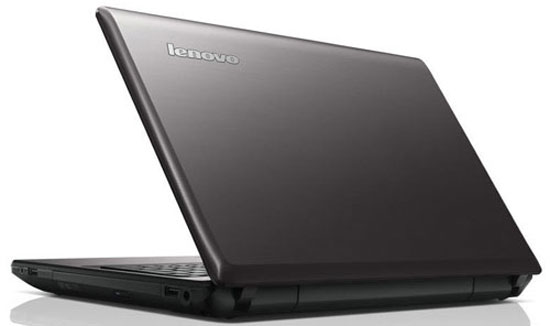 Lenovo G480.
Lenovo G480 is equipped with Intel Core i3-2348M CPU, 2GB DDR3 RAM, HDD 500GB SATA, Intel HD Graphics 3000 VGA graphics card, SuperMulti DVD drive.
It uses 14 inch screen WXGA LED, equipped with webcam, Wireless connection, Bluetooth, HDMI port, card reader, 6 cells battery, pre-installed OS PC Dos operating system, weight 2. 2kg.
Acer as E1-471
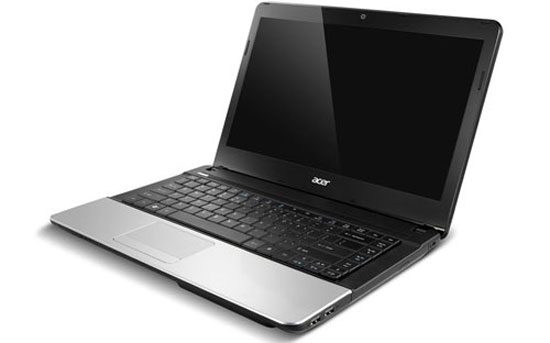 Acer AS E1-471.
The product uses a 14-inch LED screen, equipped with Intel Core i3-2348M CPU, 2GB DDR3 RAM, 500GB SATA HDD, Intel HD Graphics 3000 VGA graphics.
Acer AS E1-471 uses DVD RW drive, 6 cells battery, 1 MP webcam, USB 2. 0 port, USB 3. 0, equipped with Linux OS, 2. 4 kg weight.
HP Pavilion G4-2009TU
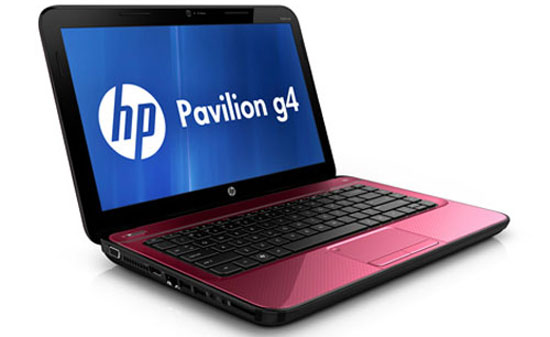 HP Pavilion G4-2009TU.
HP Pavilion G4-2009TU uses Intel Core i3-2350M CPU (2. 3GHz, 3-MB L2 cache), 2GB DDR3 RAM, 500GB Serial ATA hard drive, DVDRW optical drive.
14 nch screen size LED-backlit HD BrightView, Intel HD Graphics 3000 graphics card, 6 cells battery, weighing 2. 19 kg.
FAQ
What should I check before following these steps?
Confirm device and software compatibility, save important data, and make sure you have the required permissions, files, and account access.
Why might the process not work?
Common causes include outdated software, missing permissions, incompatible hardware, an unstable connection, or completing a step in the wrong order.
Can I undo the changes if necessary?
That depends on the tool or setting. Use built-in restore options when available, keep a backup, and record the original configuration first.
Related Articles
 Choose a Laptop for the New School Year - You Know How?5 minutes read
 Trend of Laptop Hardware This Year7 minutes read
 Core I Laptop Dominates the Vietnamese Market5 minutes read
 Acer Ethos Will Cost About 24 Million3 minutes read
 Choose Laptops: So Choose a Computer, Laptop How to Fit?6 minutes read
 Core i3 and i5 Will Appear on Laptops Early Next Year3 minutes read
Reader Comments 0
Sign in with email or Google to join the discussion.