Table of Contents
A reported Google Translate test for Android displayed translated text in a larger, full-screen view. The idea is straightforward: make a short translation easier to show to another person, such as an address or a question during a trip. A reported test is not evidence that the same control is available to every user.
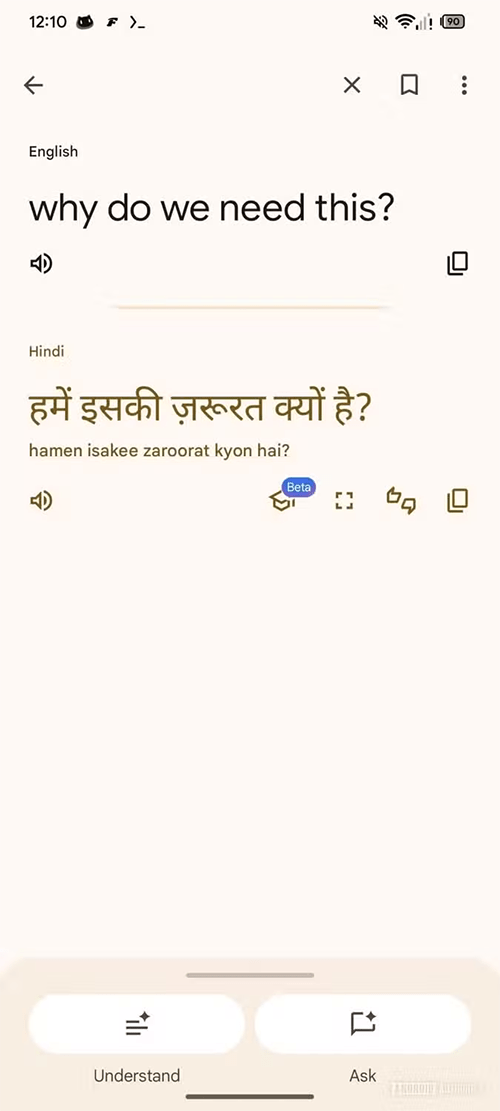
Earlier versions offered a separate enlarged display, remembered by users as white text on a blue background. The tested design instead resembled an expanded translation view. Its usefulness depends on readability in the actual setting; it should not be treated as a complete accessibility solution.
According to Android Authority’s hands-on report, the tested version (9.21.36.816661266.2) of Google Translate displayed translations in large, full-screen text, but the interface looked more like a zoomed-in version of the regular translation screen than a separate mode. This is similar to the iOS version.
Suitable for live chat and translation on the go
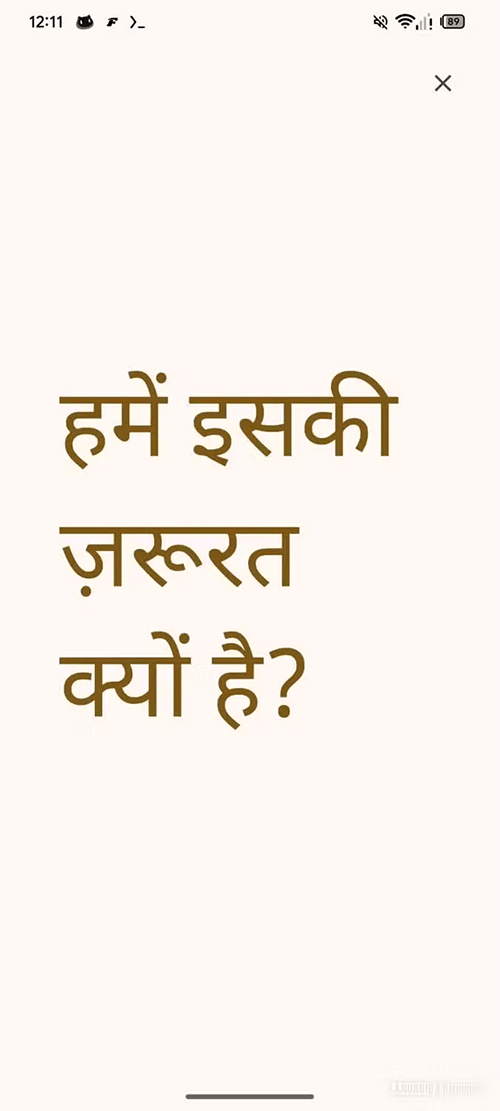
This is a small but useful change, especially when you are having a face-to-face conversation and have to show the phone to the other person. Larger text can help, but glare, viewing distance, and translation length still affect readability. Show one short message at a time and let the other person read it before moving on.
The same report described a few other AI-related updates to the Translate app. The tested interface replaced 'Ask a Follow-up' with two options: 'Understand' and 'Ask'. The 'Understand' button helps users better understand the context of a translation, while the 'Ask' button allows users to ask follow-up questions or request more detailed explanations.
Check what your version offers
Update through Google Play, translate a short sentence, and inspect the result's available display options. Menu names can change, and an app version alone does not guarantee access to an experiment. Avoid installing an unknown APK just to reproduce a preview screenshot.
If there is no enlarged view, use the available text-size or display controls, show a shorter translation, or use audio playback where supported. Google provides speech translation instructions for compatible languages.
Keep translation tasks distinct
Enlarging an existing translation does not improve its accuracy. Check important names, numbers, dates, and addresses, and ask for clarification when the meaning matters. Camera translation is a separate input method; see scanning text with Google Translate. For Apple-device settings, see setting Google Translate as the default translation app on iPhone.
Related Articles
 How to use Google Translate to translate languages on the phone
 For the first time in 4 years, Google Translate is adding new languages
 The translation of Google Translate also sometimes has to surrender before Vietnamese
 How to use AZ Translate screen, voice, photo
 How to use ChatGPT Translate and improve the wording
 Google Translate launches real-time AI translation feature and foreign language learning tools
Reader Comments 0
Sign in with email or Google to join the discussion.