Table of Contents
This updated guide explores ChatGPT remembers everything about you: here's how to stay in control with practical details, clear explanations, and useful takeaways. ChatGPT 's memory is getting smarter - and that can be a problem. it is easy to forget what we tell it: goals, fears, frustrations. Unlike humans, it does not forget anything unless you actively make it.
6. Storage and Deletion
Hide conversation only
You can archive a chat to remove it from the clutter of your sidebar. Archiving does not delete anything from ChatGPT's actual storage. You'll find your archived chats in Settings > General > Archived chats .
If your goal is to hide the conversation from ChatGPT's permanent memory, then archiving is just window dressing. Even deleting a conversation isn't enough.
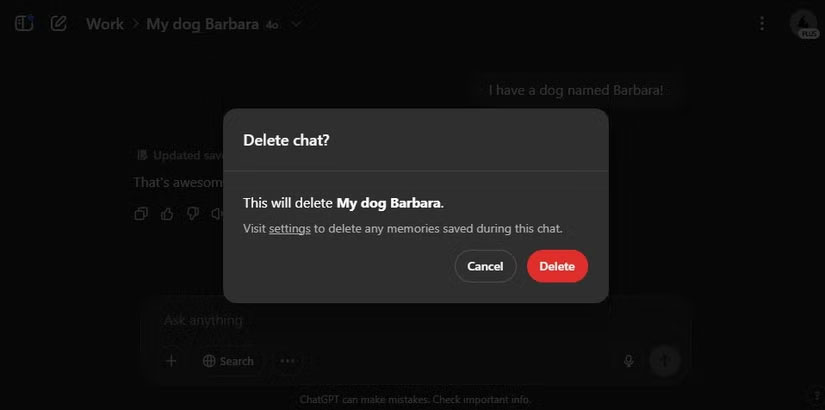
Deleting a chat will remove the record, but not what ChatGPT learned from that chat. The interface itself will mention this when you delete a chat.
5. Project Workspace
Memories still leak
Projects pool multiple conversations and let you attach custom instructions or files - great for separating client work from your D&D campaign. When new projects are introduced, they cannot write to or read from that memory. Still, recent projects still go into the same account-level memory pool, unless you have global memory disabled.
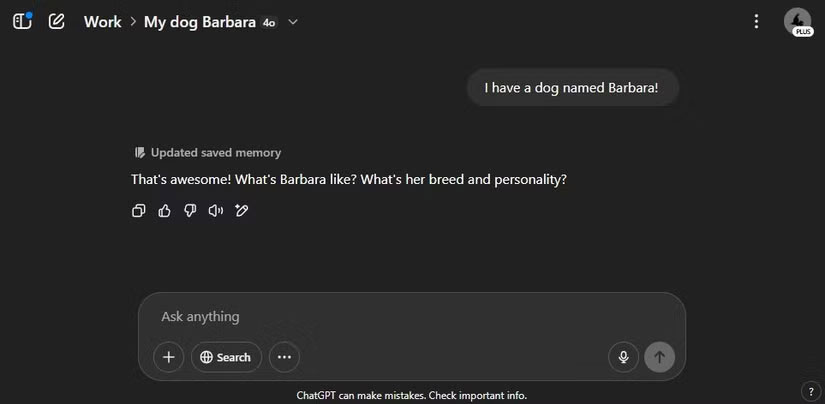
Note : In the example case, there is 1 old project and 2 new projects. The old project cannot access the account's storage, but the newer projects can read and write to it.
4. Temporary Chat
Like Incognito Mode
Temporary Chat is like Chrome's Incognito mode. The model cannot read past memories and (crucially) cannot write new ones. Once you close the window, the content is gone from you and the AI, though OpenAI keeps a copy for 30 days to monitor for abuse.
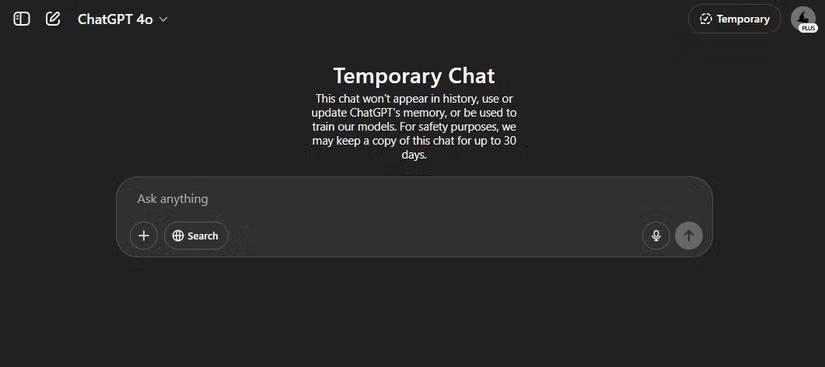
To start a Temporary Chat, starting a new conversation, then clicking. Temporary Chat in the upper right corner, next to your profile picture.
3. Completely Disable Memory
Nuclear option
The easiest way to stop ChatGPT from remembering anything is to simply toggle it on. select your profile picture, then open Personalization and turn on Reference saved memories . Turning this off will stop both reading and writing.
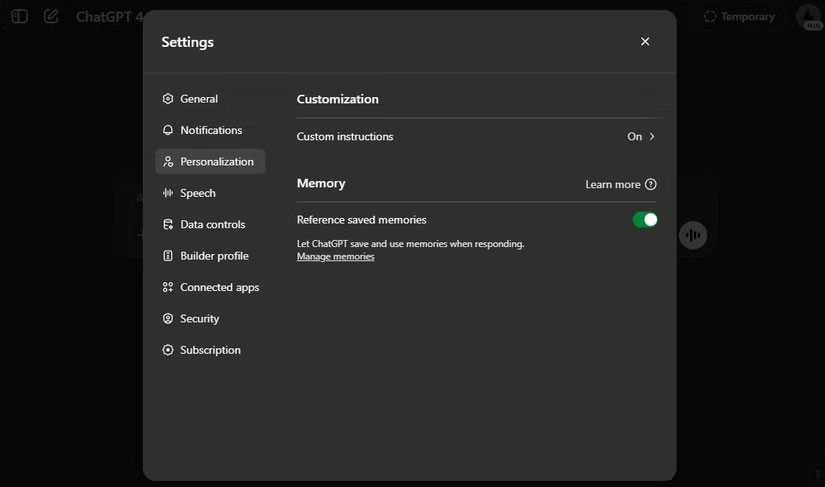
Tip : The Manage memories link below the toggle shows all the data the model has stored. You can delete individual items or delete them all.
ChatGPT's interface vaguely labels this feature Reference saved memories — as if disabling it only prevents the model from referencing stored data, not from collecting new information. Who's to say the system actually stops remembering after you turn it off? Since there's no independent audit trail, think of this switch as a speed bump, not a wall. The next two workarounds exist for exactly this reason.
2. Use ChatGPT Without Login
Become anonymous
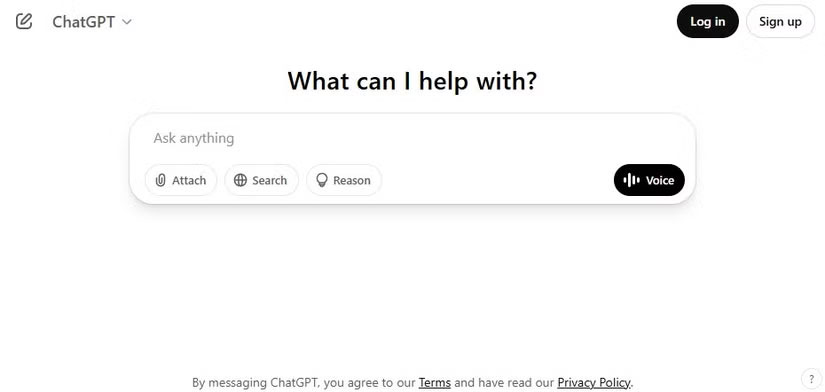
OpenAI now lets you ping models anonymously at chat.openai.com. You're stuck with the old model layer and no plugins, but there's no account to link data to. Just open a private browser window, skip the login step, and start chatting. Pair it with a VPN and you'll be nearly untraceable.
1. Third - party Wrapper
Trust issues
Tools like HuggingChat, Poe, or any other 'unified AI' dashboard call OpenAI's API on your behalf. ChatGPT's caching feature does not apply to API calls, so OpenAI only sees the text plus an anonymized client ID. That shifts the privacy burden to the wrapper service.
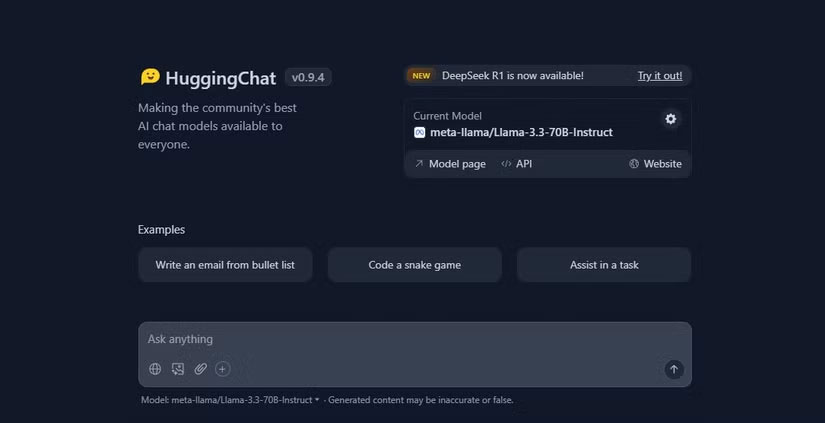
In this case, you're essentially swapping OpenAI's tracking for someone else's. Read the privacy policy of any third-party client you use, and avoid social login unless you want to defeat the entire purpose.
Or, you can use the OpenAI API yourself. Storage will not be an issue, but chats will still be linked to your OpenAI account.
Get Help Without Compromise
Privacy always walks a fine line. The more someone knows about you, the more useful they can be and the more power they have to misuse that information. That trade-off is even more difficult when that 'someone' isn't a real person, but AI developed by a company with billions of dollars and terabytes of user data.
ChatGPT's memory update pushes this boundary even further. It does not just remember your last question — it remembers everything about you. Your goals, your frustrations, your interests. And unlike Spotify or Netflix, you may have told ChatGPT things you wouldn't tell your friends. that is the difference!
You will find two layers to consider: What ChatGPT itself might do with what it remembers, and what OpenAI, like any big tech company, might be doing behind the scenes. that is many trust to put into a black box, even one that helps you brainstorm recipes and rewrite emails.
The good news is that you're not helpless. You can see what it records, tell it to forget, go anonymous, log out, or stay out of memory altogether. ChatGPT can be a helpful assistant, but it does not have to be your diary. Take control of what it knows about you.
FAQ
What is the main takeaway about ChatGPT Remembers Everything About You: Here's How to Stay in Control?
The key is to understand the core idea, compare the available options, and apply the practical guidance that matches your situation.
What should beginners know about ChatGPT Remembers Everything About You: Here's How to Stay in Control?
Start with the essential steps and terminology. Avoid changing advanced settings until you understand how they affect performance, privacy, cost, or compatibility.
How can I use this information in practice?
Follow the relevant section in order, test one change at a time, and confirm the result before moving to the next step or recommendation.
Related Articles
 Top ChatGPT Prompts for Executives: Practical Guide9 minutes read
 How to Enable Parental Controls on ChatGPT: Step-by-Step Guide3 minutes read
 Learn About ChatGPT-4o: Features, Benefits and How to Use It: Complete Guide7 minutes read
 What Is ChatGPT Pro? Is It Worth It in 2026?8 minutes read
 How to Convert ChatGPT-5 to ChatGPT-4o3 minutes read
 How to Use the ChatGPT API: a Complete Guide from a to Z12 minutes read
Reader Comments 0
Sign in with email or Google to join the discussion.