Table of Contents
This guide covers beautiful toshiba netbook with practical context and easy-to-follow details. Use it to understand the subject and apply the information confidently.
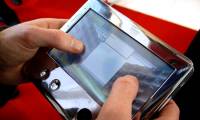
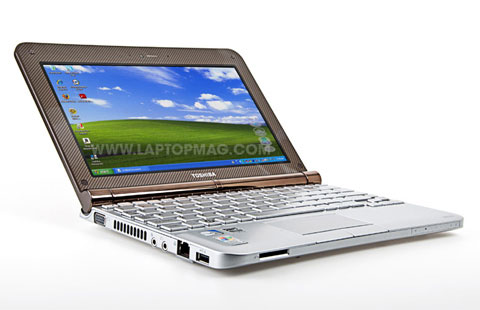 NB205 has a beautiful design Photo: Laptopmag .
This model has a unique design, easy-to-use keyboard beside the smooth trackpad. This is also a battery netbook that uses up to 9 hours. NB205's design looks better than most netbooks in the market. Toshiba will introduce two versions, the model will cost $ 399 (about 7. 2 million) and a model of $ 349 (about 6. 2 million) with some changes in color and design lines. NB205 runs on Intel Atom N280 processor, 1 GB RAM and 160 GB hard drive, running on Windows XP Home operating system. In particular, the hard drive of the machine is protected when dropped suddenly by 3D accelerometer. NB205 has 6 cell, 5800 mAh battery, Toshiba said that the usage time is 9 hours.
FAQ
What should I check before following these steps?
Confirm device and software compatibility, save important data, and make sure you have the required permissions, files, and account access.
Why might the process not work?
Common causes include outdated software, missing permissions, incompatible hardware, an unstable connection, or completing a step in the wrong order.
Can I undo the changes if necessary?
That depends on the tool or setting. Use built-in restore options when available, keep a backup, and record the original configuration first.
Related Articles
 Toshiba's Cheap 8. 5-hour Netbook3 minutes read
 Toshiba Strengthens Netbooks3 minutes read
 Toshiba's Ultra-portable Laptop Trio4 minutes read
 Toshiba Introduced a Netbook That Supports Many Entertainment Features4 minutes read
 Toshiba NB520 Returns to Vietnam for Nearly 11 Million3 minutes read
 Toshiba 5. 6 Inch Computer Equipped with Windows Vista3 minutes read
Reader Comments 0
Sign in with email or Google to join the discussion.