Table of Contents
This guide covers asus unveiled a rotating touch netbook with practical context and easy-to-follow details. Use it to understand the subject and apply the information confidently.
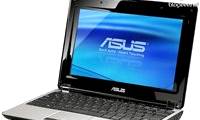
The touchscreen Eee PC - T91 and T101H - has a design quite similar to Gigabyte's M912 netbook just launched earlier this year. Both netbooks are running Windows XP, using Intel Atom processors and rotating tap screens. In terms of configuration, Gigabyte's M912 netbook uses a more powerful 1. 6GHz Intel Atom processor, while the Eee PC T91 uses a more energy efficient 1. 33GHz Atom chip and supports Intel Virtualization technology. T101H uses Diamondville chip.
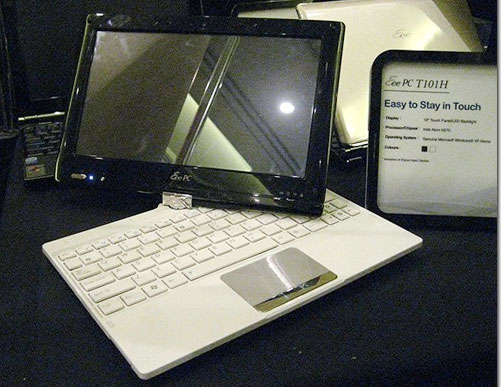 Asus Eee PC T101H
The T91 also has a TV tuner so users can watch their favorite shows on the road. And, GPS technology will turn netbooks into navigation devices. These two netbooks will be available in the market within the next 3-6 months. Currently, the selling price has not been announced.
FAQ
What should I check before following these steps?
Confirm device and software compatibility, save important data, and make sure you have the required permissions, files, and account access.
Why might the process not work?
Common causes include outdated software, missing permissions, incompatible hardware, an unstable connection, or completing a step in the wrong order.
Can I undo the changes if necessary?
That depends on the tool or setting. Use built-in restore options when available, keep a backup, and record the original configuration first.
Related Articles
 Touch Eee PC Touch Netbook3 minutes read
 Netbook Screen Rotation, Battery Running 15 Hours4 minutes read
 Asus Unveiled a Sliding Battery-powered Netbook4 minutes read
 These Netbooks Cost Around VND 5 Million Just Launched in Vietnam4 minutes read
 Netbook 'Strange' Asus N107 minutes read
 Another Great Asus Netbook3 minutes read
Reader Comments 0
Sign in with email or Google to join the discussion.