Table of Contents
This guide covers archos launched arcbook laptop running Android with practical context and easy-to-follow details. Use it to understand the subject and apply the information confidently.
According to information from Archos, ArcBook will be sold for $ 169. 99, $ 50 cheaper than Acer's Chromebook C720 introduced a long time ago.
In terms of configuration, ArcBook is equipped with 10. 1-inch screen that supports multi-tap with 600 1024 pixel resolution, dual-core processor with 1. 2 GHz speed, 1 GB RAM, 8 GB internal memory, running Android 4. 2 Jelly Bean and 8000 mAh battery.
In addition to the apps that can be installed from Google Play, ArcBook is also installed with OfficeSuite Pro 6 to serve the needs of Word processing.
FAQ
What should I check before following these steps?
Confirm device and software compatibility, save important data, and make sure you have the required permissions, files, and account access.
Why might the process not work?
Common causes include outdated software, missing permissions, incompatible hardware, an unstable connection, or completing a step in the wrong order.
Can I undo the changes if necessary?
That depends on the tool or setting. Use built-in restore options when available, keep a backup, and record the original configuration first.
Related Articles
 HP Launched a Cheap Laptop Running Android3 minutes read
 HP Out of Android Laptops Cost More Than 9 Million3 minutes read
 Google Launched New Promotional Videos on Android Wear3 minutes read
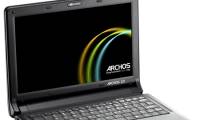 Archos Also 'Net' the Netbook3 minutes read
 Laptop Running Google Android3 minutes read
 HP Launched the Desktop Running Android3 minutes read
Reader Comments 0
Sign in with email or Google to join the discussion.