Table of Contents
This guide covers Apple plans to fix the MacBook air screen error with practical context and easy-to-follow details. Use it to understand the subject and apply the information confidently.
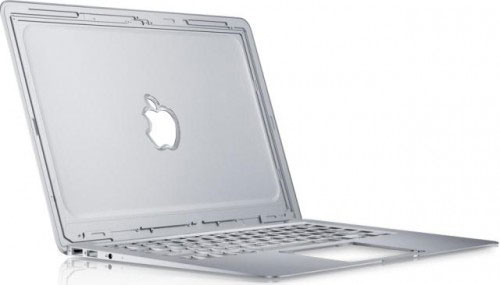 Shortly after the launch, the MacBook Air has failed (Photo: Italiamac)
According to a document published by technology blog Boy Genius Report, Apple is currently looking to fix two screen errors of the new MacBook Air line.
According to the document, there are two problems with new MacBook Air users: The first problem is the screen when it appears randomly in gray or blue when the machine is turned on from " Hibernating " ( sleep) or after connecting to an external monitor , meanwhile, Another problem indicates that the screen may fade or flicker from morning to night after booting from sleep .
AppleCare's internal memo reports that these errors have been recorded and will be fixed with a new software update that Apple will release soon. But so far there has not been any evidence that Apple has identified the cause of the error.
In fact, if Apple plans to update a new firmware version to the MacBook Air, perhaps an error is related to the device's driver. And while waiting for the release date of the patch, if the user encounters the above situation, it is possible to implement a simple solution that Apple gave: ' Turn it off, wait for about 10 seconds and start To Reactivate it , the MacBook Air will resume normal operation.
FAQ
What should I check before following these steps?
Confirm device and software compatibility, save important data, and make sure you have the required permissions, files, and account access.
Why might the process not work?
Common causes include outdated software, missing permissions, incompatible hardware, an unstable connection, or completing a step in the wrong order.
Can I undo the changes if necessary?
That depends on the tool or setting. Use built-in restore options when available, keep a backup, and record the original configuration first.
Related Articles
 Apple Officially Acknowledged iPhone X, MacBook Pro Has Hardware Failure3 minutes read
 Apple's New Ultra-thin Laptop Has a Screen Error3 minutes read
 MacBook Air 2013 Still Sticks to Screen Blurring Errors4 minutes read
 The 15-inch MacBook Pro Supports 5K Screen Output3 minutes read
 Tips to Fix a White Macbook Screen Error3 minutes read
 Apple Updates the Bug Fix Software on MacBook Air3 minutes read
Reader Comments 0
Sign in with email or Google to join the discussion.