Table of Contents
This guide covers anti-theft laptop with practical context and easy-to-follow details. Use it to understand the subject and apply the information confidently.
Through this article, hope you will choose the optimal way to protect your laptop.
Lock and alarm bell
Some companies like Targus and Kensington produce devices that can protect your laptop by locking the outside completely (like locking bicycles). These keys, often referred to as Kensington lock, will only discourage those who suddenly argue to steal in an office environment, not preventing professional thieves.
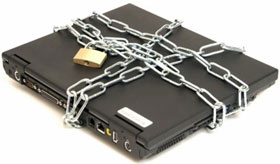 In addition to traditional locks, some high-tech locking devices, such as Motion Sensor, are also widely used. With these products, you can set up a more secure layer for your laptop. They will generate an alarm when the computer is moved, or when some cables are disassembled via a link to the laptop with a special protection port available on the machine.
All new laptops have recently built several ports for these devices, but some (especially Kensington) require a special port for their device. Therefore, you should check the configuration of your laptop before purchasing a set of keys.
Biological security
Basically, this feature of protection is based on a combination of 3 factors: things you know (passwords), things you have (keys), and things that are. You. Things like keys or passwords can be broken or stolen. Meanwhile, biological identification is probably an optimal choice because it is very difficult to be fake. Identity is made through the transformation of your biological markers, such as fingerprints, irises into identifying eye segments through algorithms, which allow the computer to recognize who you are.
Several manufacturers of personal computers now have built-in bio-recognition system laptops through fingerprints. In addition, external biological security devices are also being sold on the market. Using this type of device will make it difficult to access the data in your device, especially for many solutions that are independent of the built-in operating system, because if not exceeded Over the barrier, the thief will not be able to start the computer.
In fact, bio-security devices should now be used in combination with encryption software to secure data, increase the security of passwords.
Laptop recognition program
If your laptop is pre-registered with the manufacturer, it will increase your chances of getting it back when it is stolen. The manufacturer will track the device's production numbers throughout its base network. In case the laptop is then taken to repair or break the lock, its file will be saved and detected. You can also equip your laptop with an identification card to affirm personal ownership. The most commonly used is the STOP security program. Although the purpose is primarily aimed at business, this program has many benefits for common home users.
Personalize your laptop
In parallel with the above methods, personalizing your laptop with your own characteristics can also increase your ability to retrieve it when lost. It is a good idea to write your name or information about you somewhere on the laptop. In addition, you can correct identification information such as images or special characters on the camera body to provide police with important descriptions, helping them find more efficient machines.
App to monitor laptops
To increase your chances of regaining lost laptops, you can purchase machine tracking software. These products operate in a very simple way, simply sending signals to the manufacturer periodically and secretly over the Internet. When your laptop is stolen, you need to tell the software manufacturer. When other people use your device to access the Internet, the manufacturer will know and provide police information as soon as a signal comes from their product.
Some manufacturers reference:
- ZTrace (www. Ztrace. Com/zTraceGold. Sap) - Computrace (www. Computrace. Com/public/products/computraceplus/default. Asp) - Cyberangel (www. Sentryinc. Com/ca-track. HTML)
FAQ
What should I check before following these steps?
Confirm device and software compatibility, save important data, and make sure you have the required permissions, files, and account access.
Why might the process not work?
Common causes include outdated software, missing permissions, incompatible hardware, an unstable connection, or completing a step in the wrong order.
Can I undo the changes if necessary?
That depends on the tool or setting. Use built-in restore options when available, keep a backup, and record the original configuration first.
Related Articles
 Anti-theft Solution for Laptops6 minutes read
 iPhone Theft: Complete Guide3 minutes read
 7 Best Anti-theft Apps to Protect Android Device10 minutes read
 Do You Know How to Prevent Website Theft?: Website Content Theft7 minutes read
 Data Protection: 5 Types of Data Theft You Should Know to Prevent8 minutes read
 Summary of Dude Theft Wars Cheat Codes and How to Enter Dude9 minutes read
Reader Comments 0
Sign in with email or Google to join the discussion.