Table of Contents
Overview
This guide examines the question '[Answer] What Do You Need to Build a PC?' in clear, practical terms. It covers the key concepts, recommended steps, common limitations, and useful checks so you can make a better-informed decision.
Just grasp the concept of what a PC build is and learn what it takes to build a PC, and you can completely own a super-powerful PC that shows your personal style. Below is a complete and simple way to build a PC that you should not miss.
What Is Build PC?
Build PC can be understood as designing a desktop computer. You can choose components and assemble them yourself to create a PC according to your preferences. Compatible components will bring the best performance at a reasonable price.
Benefits and notes when building your own PC
When you build your own PC instead of buying a ready-made PC, you will have the following benefits:
Cost savings
Building your own PC can help you save many money compared to buying a ready-made PC. You don't need to pay for assembly for technicians, better performance but cheaper price.
Self-built PC will be stronger
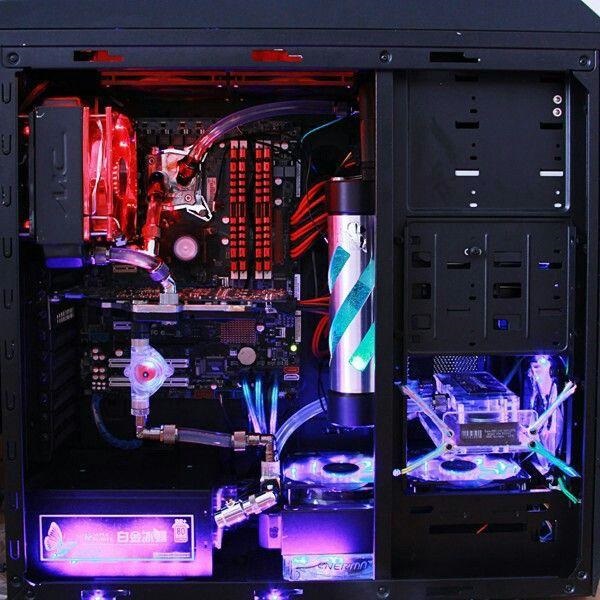
When building your own PC, you can choose and filter each component and product to create a PC that suits you. You can choose the components with the highest configuration and the strongest RAM that you want.
Satisfy personal interests
It would be great if you could build your own gaming configurations according to your preferences. The PCs you build yourself are completely different from the pre-built PCs.
What do you need to build a PC?
To get a good computer and experience high speed, you need to set standards for your steed.
CPU (Microprocessor)
CPU is considered as the brain of the computer, processing tasks and information systems most effectively. You need to prioritize new, strong CPU to build a professional computer.

Mainboard
The motherboard will be designed based on the available size. The motherboard size needs to be compatible with the corresponding case size. Gaming computer motherboards usually have 4 types: E-ATX, ATX, Micro-ATX or Mini-ITX.
How compatible is the motherboard you choose with RAM: Number of slots, maximum total RAM capacity, number of RAM PINs required, RAM type (DDR4 or DDR3) and multi-channel support.
VGA (Graphics Card)
When building a PC, the graphics card is the most important part to ensure you play games, surf the web. smoother. In VGA there is GPU, this is the bridge in transmitting data in game programs into images on the screen. Always check if the VGA port is connected to the motherboard correctly and if the output port can be used for your monitor.
The VGA cooling system is extremely important because if not cooled, the VGA will reduce performance to reduce heat. When choosing to buy a VGA, check if the components operate stably, how much the temperature increases and how many cooling fans there are.
HDD/SSD (Storage Device)
HDD has common size of 3.5 inch for desktop and 2.5 inch for laptop. HDD uses mechanical, magnetic mechanism for storage, has disk drive, rotating shaft. HDD has cheap price and large capacity, however, read/write speed is slower than other types of hard drive.
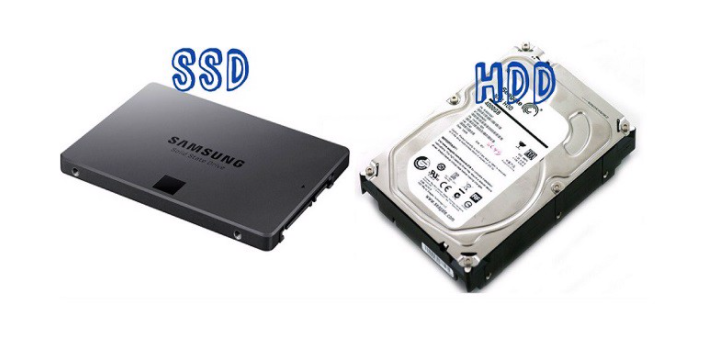
The advantage of SSD compared to HDD is superior read/write speed, not fragile like HDD, but the price is too high.
If you use your PC to handle high-end tasks like design, using an SSD is most suitable for fast boot-up and fast work.
PSU (Power)
The power supply is very important because it provides power to all other devices in the PC to operate. The power supply determines the life of all hardware.
When buying a power source, you should choose a reputable brand, capacity and some other details.
RAM (Cache Memory)
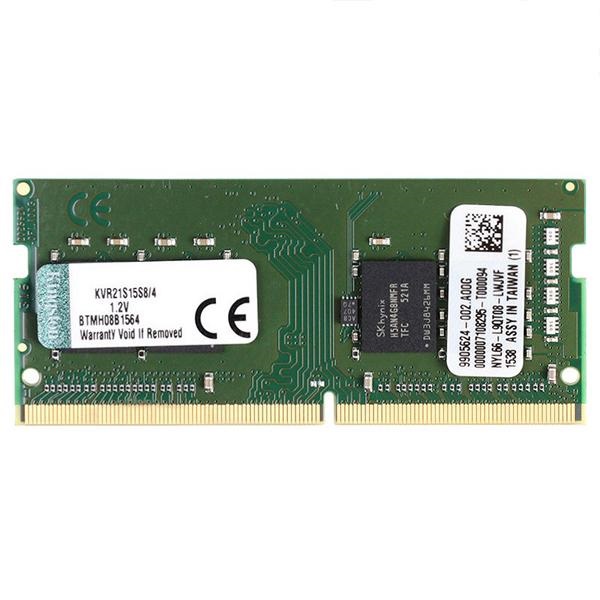
The capacity and speed of RAM you want to install in your PC depends on the motherboard. With a computer for entertainment like gaming, you don't have to worry about other parameters like latency and power.
Gaming PC Case
A case that fits everyone in will clearly show your personal style. The case's main function is to mount and protect the internal components, and more importantly, it's aesthetic.
Above are the answers and questions about what is needed to build a PC for beginners. Hopefully with the above sharing, you can build your own PC to suit your personal style. In addition, to buy quality PC building components at a good price or assemble a cheap gaming computer, you should go to this guide via hotline: 19001903!
Key Takeaways
Use the guidance above as a practical reference for [answer] what do you need to build a. Check compatibility, follow the steps carefully, and verify important details with official documentation when software, security, accounts, health, or purchases are involved.
FAQ
[Answer] What Do You Need to Build a PC?
The answer depends on the conditions, limitations, and evidence explained in this article. Review the relevant section before applying the conclusion to your situation.
What factors can change the answer?
Hardware, software version, location, budget, compatibility, timing, and individual requirements can all affect the result.
How can I verify the information for my situation?
Check current official documentation, compare your exact model or account settings, and confirm any time-sensitive details before acting.
Related Articles
 How to Get and Take Care of Pets in Build an Island5 minutes read
 Instructions to Build the Strong Animal Dtcl Season 2 Squad6 minutes read
 Yahoo Answer Will Stop Working Permanently2 minutes read
 Answer Game I Know All 900 Levels32 minutes read
 How to Build a Small PC with Mini-ITX12 minutes read
 Microsoft Released Windows 10 Build 17074, Providing Operating5 minutes read
Reader Comments 0
Sign in with email or Google to join the discussion.