Table of Contents
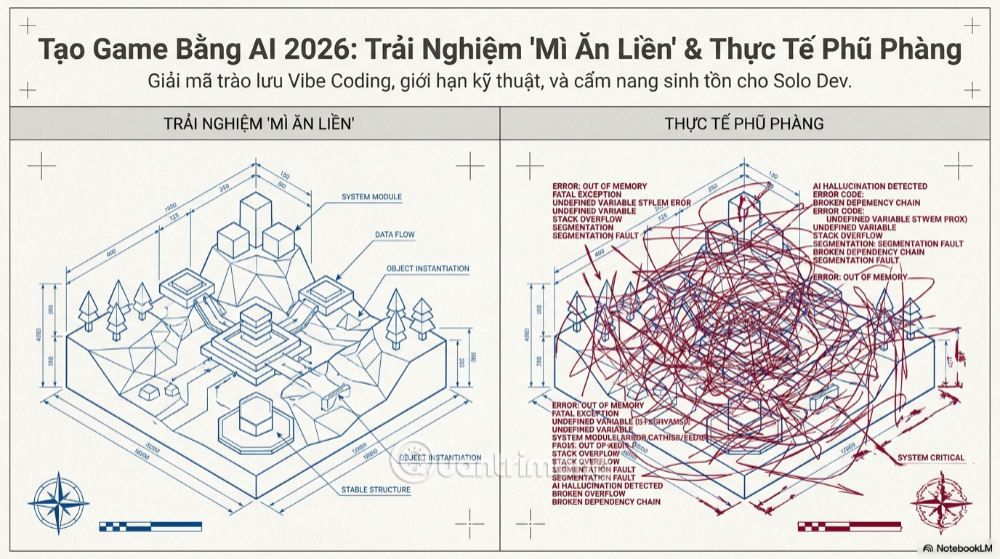
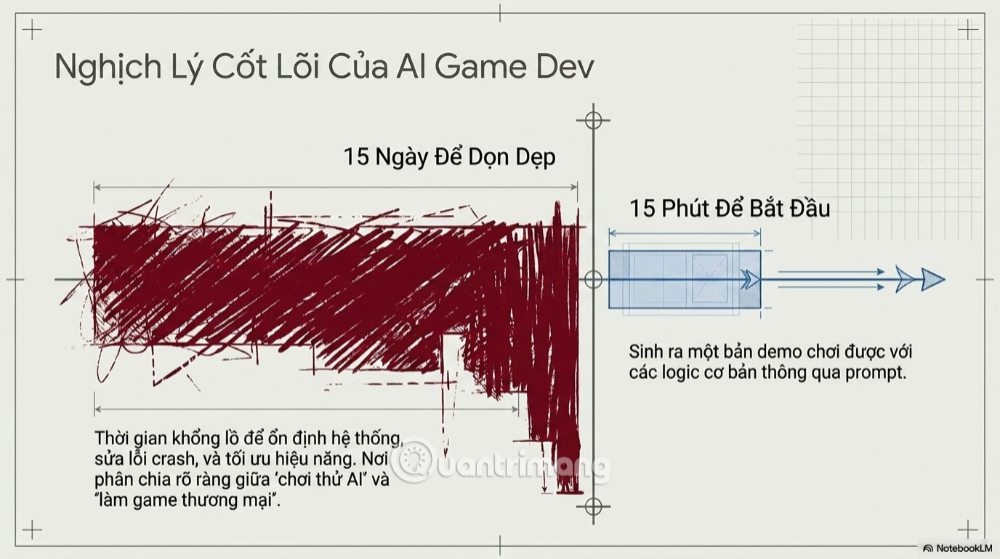
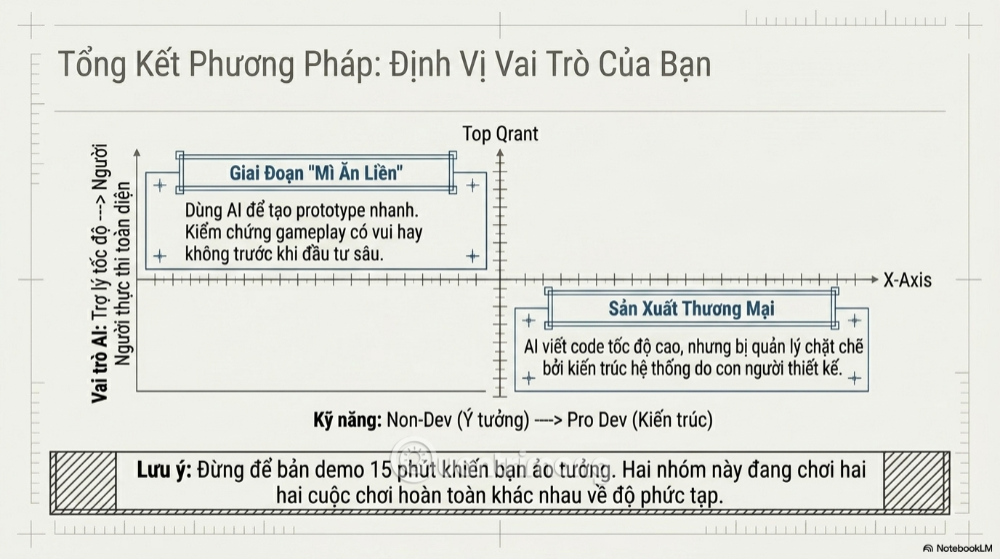
AI can help you produce a small playable game quickly, but it does not remove the work required to finish one. A prompt-built demo may contain a character, controls, obstacles, and scoring within minutes. A release-ready game also needs coherent design, maintainable code, original assets, menus, saving, accessibility, performance work, testing, platform integration, and support.
The useful way to think about AI game development is not “AI makes the game for me,” but “AI shortens individual tasks while I remain responsible for the system.” That distinction separates an impressive prototype from a product players can trust.
Why a 15-minute game demo is possible
Small games are built from recognizable patterns. A coding assistant can generate common movement code, collision checks, score counters, basic menus, and browser-game scaffolding. Text-to-game tools can combine these patterns behind a prompt-based interface, making the first result feel nearly instant.
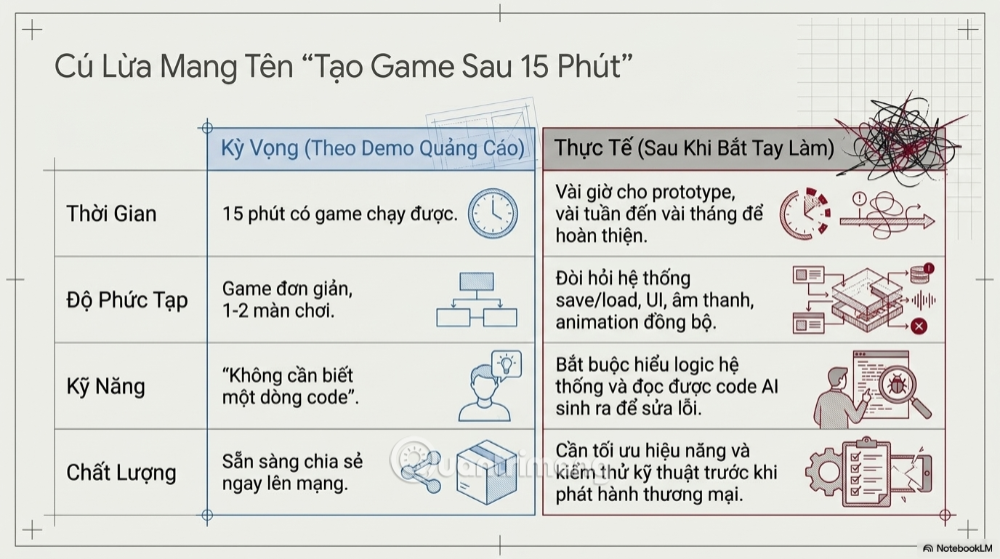
That speed is genuinely useful for testing a mechanic. If you want to know whether bouncing between two walls feels fun, a disposable prototype may answer the question without weeks of setup. AI can also help a beginner see the relationship between input, physics, animation, and game state.
World models add another kind of demonstration: they can generate an interactive environment from text or images. These research systems show that generated scenes can respond to input, but an explorable generated world is not automatically a conventional game project. It may not provide editable source code, deterministic rules, persistent state, production tooling, or a path to ship on a store.
Prototype versus finished game
| Area | Quick prototype | Release-ready game |
|---|---|---|
| Goal | Prove that one idea is playable. | Deliver a stable, coherent experience for real players. |
| Code | Can be temporary and narrowly scoped. | Needs clear ownership, tests, versioning, and maintainable architecture. |
| Content | A few placeholder assets and one level may be enough. | Requires consistent art, audio, UI, levels, progression, and permissions for every asset. |
| Systems | Basic input, movement, collision, and scoring. | Saving, settings, tutorials, localization, accessibility, achievements, and platform services may be needed. |
| Quality | Works during a short demonstration. | Must handle different hardware, resolutions, controllers, save states, and failure cases. |
| Time | Minutes or hours for a limited concept. | Depends on scope; testing and content production usually dominate the schedule. |
What AI is good at in game development
Creating disposable prototypes
AI is effective when the request is small, verifiable, and safe to discard. Examples include a camera controller, a simple inventory mock-up, a menu transition, an enemy-state prototype, or a procedural-level experiment. The developer can play the result immediately and decide whether the idea deserves further work.
Explaining engine APIs and unfamiliar code
A coding assistant can translate an error message into plain language, explain a scene hierarchy, propose a small function, or compare two implementation approaches. Treat the answer as a draft: confirm method names and lifecycle behavior in the documentation for the exact engine version.
Writing repetitive support code
Serialization helpers, editor utilities, test fixtures, data conversions, and boilerplate are often easier to review than novel gameplay architecture. AI can save time here if generated code follows project conventions and receives the same review as human-written code.
Producing variations for evaluation
You can ask for several menu layouts, item descriptions, tutorial messages, level ideas, or implementations of a small algorithm. The value comes from comparing options, not accepting the first output.
Where AI-assisted projects break down
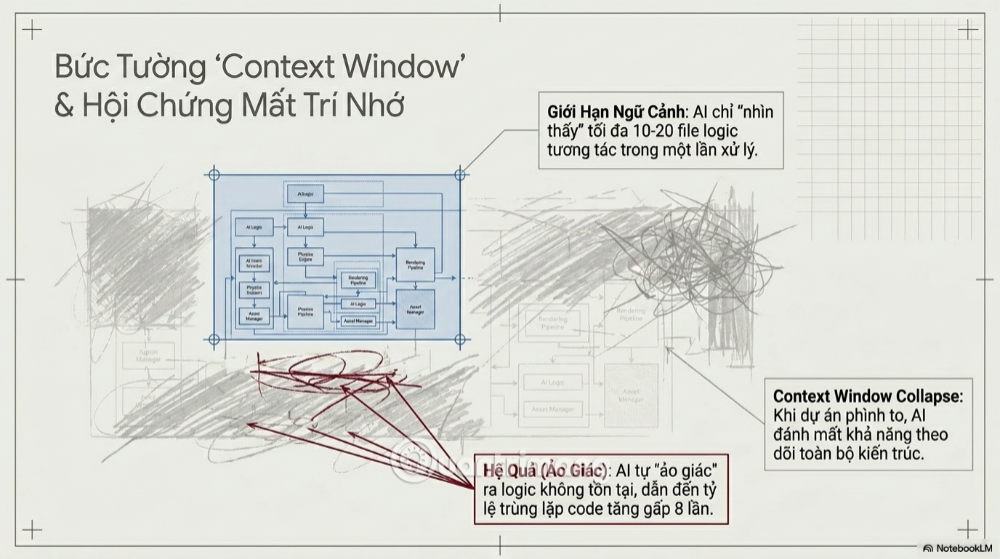
The model does not hold the entire project in active context
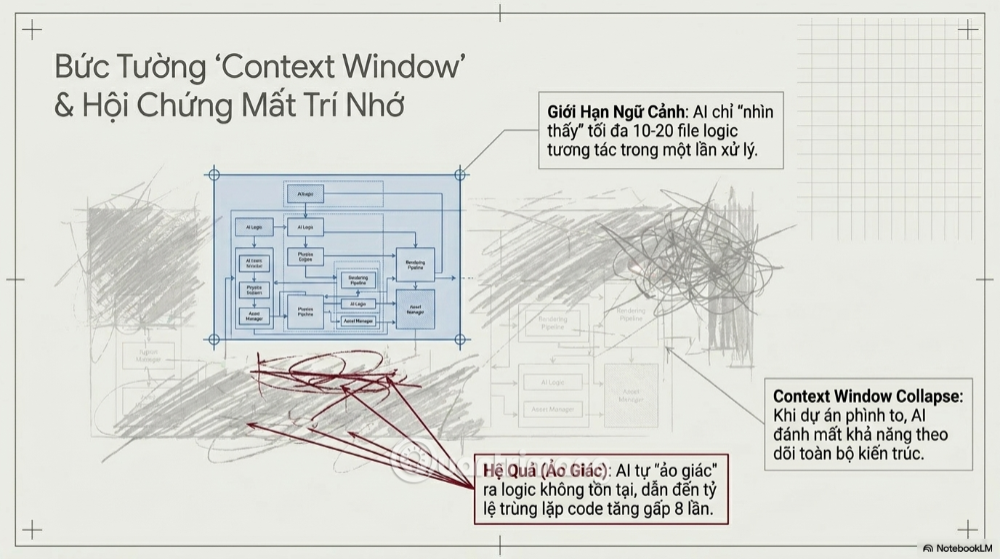
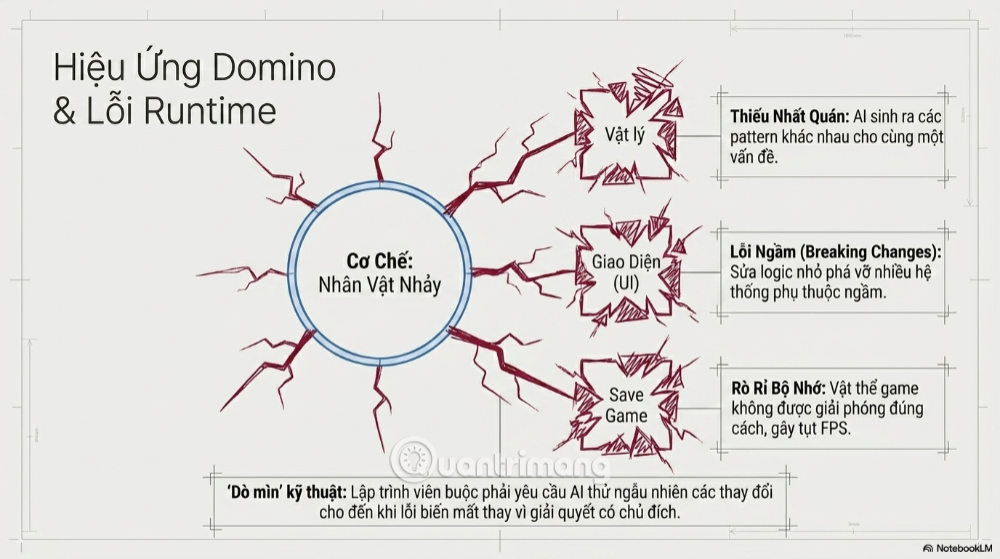
An AI model works with a limited set of instructions, files, retrieved passages, and tool results at a time. As a project grows, it may not see an earlier architectural decision, a signal emitted in another scene, or an invariant documented in a different file. A large context window helps, but it does not guarantee that every relevant detail will be selected or understood.
The result can be duplicate managers, conflicting state, invented node paths, or a new function that bypasses an existing abstraction. This is a context-management problem, not proof that the model “forgot” in the human sense.
Generated code can be locally correct and globally wrong
A function may compile and pass a narrow test while violating assumptions elsewhere. Changing jump physics can affect animation timing, network prediction, level geometry, and accessibility settings. AI cannot detect those relationships unless the necessary code, requirements, and runtime evidence are available—and even then its conclusion can be wrong.
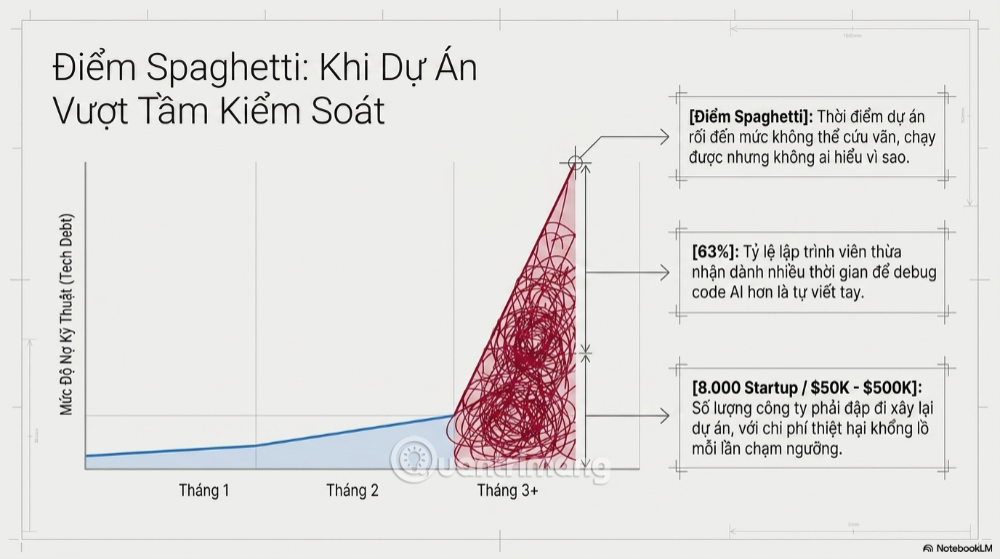
Repeated patching creates inconsistent architecture
“Spaghetti code” is code whose dependencies and control flow are difficult to understand. It is not unique to AI, but repeated prompt-driven patches can create it quickly. One request introduces an event bus, another accesses a global singleton, and a third searches the scene tree directly. Each change works in isolation, yet the project has no consistent pattern.
Runtime behavior still needs observation
Source code is only part of a game. Bugs also depend on scene data, imported assets, animation state, physics timing, input mappings, device drivers, and platform services. An assistant that can read files and logs has better evidence than a chat box, but a person still needs to reproduce the problem and judge whether the game feels and behaves correctly.
Assets carry legal and production risks
Generated art, audio, dialogue, and code need provenance and license review. Avoid asking a model to imitate a living artist or copy a recognizable commercial game. Keep records of tools, prompts, source assets, edits, and applicable terms. Store source files so the team can replace disputed or low-quality content later.
Do you need a special “AI game engine”?
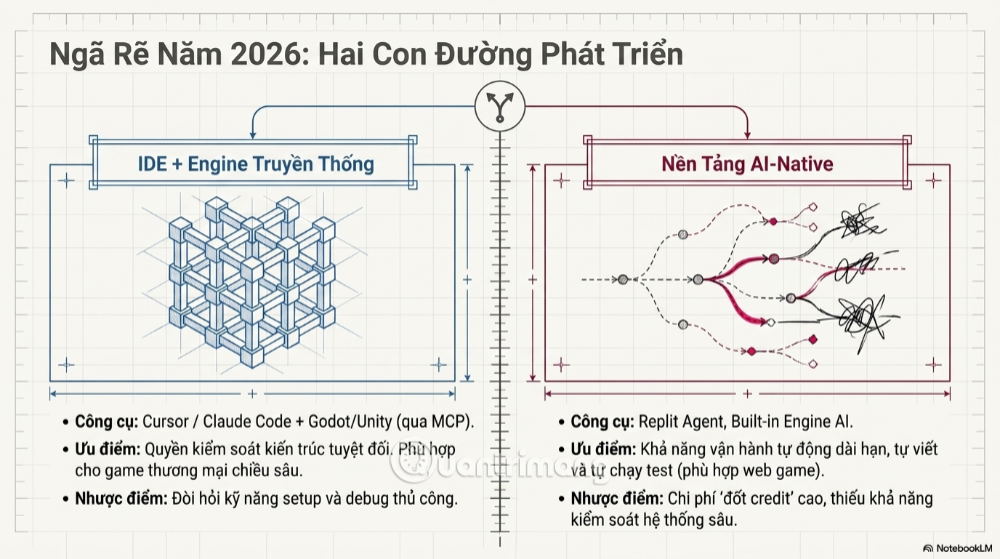
Prompt-first platforms are convenient for browser prototypes, educational experiments, and small projects when their export and licensing terms match your goal. A traditional engine is usually the safer foundation when you need detailed control, a mature debugger, platform exports, asset pipelines, profiling, source control, and a long maintenance life.
Ask these questions before committing to a prompt-based platform:
- Can I export the complete project and continue without the service?
- Who owns generated code and assets, and what use is permitted?
- Can I inspect and change the implementation directly?
- Which target platforms are supported?
- How are saves, analytics, payments, multiplayer, and platform SDKs handled?
- What happens to the project if the service, pricing, or model changes?
- Can I use normal version control, automated tests, and crash reporting?
Choosing a traditional engine for AI-assisted work
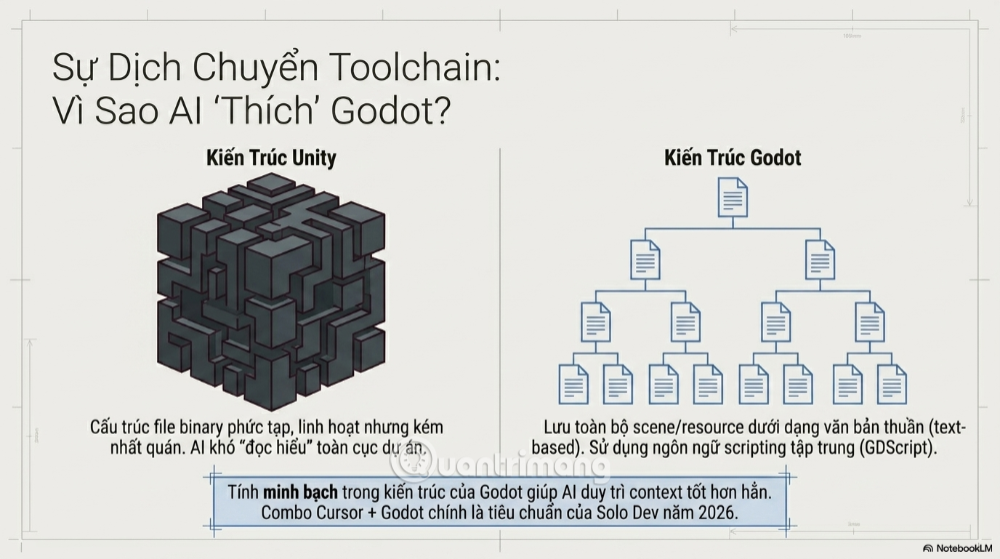
Godot, Unity, Unreal Engine, and other established engines can all be used with coding assistants. Choose based on your target platforms, language experience, asset pipeline, team skills, licensing needs, and required engine features—not on a broad claim that one engine is always “better for AI.”
Godot’s text scene format is mostly human-readable and works well with version control. Unity can also serialize scenes and assets as text. In either engine, generated scene edits still need validation because a syntactically plausible file can contain invalid resource references or unwanted changes.
Tools can provide context, but not judgment
Modern coding agents can search a repository, edit several files, run commands, read tests, and sometimes connect to development tools through protocols such as MCP. Game-engine integrations may expose scene information, logs, or editor actions. This is more reliable than pasting one code fragment into chat because the assistant can inspect actual project state.
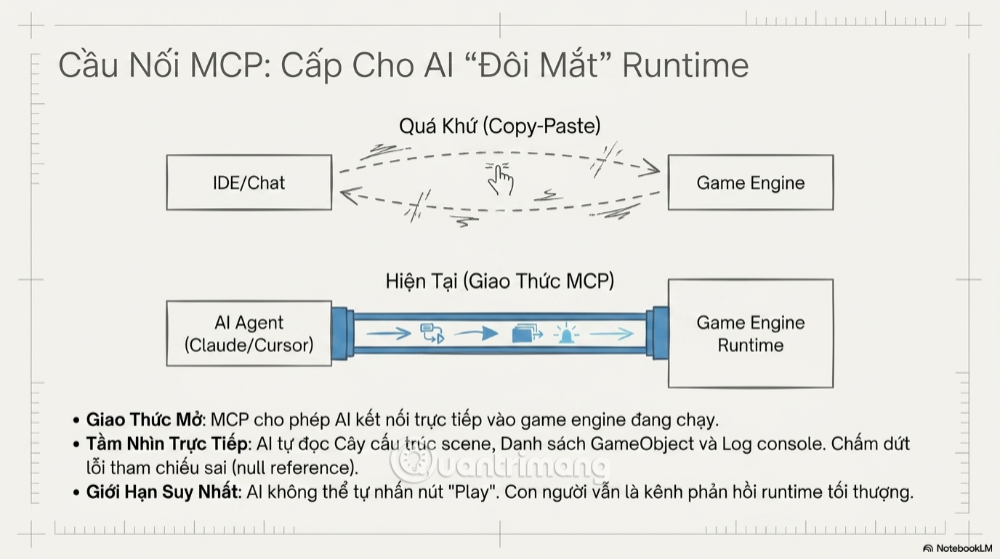
More access also creates more risk. A tool-enabled agent can alter many files, run scripts, delete assets, or expose secrets if permissions are too broad. Review the integration, limit its workspace and credentials, keep changes in version control, and require confirmation for destructive or external actions.
A maintainable AI-assisted game workflow
1. Reduce the design to one testable question
Define the smallest mechanic that proves the idea: “Is redirecting projectiles fun?” is better than “Build a complete action game.” List what the prototype explicitly will not include.
2. Create the project and version-control baseline yourself
Choose the engine version, initialize the repository, configure ignored files and large-file handling, and make a clean first commit. Never let an assistant be the only place where project history exists.
3. Document architecture and conventions
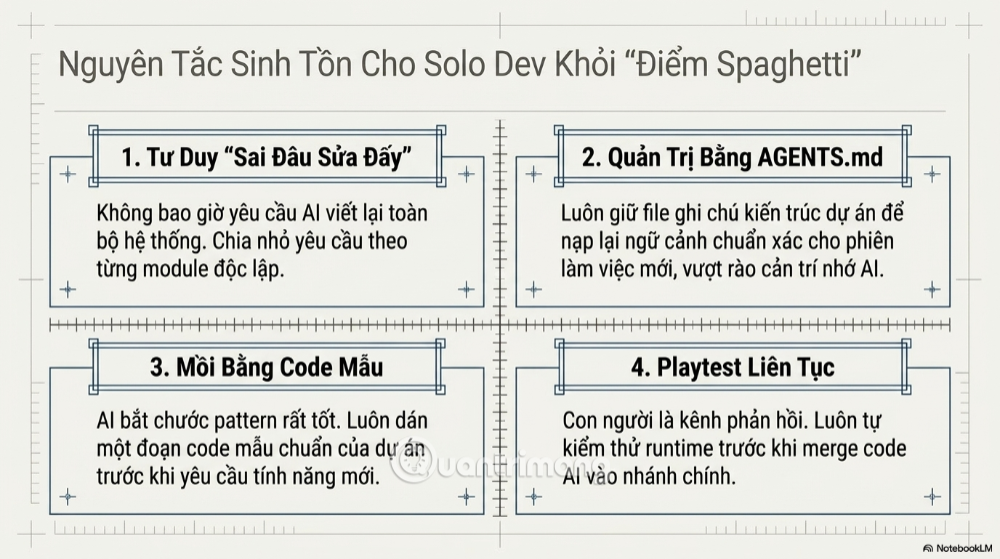
Keep a short project guide that names core scenes, state owners, input conventions, event patterns, test commands, and prohibited dependencies. The document helps both people and AI tools enter a new session with the same rules.
4. Request one bounded change at a time
Specify the files that may change, desired behavior, edge cases, and acceptance tests. Ask the assistant to inspect related code before editing. A small diff is easier to understand and reverse than a generated subsystem.
5. Inspect before running
Review the diff for deleted resources, hard-coded paths, new dependencies, duplicated logic, and exposed credentials. If you cannot explain the change, do not merge it.
6. Test behavior immediately
Compile, run automated tests, and play the affected mechanic. Check controller and keyboard input, pause and restart behavior, scene transitions, different frame rates, and save compatibility where relevant. Give the assistant exact errors and reproduction steps rather than asking it to “try another fix.”
7. Commit working increments
Create a commit after each verified change. If a later suggestion breaks the project, revert that change instead of stacking speculative patches.
8. Refactor deliberately
Once the mechanic is worth keeping, replace disposable prototype code with a documented design. Refactor with tests in place. Do not ask the model to regenerate the entire project merely because one section is messy.
Release checklist for an AI-assisted game
- Every code and asset license has been reviewed and recorded.
- The game starts, saves, loads, pauses, quits, and recovers from invalid state correctly.
- Input, UI scaling, audio controls, and accessibility options work on target devices.
- Performance has been profiled on representative low- and high-end hardware.
- Networked features have authentication, rate limits, validation, and failure handling where applicable.
- Secrets and signing keys are not stored in the repository or sent to an unapproved AI service.
- Fresh users can understand the controls without developer guidance.
- Crash logs and a support path exist for the released build.
- A person has reviewed all AI-generated changes that remain in the product.
Bottom line
AI makes the first playable version easier; it does not make product development easy. Use prompt-first tools to test ideas and coding assistants to accelerate bounded tasks. Keep the architecture, source control, testing, licensing, and release decisions under human ownership.
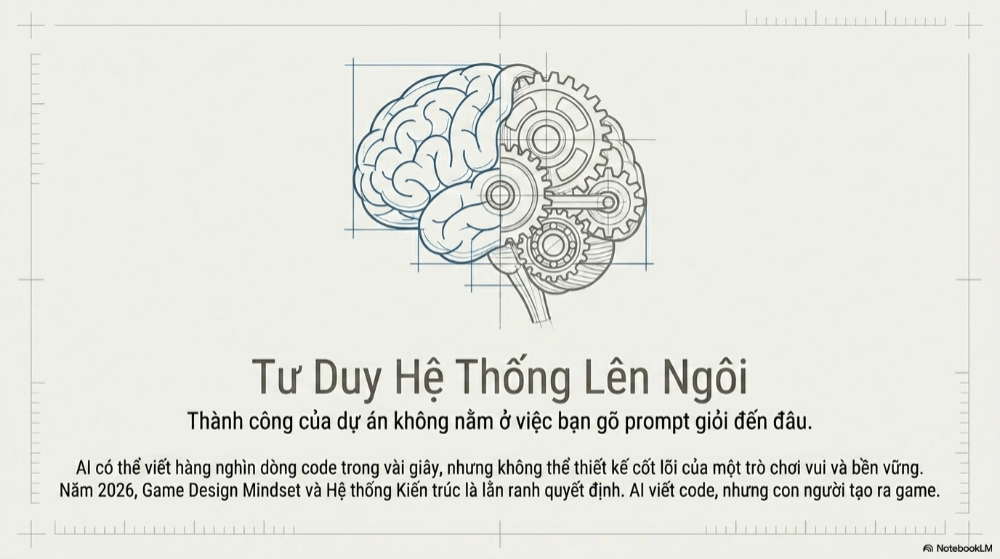
If a generated change cannot be explained, tested, and reversed, it is not ready for the project—no matter how quickly it appeared on screen.
Related Articles
 What Is Trap: What Is a Trap? Trap Has Any Meaning4 minutes read
 With a Simple Trap, the Boy Caught the Bird Bigger Than His Own2 minutes read
 How to Get Santa's Miracle Rod in Fisch: Step-by-Step Guide6 minutes read
 Slot Deposit Pulsa7 minutes read
 Tricks Imposter Trap in Among Us3 minutes read
 Things to Look for in Your Next Java Developer5 minutes read
Reader Comments 0
Sign in with email or Google to join the discussion.