Table of Contents
AI features now appear in most social media management platforms, but they solve different problems. Some help a creator draft and schedule posts; others are built for agencies, customer-care teams, or brands that need social listening. The useful question is not which tool has the most AI, but which one removes the main bottleneck in your workflow.
Quick comparison
| Tool | Best fit | Useful AI or automation focus |
|---|---|---|
| Buffer | Creators and small teams | Ideas, rewriting, repurposing, and platform-specific drafts |
| Publer | Budget-conscious multi-account users | Copy, images, hashtags, and comment replies |
| FeedHive | Teams that reuse proven posts | Content recycling and conditional publishing workflows |
| ContentStudio | Publishers and agencies | Content discovery, planning, publishing, and analytics |
| Predis.ai | Visual-first content production | Posts, carousels, images, videos, captions, and scheduling |
| StoryChief | Multi-channel content teams | Strategy, campaigns, SEO, social posts, and approvals |
| Eclincher | Community and customer-care teams | Unified inbox, reply assistance, and automation |
| Hootsuite | Established social teams | Publishing, inbox, analytics, listening, and AI drafting |
| Sprout Social | Brands needing social intelligence | Listening queries, conversation analysis, and reporting |
Plans, account limits, AI credits, and supported networks change frequently. Check the vendor's current documentation before buying rather than relying on an old price comparison.
Buffer: straightforward drafting and scheduling
Buffer's AI Assistant can brainstorm ideas, generate drafts, rephrase text, change length or tone, and adapt copy for a social network. It sits alongside Buffer's publishing calendar, which makes it convenient for creators and small teams that want a relatively simple workflow.
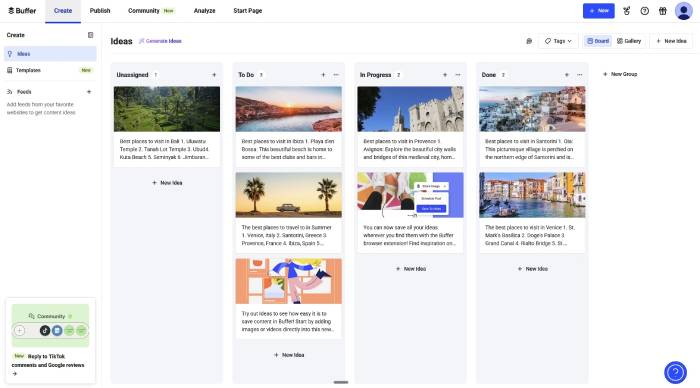
Choose Buffer if ease of scheduling and content repurposing matter more than enterprise listening or complex service workflows. Verify that the plan supports every network and approval step your team needs.
Publer: flexible creation for multiple accounts
Publer AI Assist supports idea generation, copy editing, hashtags, image generation, and suggested responses to comments. Bulk scheduling and a visual calendar make it a practical option for freelancers or small businesses managing several profiles.

Review credit limits and which AI functions are included in each plan. Generated images and replies still need a human check for brand accuracy, accessibility, and tone.
FeedHive: content recycling and conditional workflows
FeedHive emphasizes post recycling and automated publishing logic. It can surface older content for reuse and lets teams build workflows around drafting, review, scheduling, and recycling.

This is helpful when evergreen posts have a long useful life. Set limits so automation does not repeat the same idea too often, and update claims, links, calls to action, and creative assets before republishing.
ContentStudio: discovery, planning, and publishing
ContentStudio combines content discovery with a calendar, multi-channel publishing, analytics, competitor tracking, and AI-assisted creation. It suits teams that curate industry material as well as publish original posts.
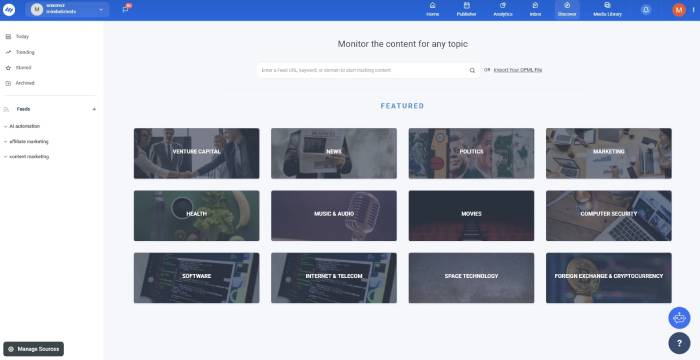
Discovery results are a research starting point, not permission to copy. Open the source, verify its date and claims, add your own analysis, and credit it when appropriate.
Predis.ai: ready-to-edit visual posts
Predis.ai can turn a short prompt into a package that includes captions, hashtags, images, carousels, or short videos. Users can edit the result and schedule supported formats from the platform.

It is most relevant to teams that want first drafts of both copy and creative. Check every visual for distorted text, trademarks, unrealistic product details, and correct aspect ratios before publishing.
StoryChief: coordinated multi-channel campaigns
StoryChief is broader than a social scheduler. Its William assistant supports content strategy, campaign planning, briefs, SEO work, and social posts within a collaborative calendar and approval workflow.
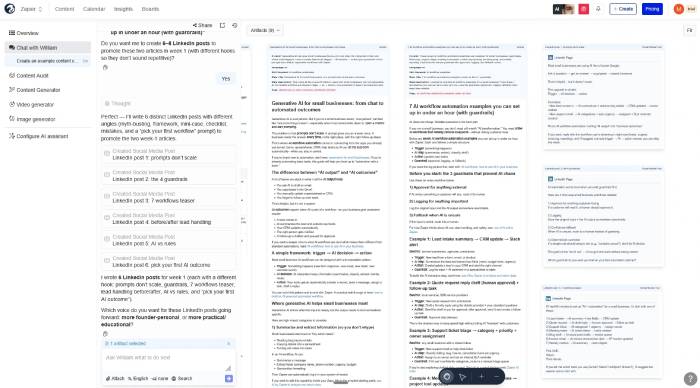
It makes the most sense when one campaign must move through a website, social channels, and other marketing destinations. Confirm the CMS, email, and social integrations that are essential to your process.
Eclincher: a unified social inbox
Eclincher's Social Inbox brings comments, messages, mentions, and reviews into one workspace. Its AI features can help categorize interactions and draft or automate replies, with controls for human approval.
This focus is useful for community management and customer service. Keep escalation rules for complaints, refunds, legal threats, safety concerns, and personal data; those conversations should not be left to an unsupervised auto-reply.
Hootsuite: an established all-in-one platform
Hootsuite combines publishing, engagement, analytics, and listening features. Its current writing assistant can create, refine, and optimize social posts in the composer.
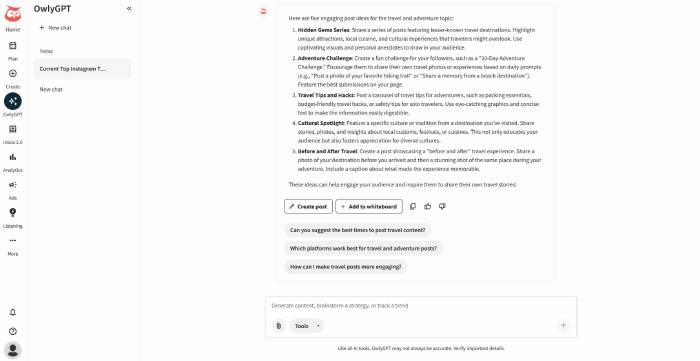
The broad feature set can suit a mature team with multiple channels and stakeholders, but it may be more than a solo creator needs. Evaluate permissions, approval stages, reporting exports, and the cost for the actual number of users and accounts.
Sprout Social: listening and social intelligence
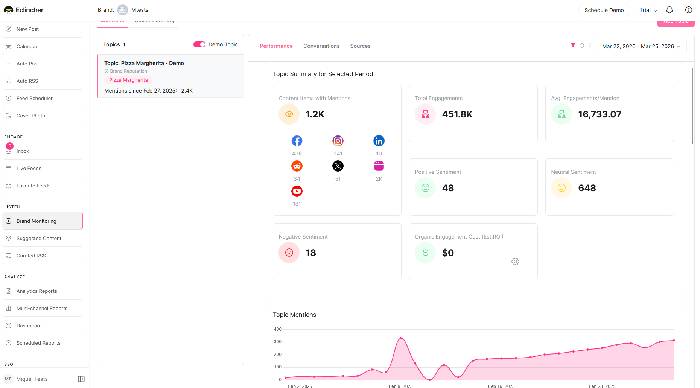
Sprout Social Listening helps teams build queries around brands, competitors, and topics, then analyze conversations and summarize patterns. Its wider platform also includes publishing, engagement, analytics, and reporting.
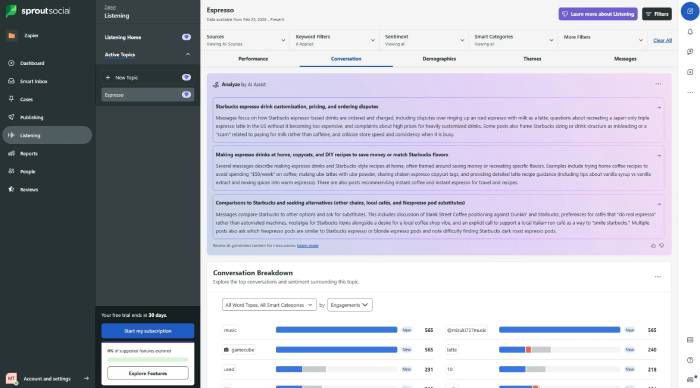
It is a stronger candidate when research, reputation monitoring, or cross-team reporting matters more than inexpensive scheduling. Sentiment and trend summaries can miss sarcasm, local context, or a small but important complaint, so analysts should inspect representative source posts.
How to test a social media AI tool
- Define one bottleneck. Choose creation, approvals, scheduling, engagement, listening, or reporting as the pilot goal.
- Use real work. Test several networks, content formats, languages, and brand scenarios rather than one polished demo prompt.
- Check permissions and integrations. Confirm which networks, account types, inbox features, and analytics data the platform can actually access.
- Require review. Keep a person responsible for facts, copyright, brand voice, accessibility, customer promises, and sensitive replies.
- Measure the result. Compare time saved, correction rate, approval time, response time, and content performance against the old process.
AI should reduce repetitive production work while leaving editorial judgment intact. A smaller tool that fits the team's real workflow is often more valuable than a large suite whose advanced features go unused.
Related Articles
 8 Best AI Tools for Social Media Management9 minutes read
 How to Protect Your Kids on Social Media: Step-by-Step Guide12 minutes read
 5 Social Media Trends in 20146 minutes read
 7 Negative Impacts of Social Networks on Users9 minutes read
 Advertising Is Making People Use Social Media Less7 minutes read
 5 Ways to Cut Down on Social Media Usage7 minutes read
Reader Comments 0
Sign in with email or Google to join the discussion.