Table of Contents
Explore 6 classic Windows screensavers from the 1990s that still run well on Windows.
3D Text
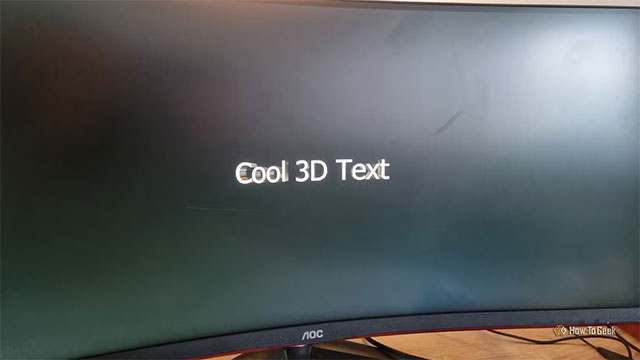
3D Text first appeared on Windows 95 and was considered a 'cool' technology demonstration of the new operating system at that time. When I was a kid, I first saw it on a friend's computer and was really overwhelmed. In particular, users can enter text as they like and adjust many different effects.
On Windows 11, 3D Text still has the same spirit, just clearer thanks to the high resolution. It doesn't have the 'wow' of thirty years ago, but the nostalgia is still there.
Underwater (Marine Aquarium)
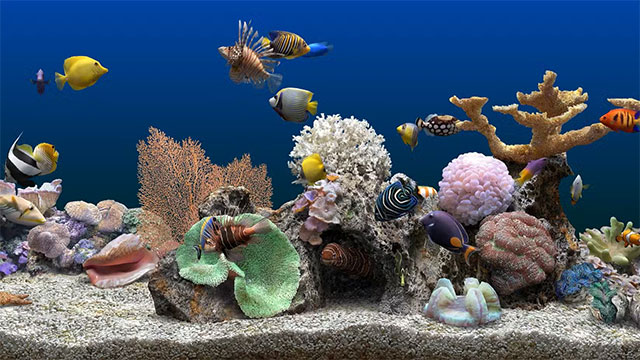
The original Underwater screensaver came pre-installed with Windows 95. It was fine at the time, but its simple design quickly bored users. You can still download the original from Gettysburg College's Windows 95/98 screensaver repository (be sure to download both Underwater files and the two additional files wildlb32.dll and wl32dll.dll).
Not satisfied with the old Underwater, a developer named Jim Sachs created a completely new version: Marine Aquarium. This screensaver is so popular that it is still sold commercially today, with image quality far surpassing the original 2000.
If you want to dig deeper, you can check out LGR's excellent video analysis of the history of the Marine Aquarium.
3D Pipes
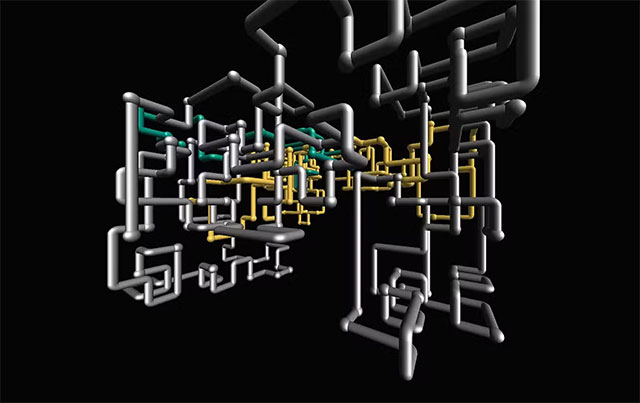
When I got my first PC, the first thing I did was turn on 3D Pipes as my default screensaver. Even in 2005, those pipes were still pretty cool. The original 3D Pipes came with Windows NT 3.5, using OpenGL graphics acceleration—state-of-the-art for the time.
After more than 30 years, you can still install the original on Windows 11. Just download the SCR file from Screensavers Planet, unzip it, right-click, and select 'Install'. You can even give your pipes their own textures—like turning them into Christmas lollipops for fun. If you enable 'Mixed' mode on the joints, you'll trigger a teapot Easter egg that randomly appears.
Flying Through Space (Flying Windows)
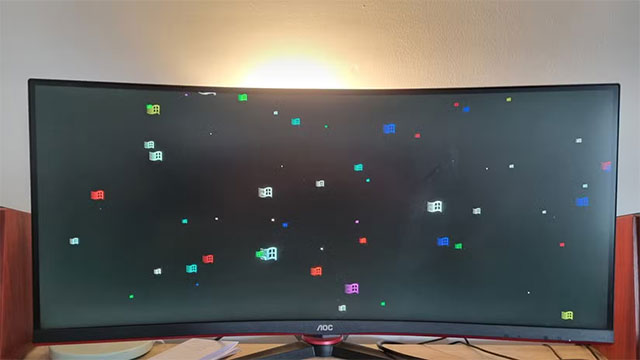
Flying Through Space is as enchanting as it was in the 1990s. The feeling of flying past the stars rushing before you is indescribably relaxing.
You can download a modern reimagining from the Microsoft Store. If you want to keep the original 'retro' feel, the one stored in Gettysburg College's Windows 95/98 screensaver archive still works fine. The archive also has a version of Flying Windows—instead of the flying star, it's the classic Windows logo.
3D Maze
3D Maze was released at the same time as 3D Pipes, right when Wolfenstein 3D and Doom were making waves. Although it has nothing to do with the two legendary games, this screensaver brings the exact feeling of being lost in mysterious virtual corridors.
You can download the original from Screensavers Planet. If you have multiple monitors, GitHub has a mod that makes the screensaver run seamlessly on all of them.
The Matrix Screensaver
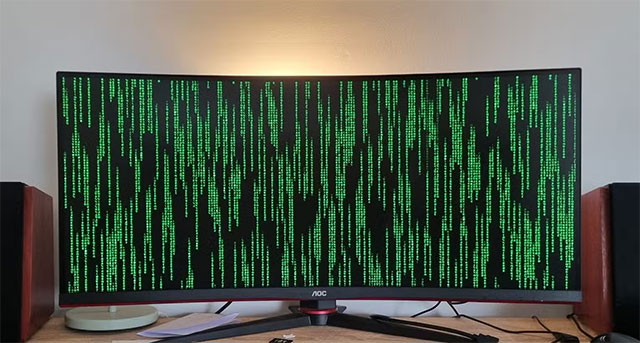
We couldn't end the list without The Matrix — a screensaver from the 1999 sci-fi hit. As soon as the movie took the world by storm, the Matrix screensaver turned every PC into a machine with rows of green characters falling across the screen.
Even though I didn't have a computer back then, all my friends were using this screensaver. And as I write this, I've… turned the screensaver back on my current Windows PC — after not using it for a decade. It's still The Matrix, still looking as cool as ever.
You can download it from Screensavers Planet and tweak it freely in the options section.
How to install and enable classic screensavers on Windows 11
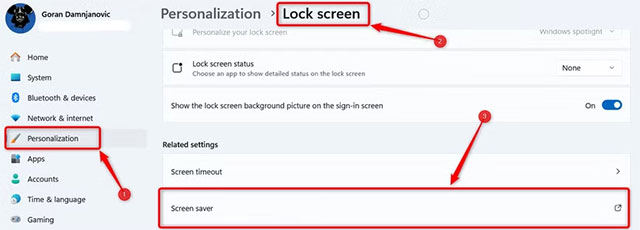
Although it's hidden quite well, Windows 11 still has its own screensaver settings. You can go to Settings → Personalization → Lock Screen → and find the 'Screen saver' button under Related Settings.
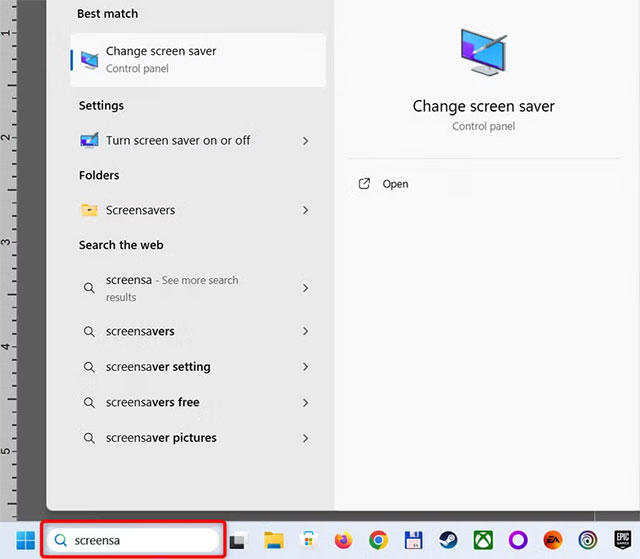
A quicker way is to type 'screensaver' into the Windows search bar to open the tool.
To install a new screensaver, simply download the SCR file, right-click, and select 'Install'. Windows will open the screensaver configuration interface, where you can select the file you just installed and adjust the settings to your liking.
Final Thoughts
Understanding 6 classic windows screensavers from the 1990s that still run well on windows 11 makes it easier to evaluate the information and apply the most relevant recommendations. Focus on the key points above and verify details that may change over time.
FAQ
What is 6 classic windows screensavers from the 1990s that still run well on windows 11?
Explore 6 classic Windows screensavers from the 1990s that still run well on Windows.
What key points does this article cover?
The article focuses on 3D Text, Underwater (Marine Aquarium), 3D Pipes, with practical explanations and examples.
How can you use this information in practice?
Use the explanations to compare options, verify important details, and make a more informed decision. Apply the recommendations that best match your goals and situation.
Related Articles
 What Are Screensavers: How to Installing Screensavers on Windows6 minutes read
 30 Great Screensavers for the Desktop10 minutes read
 Steps to Fix the Screensaver Error in Windows 107 minutes read
 12 Great Screensaver Screensaver for Windows 10 Computer Screens6 minutes read
 How to Customize the Default Screensaver of Windows 119 minutes read
 Steps to Create Your Own Screensavers in Windows7 minutes read
Reader Comments 0
Sign in with email or Google to join the discussion.