Table of Contents
Overview
This guide covers whoo - a location sharing app - location in clear, practical terms. It covers the key concepts, recommended steps, common limitations, and useful checks so you can make a better-informed decision.
whoo - what is a location sharing app?
Whoo - a location sharing app is a social networking app developed by LinQ, inc. and is available for download on the Apple App Store and Google Play Store. The free app is compatible with iOS 14.0 or later and requires 127MB of free space on your device to install. The app is similar to the popular Zenly app.
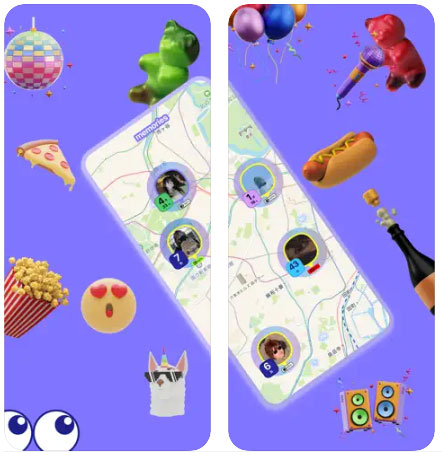
There are plenty of other location sharing apps on the market, but they all lack excitement. They look the same and offer the same standard location sharing features.
Whoo is different from other location sharing apps on the market. The app development team believes that it is important to bring fun to users. whoo is not only a fun app, it is also beautifully designed, easy to use and addictive - we are sure you will agree with these comments after using this tool!
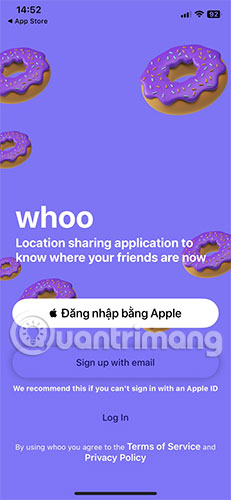
Outstanding features of whoo
Beautiful interface, easy to use
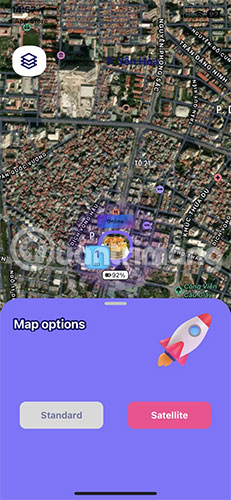
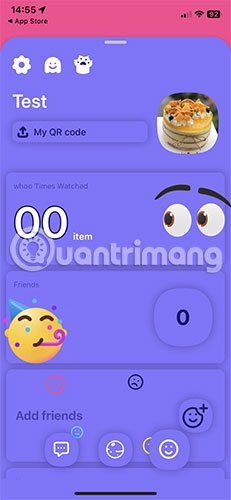
The whoo interface is very minimalistic but no less interesting. Below is a row of 3 buttons, respectively for messaging, adding friends and some custom settings. The top left corner has 2 map modes: Standard and Satellite.
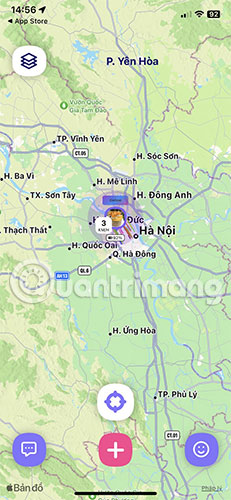
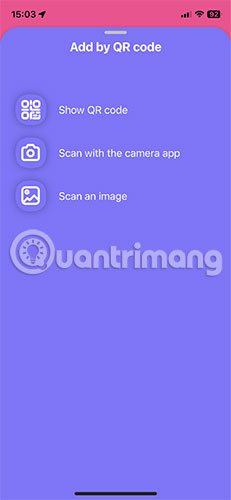
To add friends, you have 3 options: Show QR code, Scan with the camera app and Scan an image.
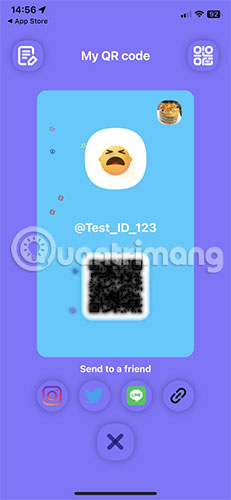
You are also provided with a QR code and the option to share it via social media platforms so that your friends who also use the app can add you to the list.
One multi-functional application
The most important function of whoo is location tracking. In addition, you can use whoo as a map application, chat with the person you like immediately when you find someone interesting, search for a specific person by setting filters.
Peace of mind when using
Safety and security are top concerns for any app. whoo provides users with a number of privacy settings to ensure safety and comfort while using the app or connecting with friends.
For example, you can choose to show only the city you're in, an exact location, or no location at all. You can also switch to private mode so that only people you've added can see and request your location, and vice versa. The app also offers a Ghost mode that hides your real-time location from anyone on your friends list.
For detailed instructions, please refer to: How to use the Whoo app to share location on your phone.
Key Takeaways
Use the guidance above as a practical reference for whoo - a location sharing app - location. Check compatibility, follow the steps carefully, and verify important details with official documentation when software, security, accounts, health, or purchases are involved.
FAQ
What is the main point of this article?
This article explains whoo - a location sharing app - location sharing app, including the central facts, context, practical implications, and details needed to understand the topic.
Why does this topic matter?
It may affect performance, cost, safety, convenience, purchasing decisions, or how people understand a broader development.
Could the information change over time?
Yes. Product details, software features, prices, policies, codes, and news developments can change, so verify time-sensitive information with official sources.
Related Articles
 5 Easy Location Sharing Apps on Android7 minutes read
 Instructions for Using Snapchat Without Sharing the Location2 minutes read
 How to Turn Off Location Positioning on iOS 114 minutes read
 How to Turn Off Location Sharing in Snapchat on Iphone and Android3 minutes read
 How to Share Location in Family Sharing iPhone3 minutes read
 Tap: How to Share a Location on Apple Messages2 minutes read
Reader Comments 0
Sign in with email or Google to join the discussion.