Table of Contents
This updated guide examines What Is Eniac? and organizes the essential facts, background, and practical takeaways in clear American English.
What is ENIAC?
Short for Electronic Numerical Integrator and Computer, ENIAC is the first electronic computer used for general purposes, such as solving numerical problems. It was invented by John Presper Eckert and John Mauchly at the University of Pennsylvania, to serve the US Army ballistic research laboratory.
ENIAC historic milestones
Construction of this machine began in 1943 and it was officially completed in 1946. Although not completed until the end of World War II, ENIAC helped a lot in the fight against Nazi Germany..
In 1953, the Burroughs Group built magnetic core memory to add to ENIAC. By 1956, ENIAC occupied an area of about 167m² and included nearly 20,000 vacuum tubes, 1,500 relays, 10,000 capacitors and 70,000 resistors. The system uses 200 kilowatts of electricity, weighs more than 30 tons and costs about $ 487,000.

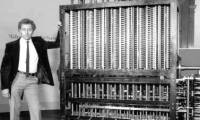
The image above is of ENIAC. The wires, switches and components are all part of ENIAC with two operating groups helping to run the machine. ENIAC is currently on display at the Smithsonian Institution in Washington DC In 1996, the US Postal Service issued a new stamp to celebrate ENIAC's 50th birthday.
How many transistors does ENIAC have?
The answer is 0. ENIAC used vacuum tubes and did not use transistors (transistors) because they were not invented.
FAQ
What is What Is Eniac about?
It provides a structured overview of ENIAC, explains the main context, and highlights practical takeaways for readers.
Why does this topic matter?
Understanding the main concepts helps readers evaluate the issue, avoid common mistakes, and make better-informed decisions.
How should readers use this information?
Use the guidance as a practical starting point, confirm details that may have changed, and follow current product, safety, or security recommendations.
Related Articles
 Great Machine: The 10 Greatest Machines in Human History5 minutes read
 Computer History: Brief History of Formation and Development13 minutes read
 Computational History: 26 Important Days in Computing History14 minutes read
 See the Wonderful Images of the World's First Computer Layout10 minutes read
 How to Play Pokémon GO on a Computer6 minutes read
 How to Play Pokémon GO on a Smartphone6 minutes read
Reader Comments 0
Sign in with email or Google to join the discussion.