Table of Contents
Wayground is the new product name for Quizizz. Teachers can create or adapt assessments, lessons, passages, flashcards, and interactive videos, then run them live or assign them for asynchronous work. Existing Quizizz accounts, classes, and resources carried over to Wayground; old links are intended to redirect to the new domain.
This guide follows the current teacher workflow while noting the decisions that matter in a real classroom: checking public resources, choosing a session mode, protecting student information, reviewing AI-generated questions, and using reports to plan instruction.
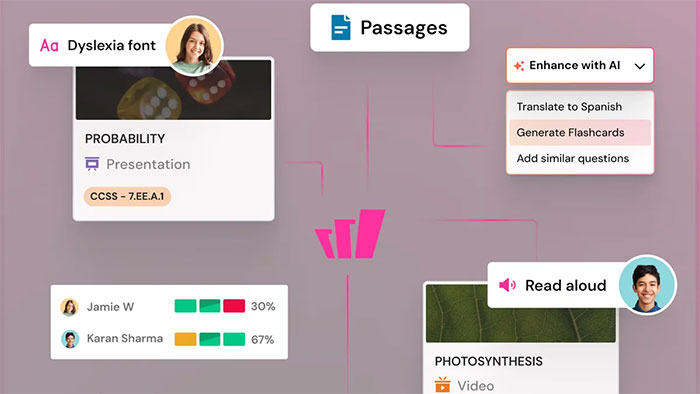
What changed from Quizizz to Wayground?
The product name, domain, and visual identity changed. According to Wayground's official rebrand explanation, existing accounts and resources remain available, and Quizizz Inc. remains the legal entity. Schools may need to allow the new domain in web filters, even though older links redirect.
Wayground's features and limits can depend on the plan, school configuration, region, resource type, and later product updates. If a control in this guide is unavailable, check the account's plan and admin settings rather than assuming the resource is missing.
What teachers can do in Wayground
- Search a library of public resources and copy one for editing.
- Create assessments, lessons, passages, flashcards, and interactive videos.
- Run a teacher-led or student-paced live session.
- Assign a resource for students to complete asynchronously.
- Configure session options and, where available, accommodations or differentiated versions.
- Review question-level and student-level results after a session.
- Use Wayground AI to generate or adapt material, then edit it before publishing.
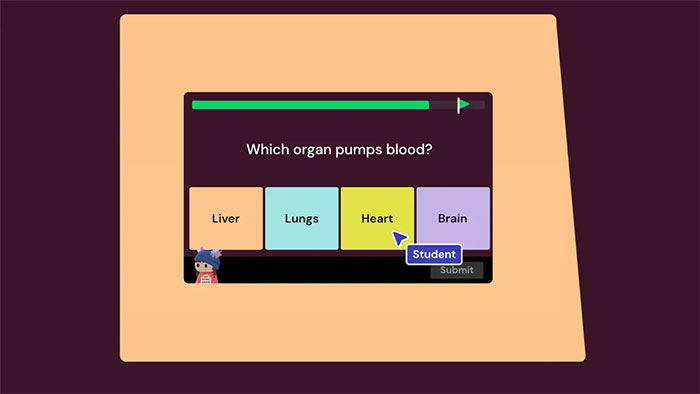
1. Sign in and check your profile
- Go to Wayground and sign in with the account you previously used for Quizizz, or create a teacher account.
- Confirm your role, school, subject, and grade settings where prompted.
- Open My Library and verify that older resources and classes are present.
- If the school uses an LMS, ask the administrator which Wayground integration and sign-in method students should use.
Do not create a second account casually if the existing Quizizz account already holds classes and resources. First confirm that you are using the same email address and sign-in provider.
2. Find and adapt an existing resource
Search the Wayground Library by topic, grade, subject, or standard. Preview the complete resource before assigning it. Public resources are created by many authors, so verify:
- Every answer key and explanation
- Reading level and curriculum alignment
- Images, links, cultural context, and accessibility
- Whether the resource collects or reveals information you should not use
- Copyright or licensing requirements for material you plan to copy or redistribute
Copy the resource to your own library before making substantial edits. Rename it clearly so students and colleagues can distinguish your version from the source.
3. Create an assessment
The current assessment workflow can begin with AI-assisted generation, but teachers remain responsible for the finished resource:
- Select Create, then choose Assessment.
- Enter a topic or paste content, then set preferences such as grade, subject, question count, and depth where offered.
- Generate the draft, or use the available manual/import options for existing questions.
- Open every question. Correct the stem, answer choices, answer key, explanation, images, and point value.
- Add or remove questions until the activity matches the learning objective and expected completion time.
- Select Publish, then provide the name, subject, grade, language, and visibility.
- Save it to your library and preview the student experience.
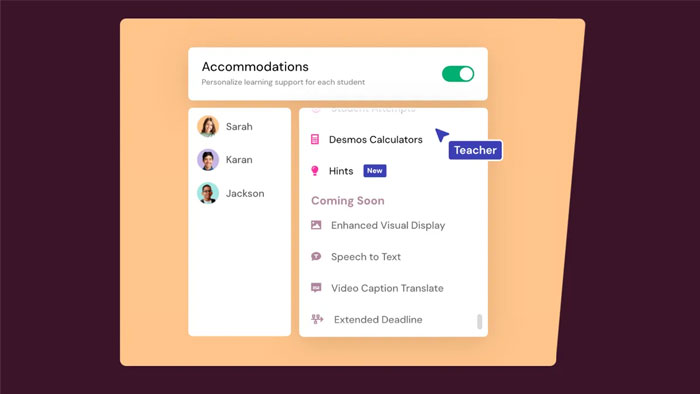
Using Wayground AI responsibly
Wayground AI can generate assessments from prompts, documents, webpages, and other supported sources, and teachers can edit the result. Its own documentation warns that generated material can be inaccurate. Review every question and answer against an authoritative source, check for ambiguous wording and bias, and do not upload confidential student data or restricted material. The official AI assessment guide lists current inputs and editing options.
4. Start a live session
- Open the assessment or other supported resource.
- Select Start now.
- Choose Teacher-led when the class should move together, or Student-paced when learners should advance independently.
- Open Customize and review response, feedback, timer, navigation, music, meme, and accessibility options that are available for that mode.
- Select Start and display or share the join link, code, QR code, or LMS invitation.
- Wait for the correct students to appear in the lobby, then begin the session.
A live code works only while its session is active. Avoid posting a reusable-looking code publicly, and check display names before starting.
5. Assign an asynchronous session
- Open the resource and select Assign.
- Choose the available homework/session mode.
- Review settings, availability dates, attempts, feedback, and accommodations where offered.
- Select a class or particular students if the account is connected to classes, or prepare a join link/code.
- Select Assign and test the student link before sending it.
The official live and homework session guide documents the current buttons and join methods.
How students join
- Open the link supplied by the teacher or go to wayground.com/join.
- Enter the current join code if the page requests it.
- Sign in, enter a name, or use the school/LMS flow according to the teacher's session and organization settings.
- Check audio and accessibility options, then wait in the lobby or begin the assignment.
Account requirements and permitted display names can vary with the session and school configuration. Teachers should test the exact student route rather than promise that no sign-in will ever be required.
Use reports to improve the next lesson
After the session, open its report and look beyond the total score:
- Questions missed by a large part of the class
- Distractors chosen repeatedly
- Students who may need a targeted follow-up
- Unusually fast responses that may indicate guessing
- Items whose wording or answer key should be corrected
Use the pattern to reteach a concept, revise a confusing item, create a short follow-up check, or group students for support. A report is evidence from one activity, not a complete measure of a learner's ability.
Classroom checklist
- Preview the resource in student view.
- Test the join method on a student device.
- Prepare a non-device alternative for connectivity or accessibility problems.
- Explain whether the activity is practice, formative assessment, or graded work.
- Review privacy, retention, and AI-use requirements under school policy.
- Share results with students or families only through approved channels.
Related Articles
 How to Use Wayground AI to Create Quizzes7 minutes read
 Wayground: Great Educational Tool8 minutes read
 How to Use Wayground AI (Quizizz) to Create Quizzes8 minutes read
 Guide to Quickly Creating AI Quiz Questions5 minutes read
 Good Poems for Teachers on the Day of Vietnamese Teachers15 minutes read
 Summary of Good 20-11 Wishes for Teachers14 minutes read
Reader Comments 0
Sign in with email or Google to join the discussion.