Table of Contents
This guide provides a practical overview of vlc player has an official version for Windows phone with clear explanations and useful details. It focuses on the information users are most likely to need.
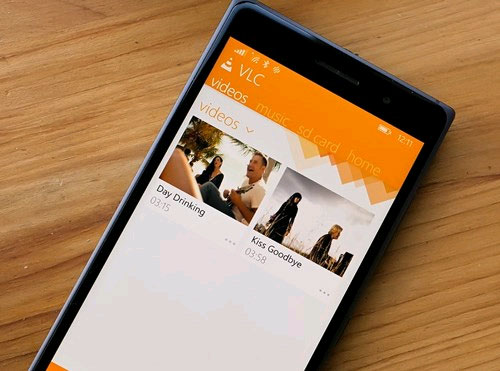 VLC has a complete version running on Windows Phone
According to Neowin, the outstanding advantage of VLC Player is its ability to view many different video compression formats (including MKV compression format) On mobile devices.
One of the remarkable features of VLC Player is the ability to adjust the display such as brightness, saturation, contrast. while watching videos.
The interface of VLC Player on Windows Phone also has a section dedicated to video and music, with support for music / video playback on SD card inserted in the phone.
Currently, this application is available for free on the Windows Phone Store online application store and is only compatible with Windows Phone 8.1.
FAQ
What is the main benefit of vlc player has an official version for Windows phone?
The main benefit is a clearer understanding of the topic and a practical way to apply the information covered in this guide.
What should I check before using vlc player has an official version for Windows phone?
Confirm compatibility, review the required settings, protect important data, and use the latest supported version whenever possible.
What should I do if the result is different?
Repeat the steps carefully, verify permissions and version differences, and consult the product's official support documentation for changes not shown in the article.
Related Articles
 Opera Mini Launches the Official Version for Windows Phone4 minutes read
 Microsoft Confirmed the Official Name of Windows Phone Next Version3 minutes read
 Official Windows 8 Version for 90 Day Trial3 minutes read
 Summary of Shortcuts in Windows Media Player5 minutes read
 22 Shortcuts to VLC for Windows and Mac8 minutes read
 How to Upgrade Windows Phone 7 Operating System7 minutes read
Reader Comments 0
Sign in with email or Google to join the discussion.