Table of Contents
Delta Force weapon codes import a saved gunsmith configuration. They are loadout-sharing codes, not reward codes, and they do not unlock weapons or attachments by themselves. The five examples below are labeled for Warfare; check the game edition and mode before applying them.
Garena states that its version uses Garena-compatible codes. A code from another edition may fail even when the weapon name matches. These examples should be tested in your current client rather than treated as guaranteed working codes or a permanent ranking of the best weapons.
How to import a weapon setup
- Open your equipment or loadout screen and select the matching weapon.
- Open the weapon modification or gunsmith screen.
- Choose the saved loadouts option and select Import; labels can vary with the client language and version.
- Paste the complete sharing code without adding spaces or changing characters.
- Review the imported attachments and apply the setup if your account has access to them.
- Test the weapon before using it in a match.
Garena's official import guide explains that a weapon level too low for the attachments can allow you to preview a build without equipping all of it.
SMG-45
SMG-45 Submachine Gun-Warfare-6FC4HF009B793ILS11ON5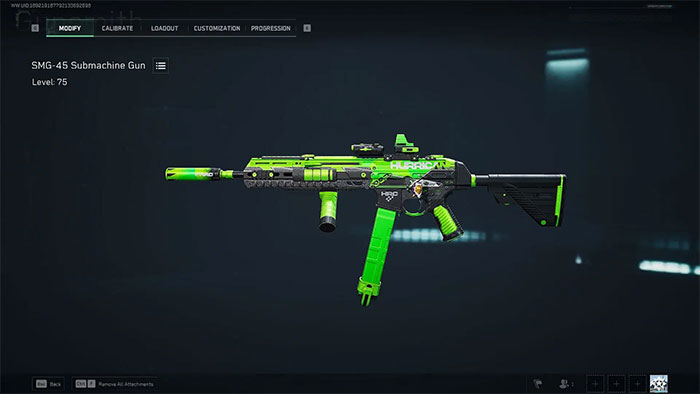
Use the SMG-45 example as a starting point for a close-range setup. After importing, compare recoil, aiming speed and the delay between sprinting and firing. A build that feels steady while standing still may feel too slow when moving around corners.
AK-12
AK-12 Assault Rifle-Warfare-6GTCHU809B793ILS11ON5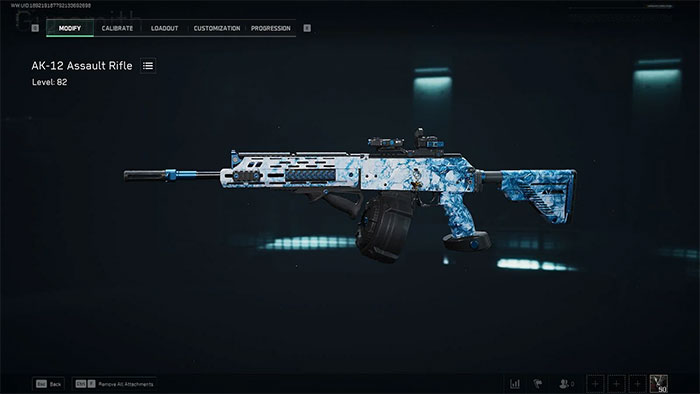
For the AK-12, check the imported magazine and control-focused attachments. Extra ammunition can reduce reload frequency, but attachments may also affect handling. Test repeated bursts and target changes instead of assuming the largest magazine produces the best overall setup.
SG552
SG552 Assault Rifle-Warfare-6F577V409B793ILS11ON5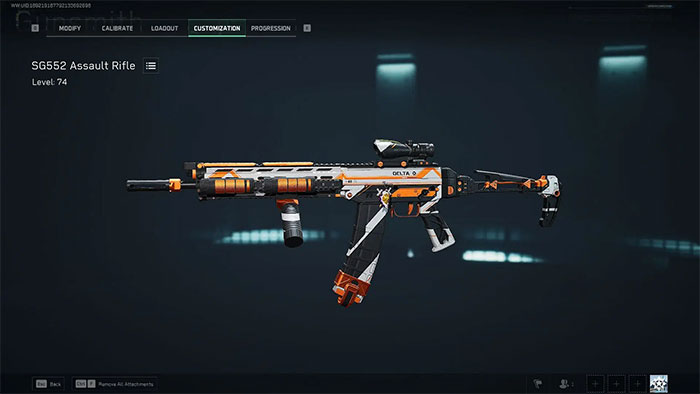
With the SG552 example, pay attention to horizontal movement during sustained fire. Compare short bursts with longer strings at the distances you usually fight. If sideways movement makes tracking unreliable, adjust one control-related attachment at a time.
AUG
AUG Assault Rifle-Warfare-6F5I6RO09B793ILS11ON5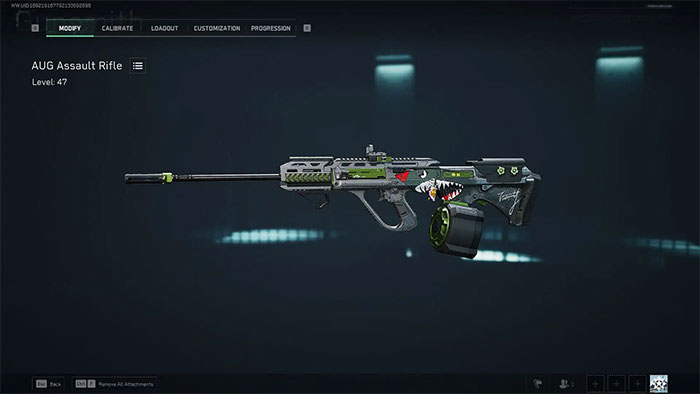
Use the AUG example to compare a steadier firing setup with a quicker-handling alternative. Check the barrel, optic and other imported parts in the current gunsmith rather than relying on an old screenshot to describe the active build.
CI-19
CI-19 Assault Rifle-Warfare-6FC4LL009B793ILS11ON5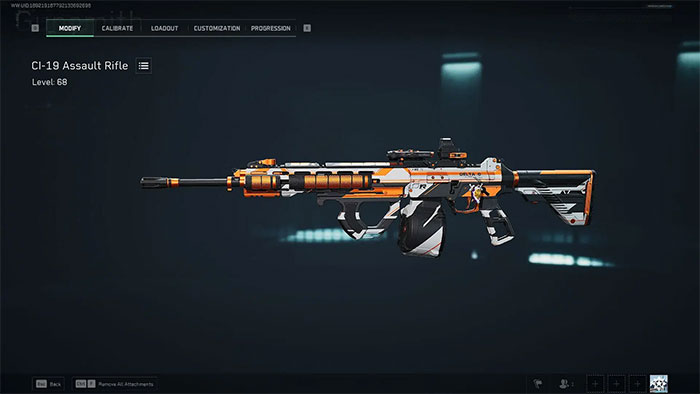
The weapon name is CI-19. Test whether this build's control suits your playstyle and whether aiming-down-sights speed is comfortable. Holding a position and repeatedly entering close-range fights can require different compromises.
If a code does not work
- Invalid code: recopy the full line and check that it belongs to your game edition and mode.
- Preview works but parts cannot be equipped: check weapon level and attachment unlocks.
- The weapon is unavailable: check the selected mode, operator restrictions and current unlock requirements.
- The build differs from the screenshot: check the imported parts and current balance changes; the image may show an earlier version.
For other builds, use Garena's loadout-sharing page and confirm the weapon and mode before copying a code.
Compare builds under the same conditions
Use the same targets, distance and input settings when comparing two setups. Start with recoil and handling, then change one attachment at a time. Keep a build only if it improves repeatable control for you; no loadout removes the need for positioning and practice.
On PC, distinguish mouse DPI and pointer settings from the game's aiming sensitivity. If stutter interferes with testing, review ways to improve game frame rate and test performance changes separately from weapon changes.
Related Articles
 How to Download Garena Delta Force on PC7 minutes read
 Rooted Delta Search on Chrome, Firefox and Explorer Browsers11 minutes read
 Full Latest Beast Force Code and How to Redeem4 minutes read
 minutes read
 How to Spin Gas Garena to Receive Items: Gold4 minutes read
 The US Air Force's Secret Weapon Has Just Returned to Earth After 434 Days4 minutes read
Reader Comments 0
Sign in with email or Google to join the discussion.