Table of Contents
AI app builders can generate a useful first version of an interface, data model and workflow, but the right platform depends on what you are building. Softr is strongest for straightforward portals and operational apps; Power Apps fits Microsoft-centered organizations; Airtable Omni builds around Airtable data; Bubble offers the most product-style visual development; and Retool targets governed internal software connected to databases and APIs.
No tool removes the need to test permissions, validation, accessibility, data recovery and ongoing cost. Use the free or trial tier to build the same small proof of concept before committing.
Quick comparison
| Tool | Best fit | Main advantage | Watch for |
|---|---|---|---|
| Softr | Client portals, directories and simple internal tools | Fast setup with business-focused blocks and data sources | Feature, user and automation limits by plan |
| Microsoft Power Apps | Organizations using Microsoft 365, Dataverse and Power Platform | Governance, connectors and broad business-solution tooling | Per-user licensing, premium connectors and environment administration |
| Airtable Omni | Team workflows already centered on Airtable | Conversational creation of tables, interfaces and automations | AI credit use and Airtable's data/interface boundaries |
| Bubble | Custom web products and native mobile projects | Flexible visual logic and full product-style editor | Workload-based cost, learning curve and mobile beta maturity |
| Retool | Internal apps that read and write production databases or APIs | Data connectivity and enterprise controls around operational tools | Builder/user pricing, separate Agent billing and technical setup |
Prices and AI allowances change often. Compare the current plan using expected builders, end users, AI credits, automation runs, storage, external users and production usage—not only the advertised starting fee.
Softr: fastest for portals and simple business apps
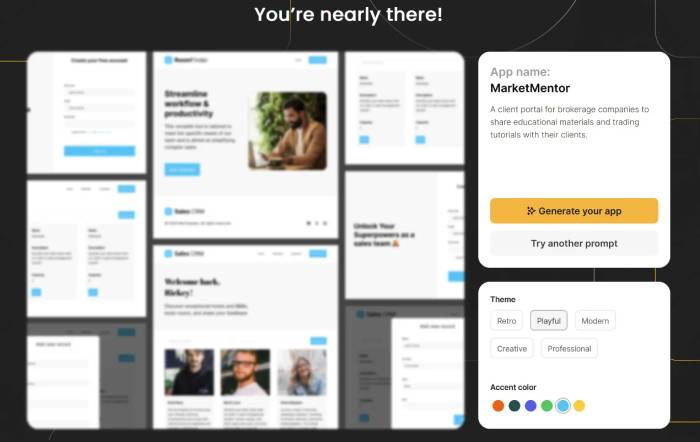
Softr's AI Co-Builder can turn a description into a starter business app with pages, forms, roles and data views. The visual editor then lets you adjust blocks, permissions and workflows.
Choose Softr when
- the app is mainly a portal, directory, CRM-style tracker or operational dashboard
- business users need to maintain it without a full development team
- your data can live in Softr's database or a supported external source
- speed and predictable page patterns matter more than unusual interaction design
Check before buying
- how the plan counts app users and collaborators
- record, workflow-action and AI-credit limits
- role and page visibility rules for sensitive records
- export or migration options if the app outgrows the platform
Microsoft Power Apps: best for a governed Microsoft stack
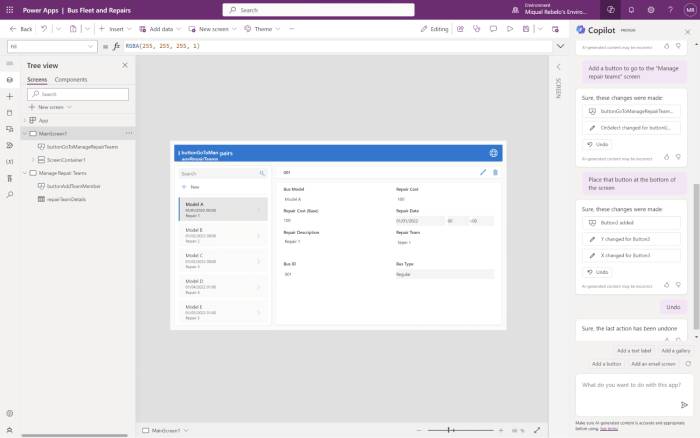
Power Apps can generate a solution plan from natural-language requirements and produce components such as Dataverse tables, canvas or model-driven apps, Power Automate flows, Power Pages sites and Copilot Studio agents. It is more than a single prompt-to-app tool, but that breadth adds administration and licensing complexity.
Choose Power Apps when
- the organization already governs identities and data through Microsoft Entra, Dataverse, Dynamics 365 or Microsoft 365
- the app needs Power Automate, approved connectors or environment-level controls
- IT can manage solutions, data-loss-prevention policies and deployment environments
Check before buying
- whether every user needs Premium or can use rights included with another license
- whether a required connector is standard or premium
- Dataverse capacity, AI credits and external-user licensing
- the difference between a free Developer Plan and production rights
Use Microsoft's live Power Apps licensing page for a real cost estimate.
Airtable Omni: best when the app is an Airtable workflow
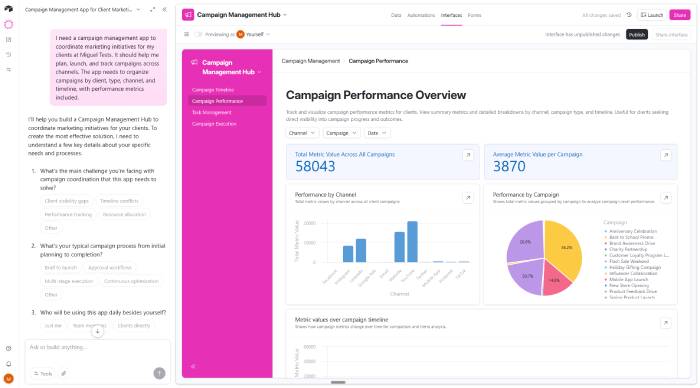
Omni is Airtable's conversational builder. It can create and modify tables, interfaces and automations, analyze data and help users work with records using natural language.
Choose Airtable Omni when
- the source of truth already belongs in Airtable
- the team needs forms, views, dashboards and automations around structured records
- users value spreadsheet-like administration and conversational building
Check before buying
- record, attachment, automation and AI-credit limits
- permissions at the base, table, interface and field levels
- whether external clients can see only their own records
- API, synchronization and change-history requirements
Omni can build quickly, but review every generated automation before it writes, emails or deletes data. See Airtable's current Omni documentation for feature and plan availability.
Bubble: best for flexible no-code web and mobile products
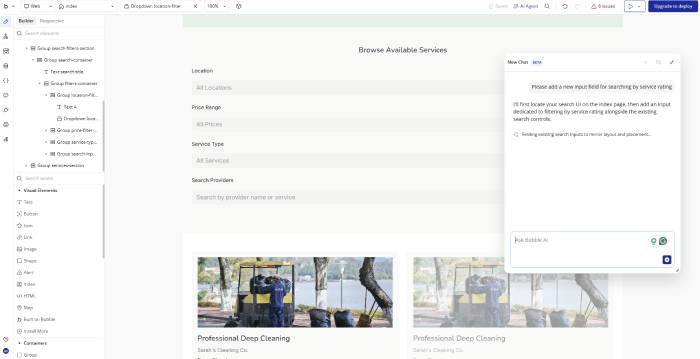
Bubble can generate a web or mobile starter app, then expose pages, data types, workflows and visual components in its editor. It provides more product-level flexibility than a block-based portal builder, at the cost of a steeper learning curve.
Choose Bubble when
- you need a customer-facing web product with custom workflows
- the team is willing to learn Bubble's data, privacy and workflow model
- you want AI generation plus detailed visual editing rather than only prompt-based changes
- native mobile beta limitations are acceptable for the project
Check before buying
- workload units and overage behavior under realistic traffic
- privacy rules for every data type and API endpoint
- plugin quality, maintenance and vendor dependence
- mobile beta support for required components, stores and device features
- how to export data and what cannot be exported as conventional source code
Review the live Bubble pricing and workload model, then load-test a representative workflow.
Retool: best for internal tools connected to operational data
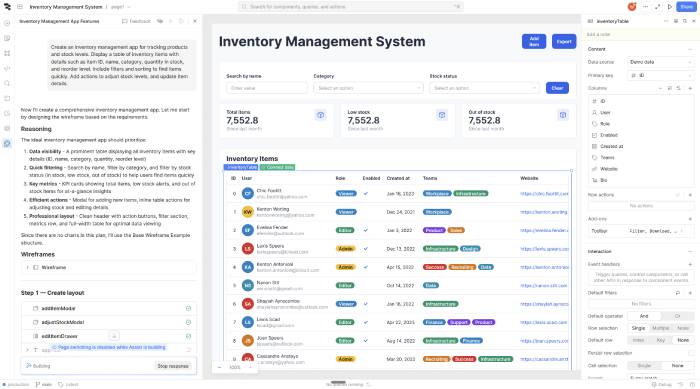
Retool is built for internal apps, workflows and agents that connect to databases, SaaS tools and APIs. Its AI app generation can create a working interface and data bindings, but developers or technically capable operators are often needed for queries, transformations, permissions and production review.
Choose Retool when
- employees need an admin panel, operations console or approval workflow
- the app must read and write existing databases or APIs
- the organization needs environments, release controls, audit logs, SSO or granular permissions
- the tool is internal rather than a highly customized public consumer product
Check before buying
- builder, internal-user and external-user definitions
- features restricted to Business or Enterprise plans
- AI credit pools and separately billed Agent usage
- database credentials, query permissions and write safeguards
- cloud versus self-hosted or VPC deployment requirements
Estimate costs on Retool's current pricing page, including Agent usage rather than only seat fees.
How to test the five tools fairly
Build the same small application in each finalist. A useful evaluation app has login, two roles, one sensitive field, a relational data model, a form with validation, an approval step, an email or webhook, an audit requirement and a dashboard.
- Time the first working draft and the first correct draft separately.
- Test unauthorized access by changing URLs, filters and API calls.
- Import realistic sample data and test failure cases.
- Ask a non-builder to complete the main task.
- Calculate monthly cost at today's users and at projected growth.
- Export data and document the exit path.
- Confirm backups, rollback, logs and support response expectations.
Which AI app builder is best?
- Fastest straightforward business portal: Softr
- Microsoft-governed enterprise solution: Power Apps
- Airtable-centered team workflow: Airtable Omni
- Most flexible no-code product builder: Bubble
- Production-data internal tooling: Retool
AI generation should shorten setup, not replace product and engineering review. The best platform is the one whose data model, permission system, pricing and exit path still fit after the first attractive prototype.
Related Articles
 Top 6 Best AI Apps for Teachers in 20269 minutes read
 Top 10+ Best AI Productivity Tools8 minutes read
 9 Free Windows Tools You Can't Live Without7 minutes read
 Guide to Creating a Self-learning App on Google AI Studio4 minutes read
 How to Create Themed Images Based on Clothing Using Microsoft AI Tools3 minutes read
 7 Web Apps All Filmmakers Should Use7 minutes read
Reader Comments 0
Sign in with email or Google to join the discussion.