Table of Contents
“Windows emulator for Android” describes three very different products. Winlator, Mobox, Box64Droid, and Wine try to run Windows applications through compatibility and CPU-translation layers. Limbo and Bochs emulate a complete PC and can boot an operating system from a disk image. JPCSIM, Win7 Simu, and Windows 10 Simulator only reproduce the look of Windows; they cannot install arbitrary EXE files.
None turns every phone into a full Windows gaming PC. Compatibility depends on the phone’s CPU and GPU, Android version, graphics driver, Windows application, and setup. Before sideloading an APK, use the project’s official repository, inspect the release history, and avoid “modded” packages that promise unlimited performance or preinstalled commercial software.
Quick comparison
| Tool | Type | Can run Windows EXE files? | Best for |
|---|---|---|---|
| Winlator | Wine plus x86 translation | Yes, compatible apps only | Most users trying older games or utilities |
| Mobox | Termux, Wine, Box64 | Yes, compatible apps only | Advanced tuning |
| Box64Droid | Linux environment, Wine, Box64/Box86 | Yes, compatible apps only | Technical users and experiments |
| Wine for Android | Compatibility layer | Limited; architecture matters | Wine testing and development |
| Limbo | QEMU full-system emulation | Inside an installed guest OS | Older operating systems |
| Bochs | x86 full-system emulation | Inside an installed guest OS | Legacy x86 systems and learning |
| JPCSIM | Visual simulator | No | Learning the installation sequence |
| Win7 Simu | Interactive simulator | No | Windows-style nostalgia |
| Windows 10 Simulator | Simulation game | No | Exploring a themed interface |
1. Winlator: the most approachable option for real Windows apps
Winlator packages Wine with Box86 and Box64 so ARM Android devices can run compatible x86 and x86-64 Windows applications. It provides a container interface, graphics-driver choices, resolution controls, virtual desktop, shortcuts, and input profiles without requiring users to assemble every component manually.
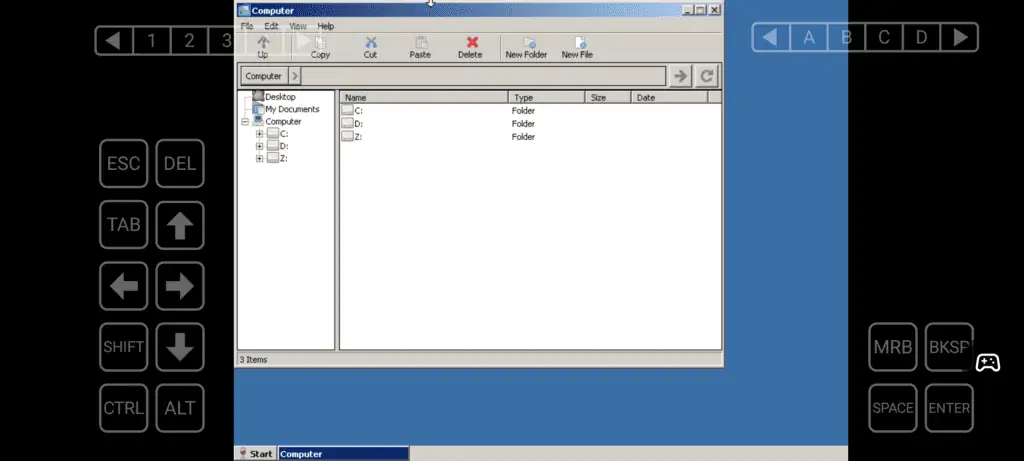
The official repository currently distributes Winlator 11.1. Results still vary: older DirectX games and lightweight utilities are more realistic targets than modern anti-cheat games, hardware-dependent software, or professional applications with complex drivers.
Download only from the official Winlator repository. TipsMake’s Winlator setup guide explains containers, graphics drivers, and launching an EXE from the Downloads folder.
2. Mobox: a Termux-based setup for advanced users
Mobox runs x86 Windows applications inside Termux using Wine and Box64. It exposes more of the Linux and Wine stack than Winlator, which can help with troubleshooting or game-specific tuning but also makes installation and maintenance more technical.
The project recommends Android 10 or later. Its documentation says many phones can use VirGL for DirectX 9, while selected Snapdragon devices with compatible Adreno GPUs are better suited to Turnip and DXVK. This is not a guarantee for any particular game.
Use the commands and packages from the official Mobox repository. Review its latest commit and open issues before investing time, because community projects can slow or stop development.
3. Box64Droid: a script-driven Wine and Box64 environment
Box64Droid automates a Linux root filesystem configured with Box64, Box86, Wine, DXVK, and related components. It is useful when you want to understand or control the translation stack rather than rely on a polished Android app.
Setup involves a terminal, storage permissions, package downloads, and graphics choices. It is easier to break than Winlator, and commands copied from an old video may no longer match the repository. Back up game saves and keep the environment separate from important phone data.
The project description and current installation files are in the Box64Droid repository.
4. Wine for Android: useful, but not a turnkey emulator
Wine reimplements Windows APIs; it does not emulate a complete copy of Windows. On an ARM phone, a Windows program compiled for x86 also needs CPU translation, which is why Winlator and the Termux-based projects combine Wine with Box86 or Box64.
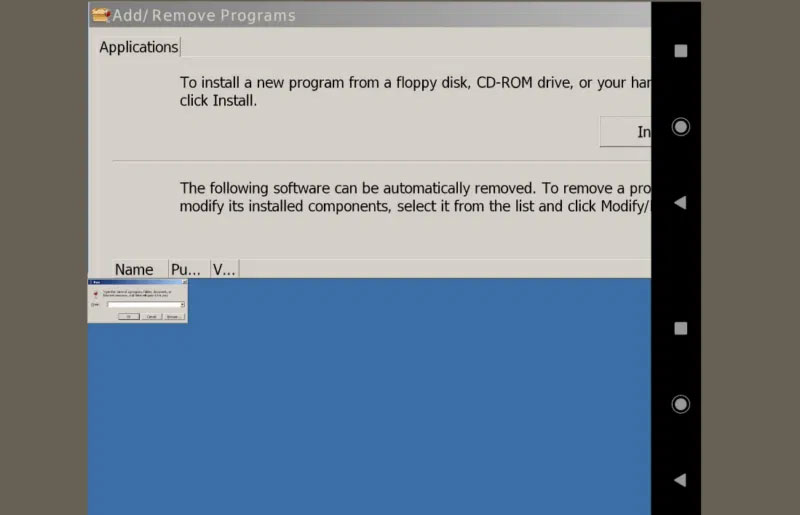
WineHQ still hosts Android build files, and recent development notes mention work on the Android driver. Direct Wine packages can nevertheless be difficult on modern Android releases and are mainly suitable for developers or experienced users testing a matching architecture.
Use the official WineHQ Android directory and check application reports in the Wine Application Database. Do not expect a program rated for desktop Linux Wine to behave identically on Android.
5. Limbo: full PC emulation with QEMU
Limbo is a QEMU-based Android emulator for x86, ARM, PowerPC, and SPARC guest machines. Instead of translating one Windows application, it creates virtual hardware that can boot an operating-system disk image.
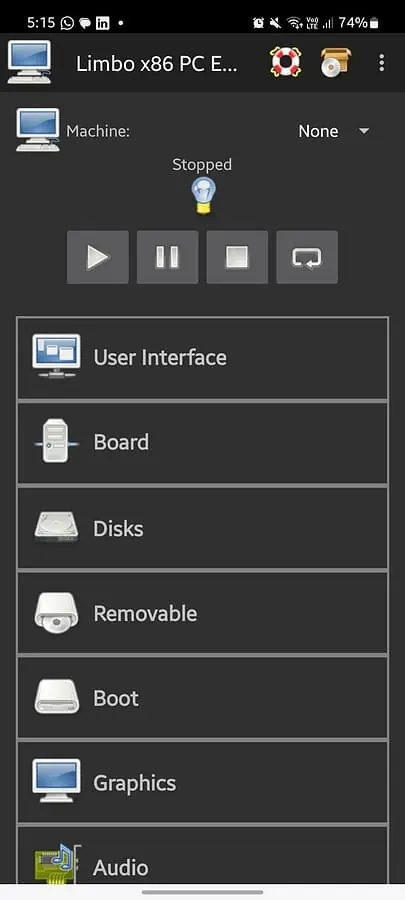
This approach is flexible but slow, especially when an ARM phone emulates an x86 PC. It is best for DOS, old Linux distributions, or legacy Windows experiments rather than current games. You must supply properly licensed installation media and configure CPU, RAM, storage, display, and boot order.
Use the Limbo project repository and its linked wiki. Avoid archived SourceForge packages that the archive itself identifies as abandoned.
6. Bochs: accurate x86 PC emulation for legacy systems
Bochs emulates an x86 processor, common PC hardware, and a custom BIOS. It can boot operating systems such as DOS, Linux, and older Windows releases inside a virtual disk.
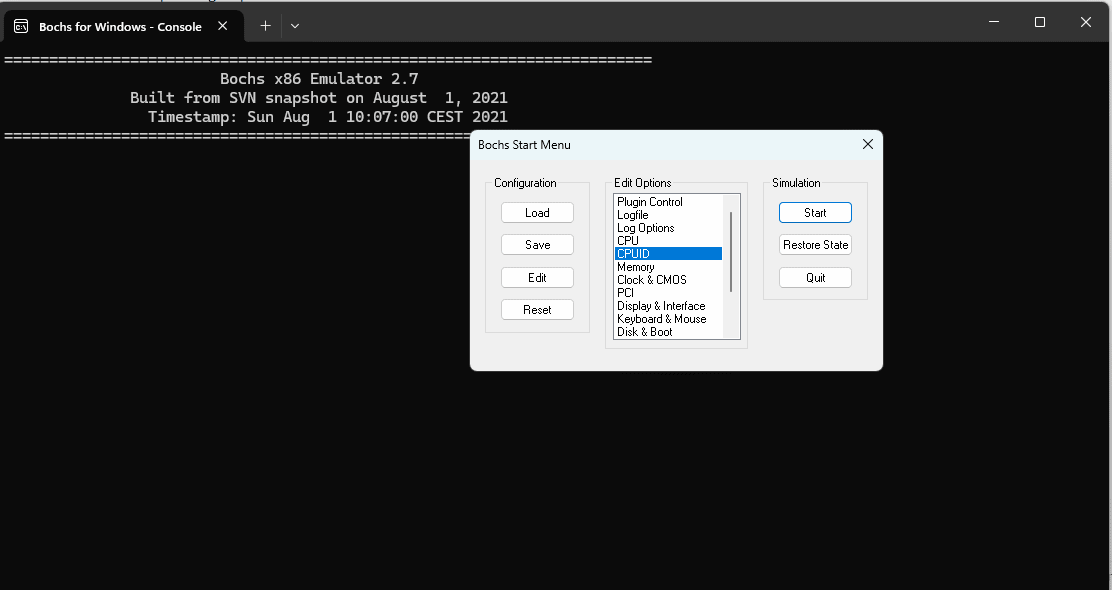
Bochs prioritizes portability and hardware emulation rather than game speed. Android packaging is less streamlined than Winlator, so verify who built any APK. The upstream project documents configuration through a bochsrc file and provides disk images only for freely distributable systems.
Read the official Bochs project page and user manual before choosing a third-party Android build.
7. JPCSIM: an educational simulator, not an emulator
JPCSIM uses prepared images and interactions to simulate BIOS, POST, operating-system installation, a desktop, and a few programs. The developer explicitly states that it never emulates a PC.
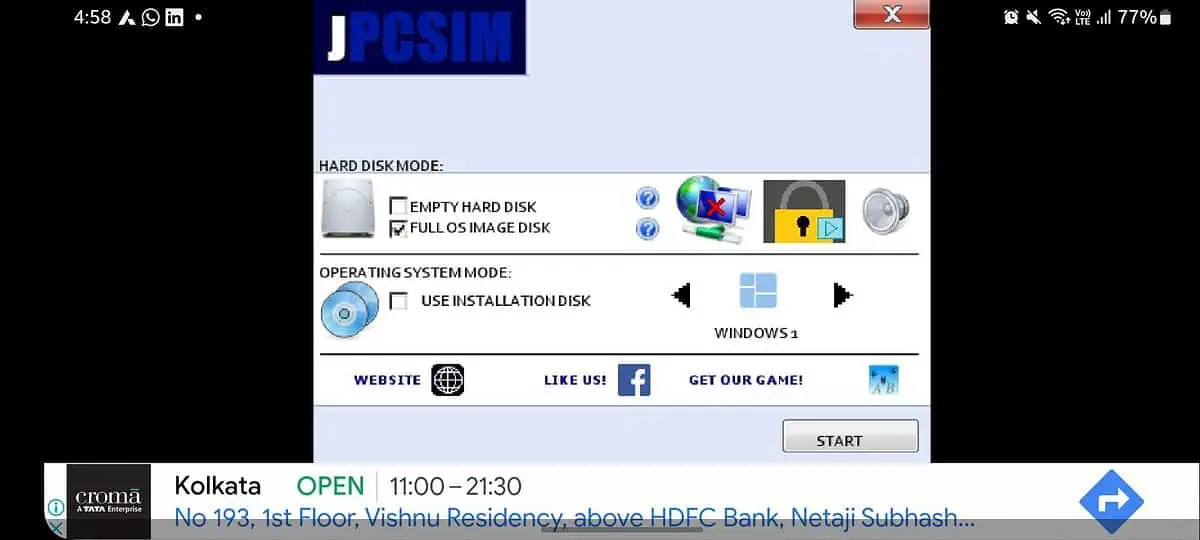
Use it to learn the sequence of installing an operating system or to demonstrate a Windows-like interface. You cannot install a random Windows program, access a real Windows registry, or use it for software testing. The Google Play listing describes its current educational purpose.
8. Win7 Simu: a functional Windows-inspired interface
Win7 Simu recreates a classic boot animation, login screen, desktop, taskbar, Start menu, and simulated programs such as Calculator, Notepad, WordPad, Media Player, and Snipping Tool. It also offers themes inspired by other Windows versions.
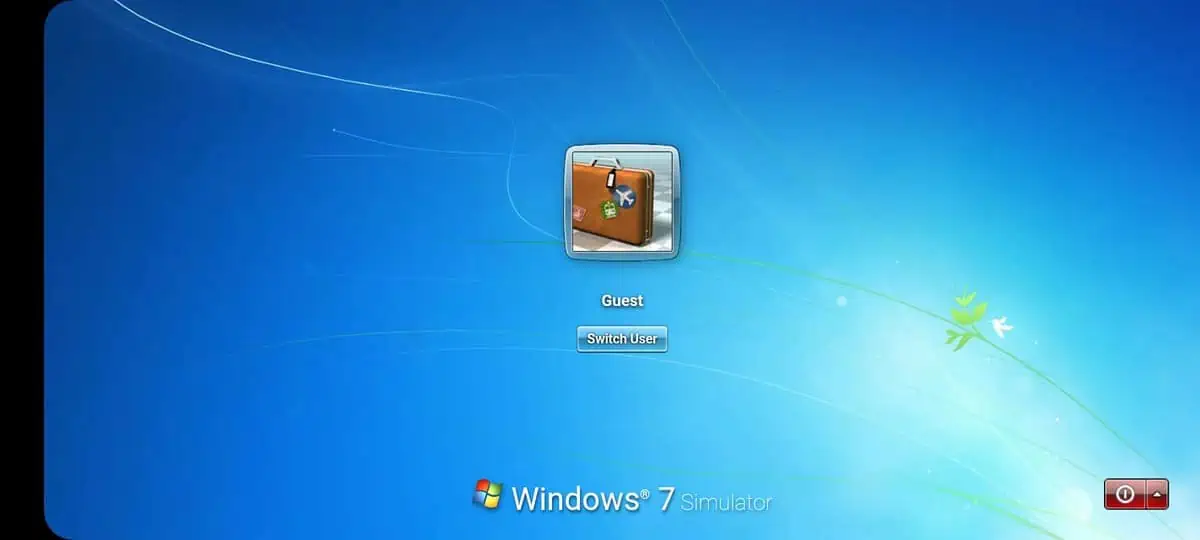
Those programs are features built into the Android app; they are not real Windows executables. This is appropriate for nostalgia and interface exploration, not for running Windows software. Download it from the developer’s Google Play listing.
9. Windows 10 Simulator: a themed game
Windows 10 Simulator presents a Windows-inspired environment with interactive elements, Easter eggs, and achievements. Its current Google Play description calls it a game, which is the correct expectation.
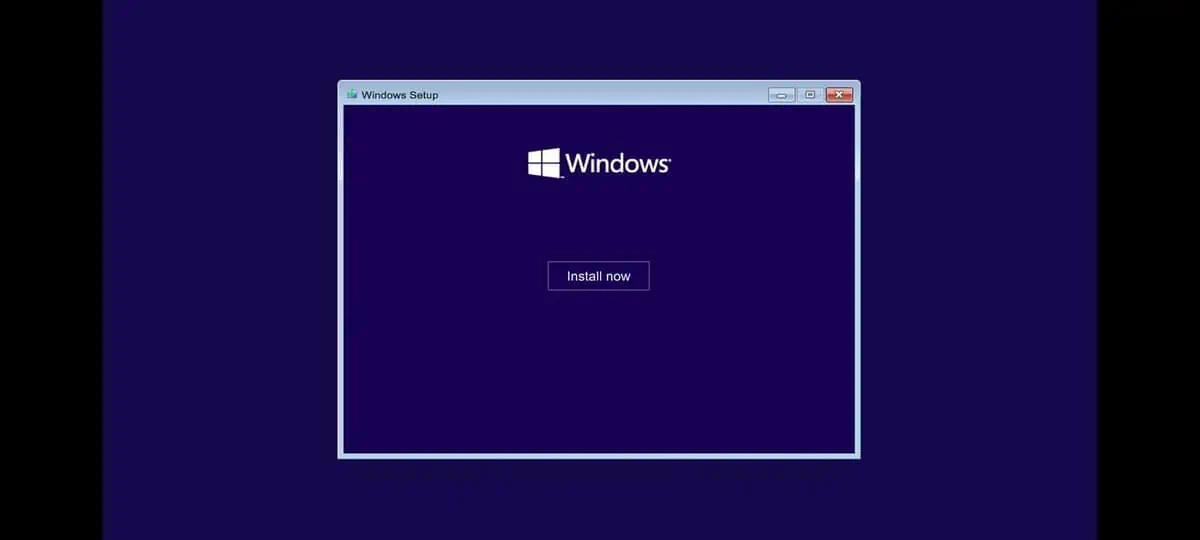
It cannot install EXE files, provide Windows APIs, or replace a remote Windows desktop. Use it only when the simulated interface itself is the entertainment. The current Google Play page identifies the app and developer.
Obsolete tools to avoid
WPR was a narrow experimental project for selected Windows Phone/XNA games, not a general Windows emulator. ExaGear’s original commercial Android products were discontinued, so current “ExaGear APK” downloads usually come from unofficial community repackagers. Without an official maintained distribution, it is difficult to verify the code, license, bundled components, or update safety. Prefer an active open-source project instead.
Choose by goal
- Run an older Windows game or utility: start with Winlator and check reports for the exact app.
- Tune Wine and translation components: consider Mobox or Box64Droid if you are comfortable with Termux.
- Boot an old operating system: use Limbo or Bochs and expect low performance.
- Learn or revisit the Windows interface: use JPCSIM, Win7 Simu, or Windows 10 Simulator.
- Need dependable modern Windows software: use a real Windows PC or remotely access one; Android compatibility tools are not a reliable replacement.
Safety and setup checklist
- Download only from the official GitHub release or verified app-store listing.
- Scan sideloaded APKs and remove the browser’s “install unknown apps” permission afterward.
- Use applications and operating-system images you are licensed to use.
- Start with a low display resolution and one known-compatible program.
- Watch phone temperature and battery use; stop if the device overheats.
- Back up saves outside the container before updating the emulator.
- Do not sign in to sensitive work, banking, or administrator accounts inside an untrusted community build.
A phone with a recent Snapdragon processor and Adreno GPU generally has the widest support for the current Wine-and-translation projects, but the exact Windows program remains the deciding factor. Check its compatibility report before changing drivers or downloading large game files.
Related Articles
 10 Best Android Emulator Software for Windows14 minutes read
 Top 5 PC Emulators on Android4 minutes read
 3 Best Best Android Emulation Software4 minutes read
 Speed up Tips for Bluestacks Emulator Software5 minutes read
 8 Best PSP - Play Station Portable Emulator Software for Android8 minutes read
 Top PC Emulators, Best PC Emulators for Computers30 minutes read
Reader Comments 0
Sign in with email or Google to join the discussion.