Table of Contents
This guide compares 3 leading Best Gaming Laptops in 2020, focusing on useful features, compatibility, ease of use, and overall value.
1. Acer Nitro 5 Gaming Laptop AN515-55-5304

If you are a gamer who likes the Acer Nitro series, you definitely cannot miss the Acer Nitro 5 AN515-55-5304. With a gaming design for gamers. In terms of configuration, you will surely be extremely satisfied.
Gaming laptop with Core i5-10300H CPU configuration, high performance multi-core Intel chip. Featuring the latest generation of NVIDIA discrete graphics cards, which can support up to 32GB of RAM upgrade. With super storage capacity, two PCIe SSD slots and a traditional HDD.

It's flawed to ignore the screen's resolution. Acer Nitro 5 Gaming Laptop Full HD resolution with IPS ultra-thin bezel. Screen-to-body golden ratio up to 80%, lifelike color, brightness 300 nits.
Enjoy uninterrupted gaming with 144Hz refresh rate and 3ms response time.
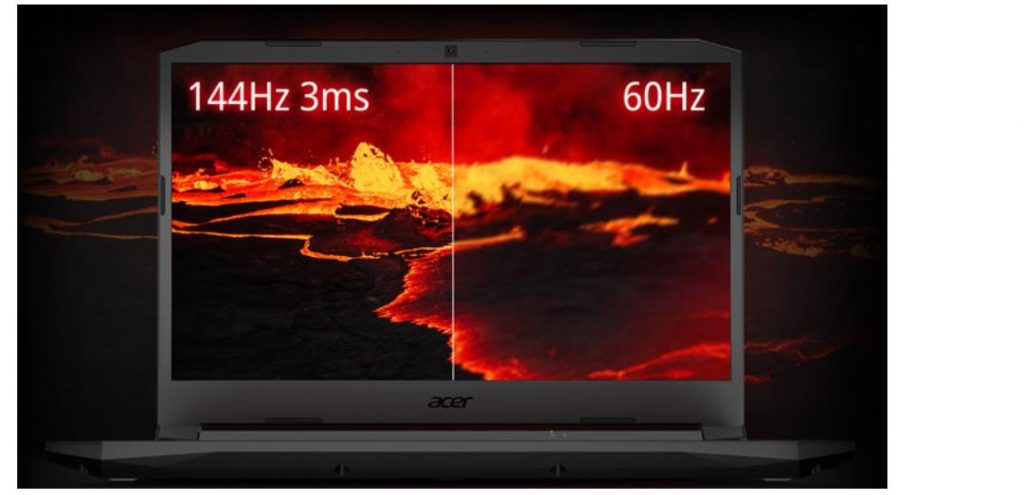
With a laptop with a smooth and smooth configuration, the Acer Nitro 5 AN515-55-5304 will handle every hot game.
Configuration
- Screen: 15.6 ′′ IPS (1920 x 1080)
- RAM: 1 x 8GB DDR4 2933MHz
- Graphics: NVIDIA GeForce GTX 1650Ti 4GB GDDR6 / Intel UHD Graphics
- CPU: Intel Core i5-10300H
2. ASUS TUF Gaming FA506II AL012T Laptop
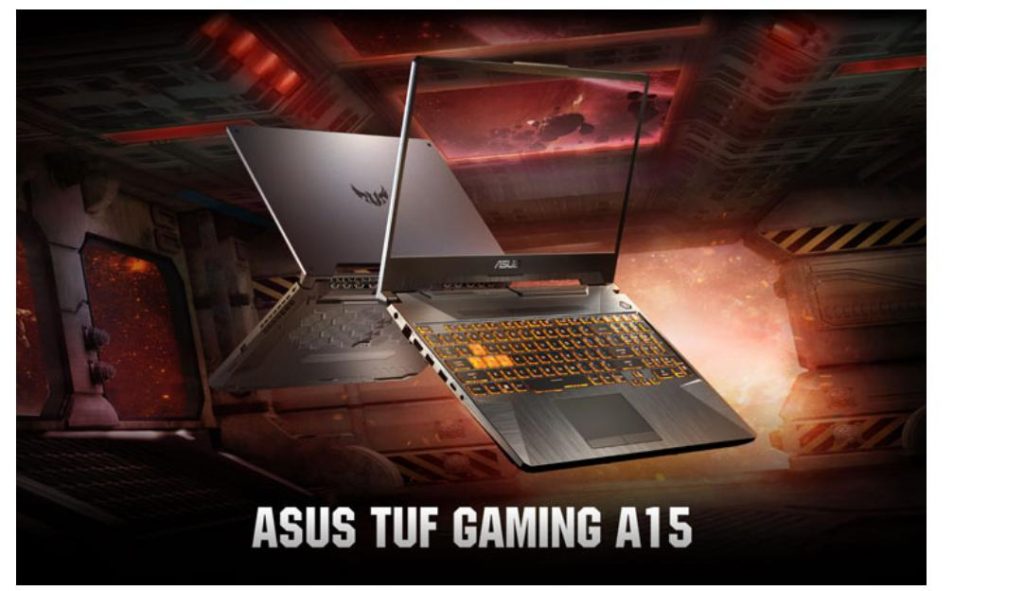
Asus TUF FA506II AL012T is the choice for you to consider with the price in the 20 million range. The performance of the machine will also surprise you.
CPU processors from AMD Ryzen latest generation up to 8 cores, capable of fast multitasking. Graphics combined with up to GeForce RTX 2060 discrete GPU (configurable version optional).

With the GTX 1650Ti 4GB discrete card will help you balance the games: LOL, Dota, Forniture PUBG. Impressive design, gamers can freely express their personal style. Additionally, this gaming laptop has passed the US military durability test MIL-STD-810H.
Configuration
- Display: 15.6 ′′ IPS (1920 x 1080), 144Hz
- - RAM: 1 x 8GB DDR4 3200MHz
- Graphics: NVIDIA GeForce GTX 1650Ti 4GB GDDR6 / AMD Radeon Graphics
- - CPU: AMD Ryzen 5 4600H
3. MSI Thin GF65 10SER-622VN 622VN
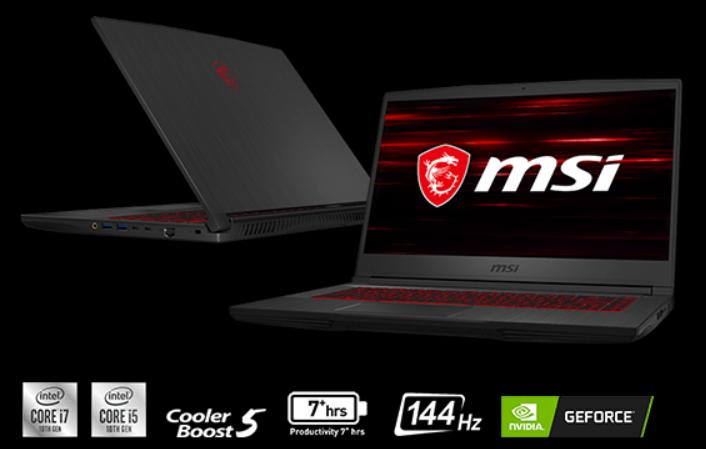
When it comes to the MSI GF65 Thin 10SER-622VN , the main impression is its slim and light design. With a scratched metal top and an adjacent keyboard design, the underside has a unique hidden X-shaped ventilation slot. This is a gaming laptop with a 15-inch shape, looking neat thanks to the thin edge of the screen.
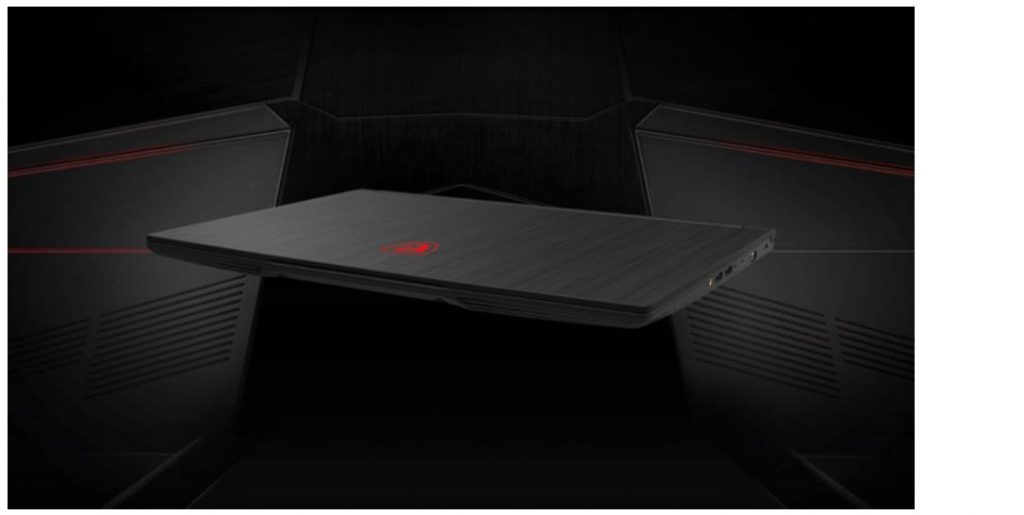
In addition, the laptop is also equipped with the latest high-performance Intel chip up to 40%, thanks to the high-frequency processing speed. State-of-the-art NVIDIA GeForce graphics card improves graphics performance. As a result, effectively increasing the number of frames per second for hot games!

Configuration
- Screen: 15.6 ′′ IPS (1920 x 1080) 144Hz
- - RAM: 1 x 8GB DDR4 2666MHz (2 Slot / Maximum Support 64GB)
- Graphics: Intel UHD Graphics / NVIDIA GeForce RTX 2060 6GB GDDR6
- - CPU: Intel Core i7-10750H
FAQ
How should I choose among Best Gaming Laptops in 2020?
Compare compatibility, essential features, ease of use, security, support, and total cost rather than choosing only by popularity.
Are free options suitable for everyday use?
Free tools can be sufficient for basic needs, but advanced features, commercial use, or priority support may require a paid plan.
What should I check before installing or using one?
Verify the official source, system requirements, recent updates, privacy practices, and support for your device and file types.
Related Articles
 Top 7 Best Gaming Laptops in 202111 minutes read
 7 Common Mistakes with Gaming Laptops and How to Avoid Them11 minutes read
 Top 5 High-end Laptops 2020 Running Well with Graphics and7 minutes read
 The Necessary Notes When Buying a Gaming Laptop10 minutes read
 4 Best Best Gaming Laptops Today8 minutes read
 Lenovo Ideapad Gaming 3 Detailed Review: the Perfect Match!13 minutes read
Reader Comments 0
Sign in with email or Google to join the discussion.