Table of Contents
This guide covers sony will launch a laptop that competes with MacBook air with practical context and easy-to-follow details. Use it to understand the subject and apply the information confidently.
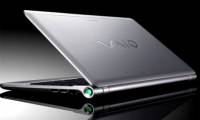
According to Sony Insider, Sony plans to launch a device that competes with Apple's ultra-thin MacBook Air laptop, and is developing another laptop running Google's Chrome OS.
 Image for illustrative purposes.
The first device named VAIO Hybrid PC Is equipped with Sandy Bridge Core i7 super-fast processor, SSD hard drive and HDMI port that supports 3D. Battery life is expected to range from 8-16. 5 hours and weighs about 2. 5 pounds (more than 1. 1kg).
In particular, when connected to a second part (desktop unit), this device will become a complete desktop computer, with a Blu-ray burner, VGA, Ethernet, USB and card outputs. Discrete AMD Whistler-XT graphics with 1GB of memory.
In addition, this special dual-use device can include an Intel Thuderbolt high-tech connector, which is currently only available on Apple's new MacBook pro line.
Sony Insider also said Sony is developing a VAIO notebook running Google's Chrome OS. The device will be equipped with 1GB of memory, an 11. 6-inch LCD screen with 1366x768 resolution, NVIDIA's Tegra 2 processor, and an 8-hour battery life.
FAQ
What should I check before following these steps?
Confirm device and software compatibility, save important data, and make sure you have the required permissions, files, and account access.
Why might the process not work?
Common causes include outdated software, missing permissions, incompatible hardware, an unstable connection, or completing a step in the wrong order.
Can I undo the changes if necessary?
That depends on the tool or setting. Use built-in restore options when available, keep a backup, and record the original configuration first.
Related Articles
 Sony Launched Many New Laptop Models4 minutes read
 MacBook and Sony Vaio 'Go Home Together'3 minutes read
 HP Launched a Laptop That Competes with the MacBook Air4 minutes read
 Excellent Notebook Collection in 20105 minutes read
 Sony Is About to Launch the First TransferJet Devices4 minutes read
 There Will Be MacBook Costs Only 500 USD3 minutes read
Reader Comments 0
Sign in with email or Google to join the discussion.