Table of Contents
Is your Smart TV running slow, taking a long time to open apps, or lagging? Don't rush to buy a new TV!
If your smart TV is starting to feel sluggish – apps take a long time to open, menus respond slowly, or operations seem choppy – you're not alone. Before you consider upgrading to a new model or resigning yourself to the wait, try giving your old TV a little boost. The good news is that there are Simple, inexpensive Ways to speed things up and make it run smoother without spending money on a new one.
1. Clean up 'digital junk' to regain speed
Smart TVs are essentially miniature computers with limited hardware, especially in mid-range or low-cost models. After a long period of use, the TV's memory and processor can easily become overwhelmed by data and background applications.
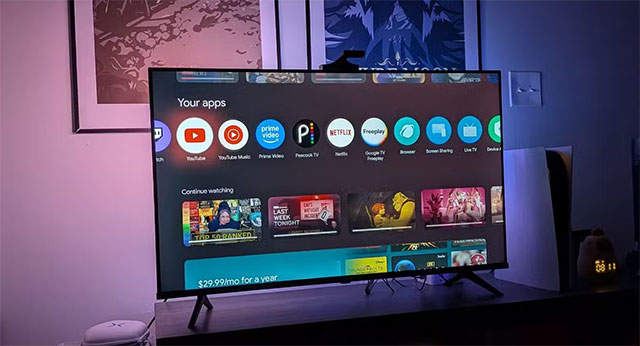
The first and easiest solution is To restart your TV . This frees up RAM, kills background apps, and refreshes the entire system. Many TVs (especially Android TVs) tend to go into a 'sleep' state rather than turning off, allowing background processes to build up over time.
The next step is To clear the cache . Like your phone or computer, your TV's cache temporarily stores data like thumbnails, login information, or recently viewed content. Over time, it can become corrupted or take up too much space, causing your TV to noticeably slow down. → Clear the cache periodically every few months, or as soon as you notice your TV slowing down, freezing, or showing that it's full.
Also, don't forget to uninstall unused apps. TVs only have limited memory, so removing excess apps will help the system 'breathe' more. If you have many videos, movies or games saved, move some of them to a USB or external hard drive to free up space on your device.
2. Turn off resource-consuming features
Like computers, smart TVs often come pre-loaded with a variety of flashy features and visual effects. While they look great, they can take up a significant amount of processing power and slow down response times.
One of the main culprits is Power Saving / Eco Mode . This feature reduces processing power to save power, but also slows down the TV. If you prioritize speed over power saving, turn this mode off in Settings.
Next, turn off or reduce transition effects and interface animations. This helps reduce the load on the GPU and CPU, making menu opening and app switching faster.
Finally, delete or disable bloatware – default applications from the manufacturer such as Samsung TV Plus, LG Channels. They often run in the background, take up space and make the system noticeably slower.
3. Check and upgrade your Internet connection
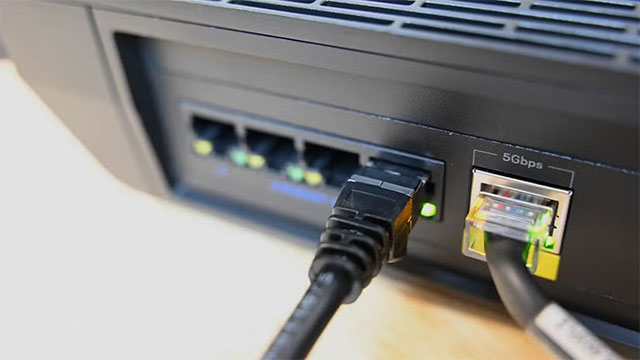
It's not always your TV that's at fault. If you're experiencing stuttering, lag, or video that takes forever to load while watching a movie, the problem could be Your network connection .
Smart TVs need a stable bandwidth to stream content smoothly. When Wi-Fi is weak, the router is far away, or there are too many devices sharing the network, the transmission speed will decrease significantly. → The best way is to use an Ethernet cable instead of Wi-Fi. A wired connection provides a much more stable transmission, especially when watching 4K content or playing online games.
That said, it's worth noting that some TVs have network interface cards (NICs) that are limited to 100 Mbps, which will 'lock' the maximum speed even if your home network is faster. If you want to get around this limit, using a USB 3.0 to Ethernet adapter can significantly improve your speed.
4. Use a separate streaming device
If you've tried everything else and your TV is still slow, consider getting a dedicated streaming device like a Fire TV Stick, Chromecast, or Apple TV. These devices are specifically designed for streaming content and have more powerful hardware than a built-in smart TV platform.
The result is a smoother interface, faster processing speeds, and more frequent software updates — all of which make watching movies, listening to music, or using apps feel like new.
Conclude
Sometimes, reviving an old smart TV doesn't require complicated or expensive measures. With just a few simple steps like clearing the cache, removing apps, optimizing the network and turning off unnecessary features, you can make your TV run significantly faster and smoother.
Instead of rushing to upgrade to a new device, try to make the most of what you have – a little patience and basic technical know-how can go a long way in prolonging the life of your beloved TV.
FAQ
What should you know about the options in this guide?
In practical terms, is your Smart TV running slow, taking a long time to open apps, or lagging? Don't rush to buy a new TV.
Which option is the best choice?
The best choice depends on your priorities, compatibility, budget, and the specific features discussed in the comparison.
What should you compare before deciding?
Compare core features, limitations, ease of use, compatibility, and long-term value before making a decision.
Related Articles
 Ways to Make Smart Mouse Traps with Simple Household Items6 minutes read
 Simple Tweaks to Unlock the Full Potential of Your Smart TV Web Browser7 minutes read
 How to Increase Processing Speed for Smart TV7 minutes read
 Useful Tips to Improve Your Smart TV Experience5 minutes read
 3 Ways to Speed up Your Laptop as Fast as You Just Bought It8 minutes read
 Tell You 5 Ways to Increase Network Speed Extremely Fast and Effective4 minutes read
Reader Comments 0
Sign in with email or Google to join the discussion.