Table of Contents
Multi-touch Application Packages for Windows 7 is easier to understand when the core ideas are paired with practical examples. The sections below explain the topic clearly, highlight useful steps, and point out details that can prevent common errors.
Recently, a Microsoft member revealed the information and profile of some of the applications that work with the manual "pointing" that Windows 7 provides . Microsoft Surface Globe
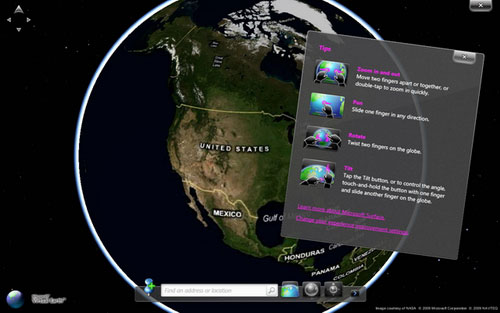
The first application of this application is called the Surface Globe. You can imagine that this app is a 3D globe that displays images of the world right before your eyes. Here, you can visit many places on the earth, find out information of areas, mark points of interest,. Not only that, the image here is displayed in a very detailed and real way under 3D image format. If you want to learn this application thoroughly, you can access it here. Microsoft Surface Collage
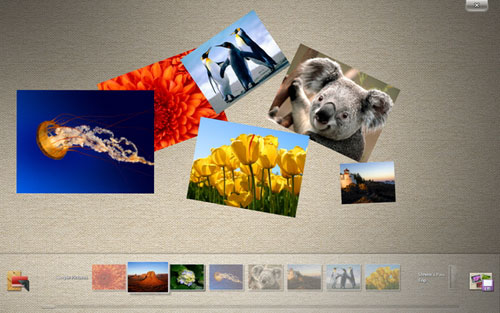
With this special collage application you can choose an image gallery and move them around very interesting. Once arranged, you can save it under a new image and use it as a wallpaper for Windows. Microsoft Surface Lagoon
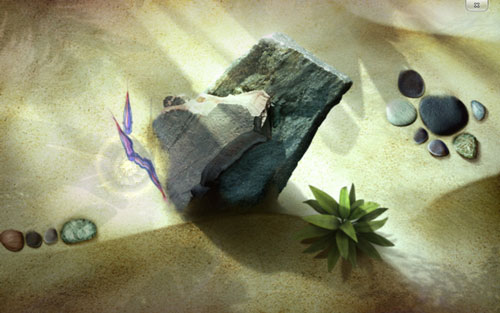
With a new screen saver, you can interact with scenes around your index fingers. Here the scenery includes fish, water, sand,. Microsoft Blackboard
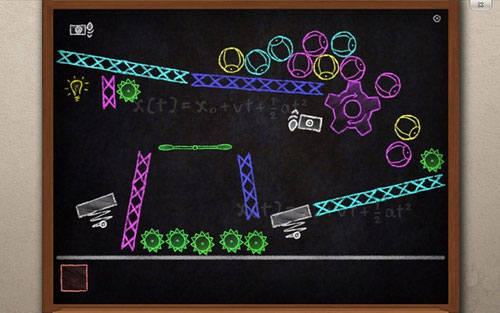
This app is like a puzzle game that gives users a magic board. This magic board will simulate the images of physical devices so you can see them moving on the working screen of Windows 7 easily. You can also change the size of physical devices on the board. Microsoft Rebound
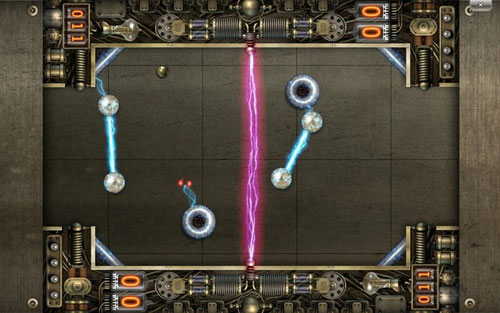
This is a game with a play style that is used by fingers to control a ball to avoid the dangers created on the surface of the game screen. Microsoft Garden Pond
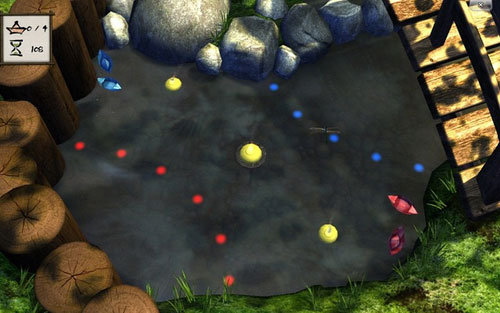
This is also a game with high relaxing melodies. The interaction is higher when there are scenes floating on the water in which manipulation operations are just fingers. Note : To be able to run these applications, the computer must be equipped with a multi-touch screen.
FAQ
What is Multi-touch Application Packages for Windows 7?
Recently, a Microsoft member revealed the information and profile of some of the applications that work with the manual "pointing" that Windows 7 provides.
Why is Multi-touch Application Packages for Windows 7 important?
A clear understanding of Multi-touch Application Packages for Windows 7 helps you make informed decisions, avoid common mistakes, and use the relevant tools or techniques more effectively.
How should beginners approach Multi-touch Application Packages for Windows 7?
Start with the fundamental concepts, follow the examples step by step, and test each change in a safe environment before applying it to important systems or data.
Related Articles
 Battalion Multi-Touch CZ-10: Multi-touch Technology Encroaches on Laptops3 minutes read
 Time of Multi-touch7 minutes read
 Dell Introduces New Studio Series, Multi-touch Screen3 minutes read
 HP Unveiled a Multi-touch Touchscreen Laptop4 minutes read
 Distinguish Between Resistive Touch Screens and Capacitive Touch8 minutes read
 Dell Has Two Models of Multi-touch Screen Laptops3 minutes read
Reader Comments 0
Sign in with email or Google to join the discussion.